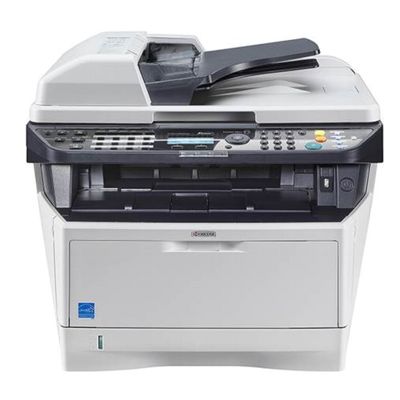
Reliable printing with Kyocera EcoSys M2535dn Kyocera EcoSys M2535dn (also searched as Kyocera M2535dn, M2535dn, M2535 DN or M2535DN) is a popular monochrome laser multifunction printer designed for offices that print a lot and expect consistent results. It is valued for fast document handling, duplex printing, and the EcoSys concept focused on durable components. To keep your device working at its best, it’s worth choosing the right toner for Kyocera EcoSys M2535dn and, when needed, the dedicated service components such as a drum unit, developer, maintenance kit, or fuser unit. Toner and service components – what matters in everyday use When you choose toner for printer Kyocera EcoSys M2535dn, you’re choosing more than just “black powder”. The right cartridge impacts text sharpness, uniform blacks, and the overall reliability of printing in busy environments. In this category you will find not only toner cartridges, but also components that support long-term performance: - Toners – the key consumable for daily printing (documents, invoices, reports, shipping labels).
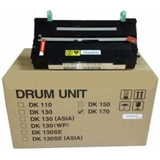
- Drum Units – responsible for transferring the image; crucial for clean, sharp output.
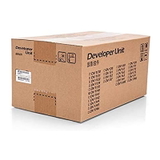
- Developers – help properly apply toner to the drum for stable print density.
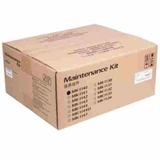
- Maintenance Kits – sets designed to refresh key wear parts and keep the printer in good condition.
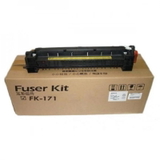
- Fuser Units – fix toner to paper; important for durability and preventing smudging.
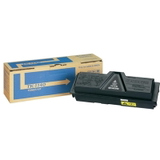
If your prints start to look pale, show background shading, or you notice streaks, it may not be just the toner. The drum, developer, or fuser can also be the reason—so it’s great that you can conveniently match everything for Kyocera EcoSys M2535dn in one place. Original OEM or Compatible – choose the option that fits your needs In our store, you can select both Original OEM and Compatible solutions for your device. Original parts are manufacturer-branded components designed for maximum predictability and factory-level consistency. Compatible options are a smart way to lower printing costs—especially in offices with high monthly volume. We want to emphasize one thing clearly: our compatible toner for Kyocera M2535dn is designed to deliver results that are as good as the originals in everyday business printing. If you print a lot and need a budget-friendly solution without compromising legibility and reliability, compatible cartridges can be an excellent choice. Popular products for Kyocera M2535dn available in this category We’ve built this category around the most frequently chosen and essential items for toner for Kyocera EcoSys M2535dn and its maintenance: - Original OEM Toner Kyocera TK-1140 (TK1140) (Black) – the classic choice for users who want OEM performance and consistency.
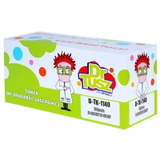
- Compatible Toner TK-1140 for Kyocera (TK1140) (Black) – a cost-effective alternative for frequent printing, offering excellent quality for office documents.
- Original OEM Drum Unit Kyocera DK-170 (302LZ93060) (Black) – helpful when you see streaks, repeating marks, or deteriorating sharpness.
- Original OEM Developer Kyocera DV-1140 (302MK93010) – supports stable image development and consistent print density.
- Original OEM Maintenance Kit Kyocera MK-1140 (1702ML0NL0) (Black) – a practical way to refresh the printer and reduce downtime.
- Original OEM Fuser Unit Kyocera FK-171 (302PH93014) – a key part when prints smear, toner doesn’t adhere well, or paper handling issues appear.
Thanks to this range, you can buy a single toner for M2535dn for immediate needs, or plan smarter by adding a maintenance item that helps avoid unexpected interruptions. How to choose the right toner and avoid common printing problems Dear Customer, if you want to pick the best toner for printer Kyocera EcoSys M2535dn, consider these practical tips: - Check the cartridge code: for this printer, the most important toner reference is TK-1140.
- Match your printing volume: higher monthly output often makes a compatible toner the most economical choice.
- Diagnose print defects correctly: streaks, ghosting, and repeated marks often point to the drum unit rather than the toner.
- Watch for fading or uneven density: if a new toner doesn’t help, the developer can be involved.
- Smudging or poor fixation: these symptoms can suggest fuser wear—then a fuser unit replacement may be the right move.
We also recommend keeping an extra toner for Kyocera M2535dn on hand—especially if you print invoices, warehouse documents, or time-sensitive paperwork. This simple step can prevent unnecessary downtime. Order your Kyocera EcoSys M2535dn toner with confidence We encourage you to explore our selection of toner for Kyocera EcoSys M2535dn—both Original OEM and Compatible—as well as essential components like drum units, developers, maintenance kits, and fuser units. If you’re not sure which option will solve your issue or which part you need, contact us—we’ll help you choose the best solution for your printer and your budget. View the available TK-1140 toners and service components now and keep your Kyocera EcoSys printer running smoothly with fast delivery and professional support from our team. |