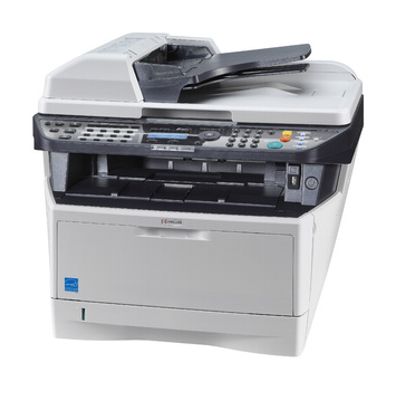
| Kyocera EcoSys M2035dn (also searched as Kyocera M2035dn, M2035dn, M2035 DN or M2035DN) is a proven monochrome laser multifunction printer designed for busy offices and home offices. It’s valued for fast printing, duplex (automatic double-sided) output and the EcoSys concept—durable components and cost-efficient operation. To keep this model working at its best, it’s worth choosing the right toner for Kyocera EcoSys M2035dn and matching service parts from a reliable source. Reliable printing starts with the right toner for Kyocera EcoSys M2035dn In this category we offer laser cartridges for the Kyocera EcoSys M2035dn in both Original OEM and Compatible versions. A well-chosen toner for printer Kyocera EcoSys M2035dn is crucial for crisp black text, consistent coverage and stable page yield—especially when you print invoices, contracts, reports or shipping labels. If your prints look pale, show background “fog,” or the device reports low toner too quickly, replacing the toner is usually the first and most effective step. Beyond toner, this model also relies on service components that influence print quality and reliability. That’s why we include not only toners, but also drum units, developers, maintenance kits and fuser units—everything you may need for long-term, trouble-free operation of your Kyocera EcoSys device. What you’ll find here: toners, drum units, developers and more We created this selection so you can conveniently match the right consumable to your exact needs—whether you want factory-original parts or a high-quality alternative. Our range for Kyocera M2035dn includes: - Toners – the everyday essential responsible for sharp black printing.
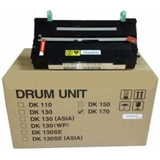
- Drum Units – key for image transfer and uniform text/graphics; worn drums can cause streaks, repeated marks or uneven density.
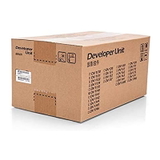
- Developers – help maintain stable toner application and consistent print density over time.
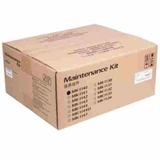
- Maintenance Kits – convenient sets for scheduled servicing, helping prevent downtime.
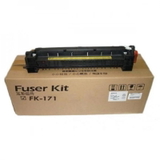
- Fuser Units – fuse toner to paper; issues here can show up as smudging, poor adhesion or repeated error messages.
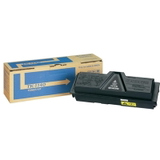
Popular products for Kyocera M2035dn (Original OEM and Compatible) To make choosing easier, here are some of the most frequently selected items in this category: - Original OEM Toner Kyocera TK-1140 (TK1140) (Black) – an OEM choice for maximum predictability, excellent text sharpness and stable yield.
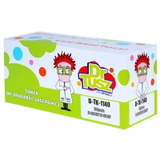
- Compatible Toner TK-1140 for Kyocera (TK1140) (Black) – a cost-effective alternative. Our compatible cartridges are designed to deliver results that are as good as originals, while keeping printing costs under control.
- Original OEM Drum Unit Kyocera DK-170 (302LZ93060) (Black) – recommended when you notice streaks, repeating defects or overall quality drop even after replacing the toner.
- Original OEM Developer Kyocera DV-1140 (302MK93010) – supports consistent density and smooth operation during high-volume printing.
- Original OEM Maintenance Kit Kyocera MK-1140 (1702ML0NL0) (Black) – a practical option for preventive maintenance and reducing unexpected stops.
- Original OEM Fuser Unit Kyocera FK-171 (302PH93014) – ideal when symptoms suggest fusing problems, such as smearing or toner not bonding properly to the paper.
Whether you’re searching for toner for Kyocera EcoSys M2035dn, a replacement drum, or a full service part, we keep the offer clear and model-focused—so you can order quickly and get back to printing. How to choose: Original OEM vs Compatible toner for Kyocera EcoSys M2035dn When selecting toner for printer Kyocera EcoSys M2035dn, start with your printing habits and expectations: - Choose Original OEM if you want the manufacturer’s cartridge and prefer the most conservative, factory-spec option for office workflows.
- Choose Compatible if you want to lower cost per page without sacrificing quality. The compatible cartridges we offer are as good as the originals in everyday use—sharp text, clean blacks and dependable performance.
Many Kyocera EcoSys M2035dn users also ask about recurring issues: faded prints, vertical lines, background shading or smudging. Our rule of thumb is simple: if a new toner doesn’t solve the problem, the next suspects are typically the drum unit, the developer, or—in case of smearing—the fuser unit. If you’re unsure, we encourage you to contact us; we’ll help you match the right part to the symptom and avoid unnecessary purchases. Order with confidence and keep your Kyocera EcoSys running We make it easy to choose the right toner for Kyocera M2035dn and the correct service components for long-term reliability. Browse the available Original OEM and Compatible options, compare what fits your budget and workload, and place your order when you’re ready. If you’d like help identifying the correct cartridge or diagnosing print quality issues, contact us—we’ll guide you to the best solution. View the products in this category and stock up today to avoid downtime tomorrow. |