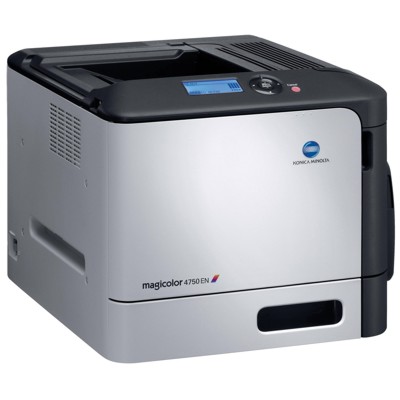
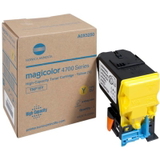
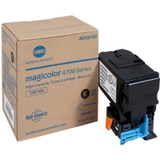
KM magiColor 4790 – reliable colour printing for everyday work Dear Customer, the KM magiColor 4790 (also searched as KM 4790, KM magiColor or simply 4790) is a proven colour laser printer designed for offices and departments that expect clear text, sharp graphics and repeatable results. To keep this device performing at its best, it’s worth choosing a toner for printer KM magiColor 4790 that matches the printer’s requirements and your daily printing volume. In this category we focus on laser toner cartridges dedicated to the KM magiColor 4790. We offer original OEM solutions that ensure full compatibility, consistent colour reproduction and the peace of mind that comes with using manufacturer-grade consumables. What you gain with the right toner for KM magiColor 4790 Good-quality toner for KM magiColor 4790 is not only about colour. It directly affects the cleanliness of the printout, the durability of documents and the efficiency of your work. Properly selected toner helps the printer maintain stable operation and reduces the risk of issues related to uneven coverage or fading. Typical applications where the KM magiColor 4790 toner matters most: - office documents and contracts that require crisp black text,
- colour charts, presentations and reports,
- marketing materials and internal handouts,
- everyday mixed printing where consistent colour is important.
Because the KM magiColor series is often used in work environments, many customers value predictable results: stable colour, repeatable blacks and clean edges—especially when printing multiple pages in one session. Original OEM Toner KM TNP-18 – the set for full colour printing Our selection includes the most popular and fully dedicated original cartridges for this model. If you want a dependable toner for printer KM magiColor 4790, these OEM options are the safe, straightforward choice: - Original OEM Toner KM TNP-18K (A0X5150) (Black) – for deep blacks and sharp text.
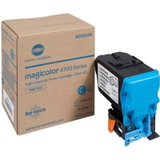
- Original OEM Toner KM TNP-18C (A0X5450) (Cyan) – for clean blues and cool tones in graphics.
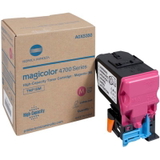
- Original OEM Toner KM TNP-18M (A0X5350) (Magenta) – for vivid magentas and balanced reds.
- Original OEM Toner KM TNP-18Y (A0X5250) (Yellow) – for bright highlights and warm colour transitions.
Choosing the full CMYK set is the easiest way to keep your KM magiColor 4790 ready for any task—whether you print mainly text with occasional colour pages, or you regularly create colourful documents. How to choose the right toner – practical tips before you order When selecting a toner for KM 4790, we recommend checking a few simple details that prevent ordering mistakes and help you plan your costs: - Confirm the cartridge code – this printer uses the TNP-18 series (K/C/M/Y). Matching the code is the fastest way to ensure compatibility.
- Pick the colour you really need – for example, if you mostly print text, the black toner (TNP-18K) may run out first.
- Plan for continuity – offices often keep at least one spare cartridge to avoid downtime, especially for black.
- Choose OEM when consistency is critical – original OEM toner is ideal for documents that must look the same every time.
Original OEM vs compatible toner – what’s the difference? In general, Original OEM toner for printer KM magiColor 4790 is designed and produced to meet the manufacturer’s specifications, offering excellent consistency and predictable operation. Compatible toners are alternative replacements produced by third parties. Many customers ask whether a compatible cartridge can match OEM quality—our answer is yes: compatible cartridges from DrTusz.pl are as good as the originals in everyday office printing, offering great value and reliable performance. In this particular category, however, you’ll find Original OEM toners—perfect for those who want to keep their KM magiColor 4790 working on manufacturer-grade supplies. Common user issues with KM magiColor printers – and how toner choice helps With colour laser printers like the KM magiColor 4790, the most common concerns we hear about are: - faded colour or uneven coverage – often linked to a near-empty cartridge or a toner that’s not ideally matched to the device,
- poor black density – typically solved by replacing the black toner with a fresh, dedicated OEM cartridge,
- colour imbalance in charts and graphics – frequently improved by ensuring all CMYK cartridges are in good condition,
- unexpected interruptions during important print runs – prevented by keeping spare toner for KM magiColor 4790 on hand.
If you’re unsure which cartridge will solve your print problem, we encourage you to contact us—our team will help you choose the correct toner for KM magiColor 4790 quickly and safely. Order your KM magiColor 4790 toner with confidence We encourage you to browse the available toner cartridges for KM magiColor 4790 in this category and choose the colours you need right now—or complete the full set to keep your printer ready for any job. Add the selected TNP-18 toners to your cart, and if you have any questions about compatibility, selection or replacing the cartridge, contact us—we’re here to help. We offer fast delivery options and support at every step, so you can get back to printing without delays. CTA: Check the available Original OEM toner for printer KM magiColor 4790 and order today—or contact us for quick assistance in choosing the right TNP-18 cartridge. |