Haven't found what you were looking for? Click here! ▼
Describe below exactly what you are looking for and we will see how we can help. You will receive a reply to your e-mail address by 09:15 on monday (5 October 2026) at the latest
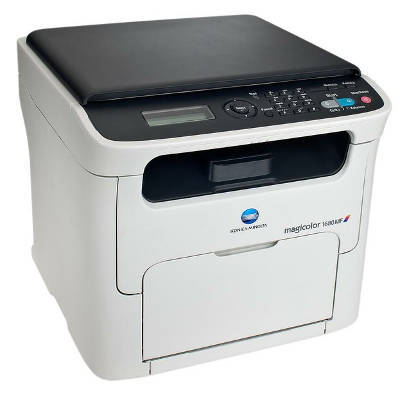
Toner cartridges for KM MagiColor 1680 MF - compatible and original OEM
Keep your KM MagiColor 1680 MF performing at its best with our selection of laser cartridges designed for consistent, professional results. This category covers both Original OEM and Compatible options, making it easy to match your budget while maintaining reliable print quality for everyday office documents and color work.
Choose from toner cartridges in Black, Cyan, Magenta, and Yellow (including part numbers such as A0V301H, A0V30HH, A0V30CH, and A0V306H), plus an OEM Drum Unit (A0VU0Y1) to keep your device running smoothly. Whether you search for KM 1680 MF toner or “KM MagiColor 1680MF,” you’ll find options built for compatibility, clean output, and dependable page-to-page performance.
Stock up now and avoid downtime—pick the right toner cartridges for KM MagiColor 1680 MF in OEM or compatible versions and keep your prints sharp and vibrant. Explore the full offering and choose the supplies that fit your printer and your workload.
Other names: All-In-One Printer KM MagiColor 1680 MF, All-In-One Printer KM MagiColor 1680 mf, All-In-One Printer KM MagiColor 1680mf, All-In-One Printer KM MagiColor 1680MF
KM MagiColor 1680 MF – compact color laser printing you can rely on
The KM MagiColor 1680 MF (also searched as KM 1680 MF, 1680 MF, 1680mf or 1680MF) is a practical multifunction color laser device designed for everyday office work: clear text, readable graphics, and reliable performance for regular printing, copying and scanning tasks. To keep it working at its best, you need a well-matched toner for printer KM MagiColor 1680 MF and, when the time comes, a properly selected drum unit as well.
Toner and drum unit for KM MagiColor 1680 MF – what matters most
In this category we offer laser cartridges in two classes: Original OEM and Compatible, and in two key types: Toners (CMYK) and a Drum Unit. The toner for KM MagiColor 1680 MF is responsible for color intensity, sharp lines and consistent coverage on the page. The drum unit, in turn, plays a crucial role in transferring the image onto paper—when it wears out, even the best toner won’t deliver clean results.
Choosing the right toner for KM MagiColor 1680 MF means you get:
strong, crisp black text for invoices, reports and letters,
vivid color for charts, presentations and marketing materials,
stable print quality from the first page to the last,
predictable operating costs thanks to efficient toner usage.
Original OEM vs compatible – choose what fits your needs
We know customers often ask whether to choose an Original OEM toner or a compatible toner for KM MagiColor 1680 MF. Both options can be a great choice—what changes is your priority.
Original OEM is ideal if you want the manufacturer’s solution, maximum peace of mind and full consistency with the device’s specification.
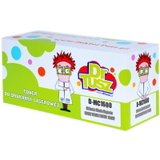
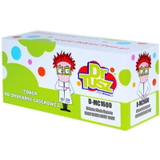
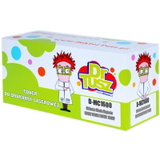
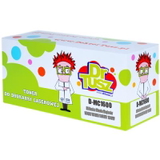
Compatible is perfect if you want to reduce printing costs without sacrificing quality. Our compatible cartridges from DrTusz.pl are designed to be just as good as the originals in everyday work: sharp text, strong colors and reliable performance.
If you print a lot (documents, school materials, office workflows), a compatible toner for printer KM 1680 MF can significantly lower the cost per page. If you’re producing important customer-facing documents and want to stick strictly to OEM solutions, original cartridges are a safe bet.
Popular products in this category – black, color and drum unit
We keep this category focused and practical—so you can quickly find exactly what your printer needs. Here are some of the most frequently chosen items for KM MagiColor 1680 MF / KM MagiColor devices:
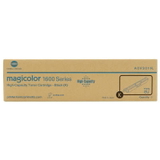
Original OEM Toner KM MC 1600W/1690MF (A0V301H) (Black) – solid, deep black for everyday documents.
Compatible Toner MC 1600W/1690MF for KM (A0V301H) (Black) – a cost-effective black toner for KM MagiColor 1680 MF for frequent printing.
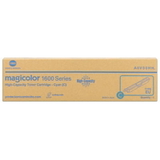
Original OEM Toner KM MC 1600W/1690MF (A0V30HH) (Cyan) and Compatible Toner MC 1600W/1690MF for KM (A0V30HH) (Cyan) – for clean blues and balanced color mixes.
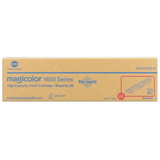
Original OEM Toner KM MC 1600W/1690MF (A0V30CH) (Magenta) and Compatible Toner MC 1600W/1690MF for KM (A0V30CH) (Magenta) – for strong reds and vivid accents.
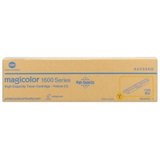
Original OEM Toner KM MC 1600W/1690MF (A0V306H) (Yellow) and Compatible Toner MC 1600W/1690MF for KM (A0V306H) (Yellow) – for bright highlights and natural-looking color output.
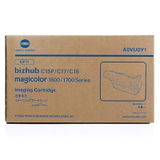
Original OEM Drum Unit KM MC 1600W/1690MF (A0VU0Y1) – when your printer needs a new imaging unit to restore clarity and eliminate print defects.
Thanks to the selection of Original OEM and Compatible options, you can build a complete CMYK set of toner for KM MagiColor 1680 MF and keep your device ready for any task.
How to pick the right toner for KM MagiColor 1680 MF – practical tips
To avoid mismatches and unnecessary downtime, we recommend a simple checklist:
Confirm the device name: KM MagiColor 1680 MF (also written as 1680 mf, 1680MF, 1680mf).
Match the code on the cartridge (for example A0V301H for black, A0V30HH cyan, A0V30CH magenta, A0V306H yellow).
Decide on OEM vs compatible: OEM for the manufacturer route, compatible when you want excellent results and better value.
Watch the drum unit condition: if prints look washed out or show repeating marks, the issue may be the drum unit, not the toner.
Common issues with KM MagiColor 1680 MF – and what usually helps
Users of KM MagiColor printers sometimes report problems that are easy to resolve with the correct consumable choice:
Faded prints or uneven color – often a low toner level in one color, or a drum unit nearing the end of its service life.
Streaks, repeating spots, background shading – frequently linked to the drum unit rather than the toner itself.
Color imbalance (e.g., too bluish or too reddish) – replacing the depleted color toner (cyan/magenta/yellow) typically restores proper balance.
Printer warnings after replacement – double-check the cartridge code and make sure it’s seated correctly.
If you’re not sure whether you need a toner for KM 1680 MF or a drum unit, we’re happy to help you identify the right part based on symptoms and the cartridge codes.
Order your toner and drum unit today – we’re here to help
We encourage you to explore our selection of toner for printer KM MagiColor 1680 MF—both Original OEM and high-quality Compatible solutions. Choose a single color you’re missing or complete the full CMYK set, and add the drum unit if your printer needs a refresh. If you have any questions about compatibility, codes, or which option is best for your printing style, contact us—our team will guide you to the right purchase.
CTA: Check the available toners and drum unit for KM MagiColor 1680 MF now and place your order—fast delivery and friendly support will help you get back to printing without delays.