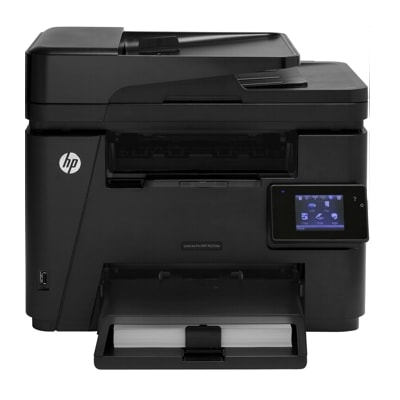
Reliable mono printing with the HP LaserJet Pro M225 DW Dear Customer, the HP LaserJet Pro M225 DW (also searched as HP M225 DW, HP LaserJet Pro 200 M225 Series, M225dw or M225DW) is a proven monochrome laser all‑in‑one built for everyday office work. It combines fast printing, sharp black text, convenient duplex (DW = duplex + Wi‑Fi) and practical scanning/copying in one compact device. If you want consistently crisp documents and predictable running costs, choosing the right toner for printer HP LaserJet Pro M225 DW is the key. What a toner for HP LaserJet Pro M225 DW should deliver This model uses mono laser technology, so what you need is a high-quality black toner for HP LaserJet Pro M225 DW—not liquid ink. A good cartridge ensures clear small fonts, solid black fills and stable performance from the first page to the last. Whether you print invoices, shipping labels, contracts or reports, the right toner for HP LaserJet Pro M225 DW helps you maintain professional output and reduce downtime. In this category you’ll find cartridges based on the popular HP 83 family, commonly identified by codes such as CF283A and CF283X. Many customers also reach us using device-related phrases like CF485A or simply HP LaserJet Pro M225 DW toner—and we make sure you can quickly match the cartridge to your exact needs. Compatible and Original OEM: one place, many options We know every workplace prints differently, which is why we offer both Original OEM solutions and carefully selected Compatible alternatives. If you prefer manufacturer cartridges, choose the original HP option. If your priority is a smart budget without compromising everyday results, our compatible cartridges from DrTusz.pl are designed to be just as reliable and print just as well as the originals—while helping you lower the cost per page. - Original OEM toner for HP LaserJet Pro M225 DW – factory-made cartridges for those who want the classic HP solution.
- Compatible toner for HP LaserJet Pro M225 DW – high-value cartridges offering excellent black density and consistent performance.
- Single packs and 2-packs – ideal when you want to stock up and avoid unexpected shortages.
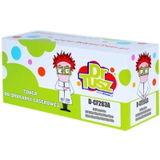
Popular products in this category (HP 83A / 83X) To make your choice easier, we highlight the best-known options for this device. In our range you’ll find, among others: - Compatible Toner 83A for HP (CF283A) (Black) – a dependable everyday choice for regular office printing.
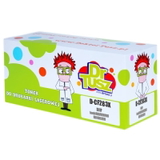
- Compatible Toners 83A for HP (CF283AD) (Black) (2-pack) – convenient for teams that print frequently.
- Compatible Toner 83X for HP (CF283X) (Black) – a high-yield option for heavier workloads.
- Compatible Toners 83X for HP (CF283XD) (Black) (2-pack) – best when you need more pages and uninterrupted work.
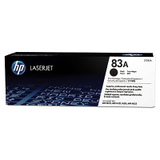
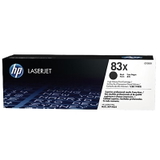
- Original OEM Toner HP 83A (CF283A) (Black) and Original OEM Toner HP 83X (CF283X) (Black) – official HP cartridges in standard and high-yield versions.
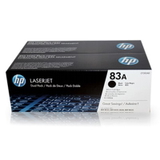
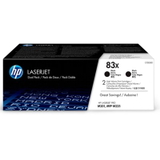
- Original OEM Toners HP 83A (CF283AD) (Black) (2-pack) and Original OEM Toners HP 83X (CF283XD) (Black) (2-pack) – practical multipacks for busy offices.
- All-In-One Printer HP LaserJet Pro M225 DW – if you’re completing your setup or replacing a device, you can pick the printer and toner in one place.
Thanks to this selection, you can match the toner for HP LaserJet Pro M225 DW precisely to your print volume and purchasing style. How to choose the right toner: 83A vs 83X, single vs multipack When choosing toner for printer HP LaserJet Pro M225 DW, start with two simple questions: how much do you print, and how important is convenience? - Standard yield (83A / CF283A): great for light to medium printing—ideal for home offices and smaller teams.
- High yield (83X / CF283X): better for frequent printing—fewer replacements, smoother workflow, and typically a lower cost per page.
- 2-pack (CF283AD / CF283XD): perfect if you don’t want to worry about running out of toner at the worst moment.
If you print mostly text documents, a high-quality compatible cartridge is often the most cost-effective path—especially when you choose an 83X or a 2-pack for uninterrupted work. Original vs compatible toner for HP LaserJet Pro M225 DW: what’s the difference? Many customers ask us whether compatible means “worse.” In our store, it does not. We select compatible cartridges that deliver the strong black, clean edges and consistent page-to-page performance you expect from a mono laser device. In practice, the difference usually comes down to purchasing strategy: - Original OEM – you choose the manufacturer’s cartridge line and packaging.
- Compatible – you choose excellent print quality and reliability at a better price-to-performance ratio. Our compatible cartridges from DrTusz.pl are as good as the originals for everyday printing.
Common user issues with the HP M225 DW—and how toner choice helps The HP LaserJet Pro M225 DW is robust, but typical day-to-day challenges can still appear in any busy environment. Customers most often mention: - Faded prints or uneven black – often solved by replacing an empty cartridge and ensuring you use a fresh, properly sealed toner.
- Streaks or smudges – can happen when a cartridge is near the end of its life or has been stored improperly; choosing a quality toner for HP LaserJet Pro M225 DW and storing it in a dry place helps.
- Frequent cartridge changes – if you print a lot, switching from 83A to 83X (CF283X) or choosing a 2-pack reduces interruptions.
If you’re unsure which version fits your device best (for example you searched “HP LaserJet Pro 200 M225 Series toner” or “CF485A”), we encourage you to contact us—our team will help you select the correct cartridge quickly. Choose your toner and get back to printing We encourage you to explore the full range of toner for printer HP LaserJet Pro M225 DW in compatible and Original OEM versions—single packs and cost-saving 2-packs included. Order today to keep your office running smoothly and your documents looking professional. If you need help choosing between CF283A and CF283X (or deciding whether a multipack makes sense), contact us—we’ll gladly advise and help you place the right order. We also offer fast delivery options so you can refill your printer without delays. |