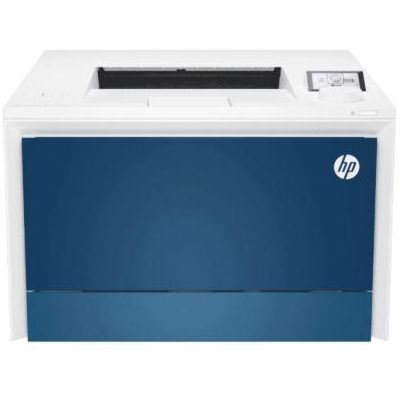
Reliable printing with the HP LaserJet Pro 4203dw (HP 4203dw) If you use the HP LaserJet Pro 4203dw (also searched as 4203dw, 4203 DW or HP LaserJet Pro 4000 Series), you already know it’s a business-oriented device designed for fast, efficient, everyday work. This model is valued for sharp text, consistent quality, and smooth operation in offices and home offices where printouts simply need to look professional—every single time. To keep that performance stable, it’s crucial to choose the right toner for printer HP LaserJet Pro 4203dw. What a toner for HP LaserJet Pro 4203dw needs to deliver A good toner for HP 4203dw is not just “powder in a cartridge”. It directly affects print density, uniform blacks or vibrant colors (depending on your configuration), resistance to smudging, and the overall cost per page. With the right cartridge, your HP LaserJet Pro 4203dw maintains its speed without sacrificing quality—especially when you print multi-page documents, invoices, reports, shipping labels, or marketing materials. When you choose a toner for printer 4203dw, pay attention to: - Yield – standard (A) vs high-yield (X) options help match your real printing volume.
- Consistency – stable coverage from the first page to the last reduces reprints and wasted paper.
- Compatibility – the right series prevents recognition errors and helps avoid interruptions.
- Quality expectations – crisp text for contracts and readable barcodes for logistics matter in day-to-day work.
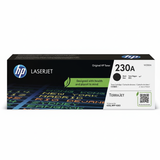
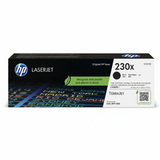
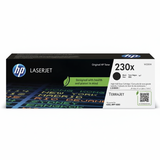
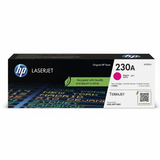
Original OEM toners in this category: HP 230A and HP 230X In this category, we focus on Original OEM solutions—ideal for customers who prefer factory cartridges designed by the manufacturer for the HP LaserJet Pro 4203dw and the wider HP LaserJet Pro 4000 Series. Original OEM cartridges are a straightforward choice when you want manufacturer-defined performance and predictable results. Our range includes the most popular options from the HP 230 series: - Original OEM Toner HP 230A (W2300A) (Black) – a standard-yield black toner for everyday office printing.
- Original OEM Toner HP 230X (W2300X) (Black) – high-yield black toner for higher monthly volumes and a lower cost per page.
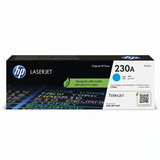
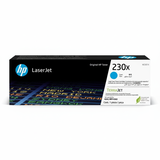
- Original OEM Toner HP 230A (W2301A) (Cyan) – standard cyan for clear charts, accents, and color documents.
- Original OEM Toner HP 230X (W2301X) (Cyan) – high-yield cyan for frequent color printing.
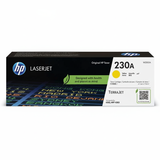
- Original OEM Toner HP 230A (W2302A) (Yellow) and Original OEM Toner HP 230X (W2302X) (Yellow) – choose standard or high-yield depending on usage.
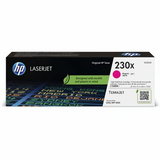
- Original OEM Toner HP 230A (W2303A) (Magenta) and Original OEM Toner HP 230X (W2303X) (Magenta) – for consistent color balance and vibrant highlights.
Thanks to this selection, you can easily build a full set or replace only the color you need—without overpaying or stocking unnecessary supplies. How to choose the right toner for printer HP LaserJet Pro 4203dw Dear Customer, the easiest way to choose the correct toner for HP LaserJet Pro 4203dw is to match the cartridge code, not just the printer name. For this device, the key is the HP 230A / HP 230X family and the specific symbol (for example W2300A or W2300X for black). We recommend a simple approach: - If you print occasionally or in small batches, choose HP 230A (standard yield).
- If you print frequently, want fewer replacements, or manage an office workflow, choose HP 230X (high yield).
- If you notice fading, uneven coverage, or “gray” blacks, replacing the toner with a fresh, correct cartridge usually restores the expected quality.
Original OEM vs compatible: what to know (and how we help) Many customers ask us about the difference between Original OEM and compatible toner for HP 4203dw. Original OEM is produced by the printer manufacturer and is often chosen for standardized corporate environments and strict documentation requirements. Compatible cartridges, when sourced from a trusted supplier, can deliver results that are as good as original—this is exactly the standard we aim for with DrTusz.pl compatible solutions. Even though this specific category page contains Original OEM toners, we want you to feel fully informed: if you are comparing options, we can advise which route will fit your print volume, quality expectations, and budget—without compromising reliability. Common user issues with the HP 4203dw and practical tips The HP LaserJet Pro 4203dw is generally trouble-free, but like any laser printer it can show typical consumables-related symptoms. If you encounter any of the following, the right toner for printer 4203 DW and a few quick checks often solve the problem: - “Low toner” warnings too early – your printer estimates toner level; real yield may vary by coverage. High-yield (X) can reduce how often you see alerts.
- Streaks or uneven density – can result from a worn or improperly seated cartridge; reinstalling or replacing the toner often helps.
- Washed-out prints – typically indicates near-empty toner or the need for a fresh cartridge matched to your model.
- Color imbalance – if one color is fading, replace the specific cyan/magenta/yellow cartridge rather than the whole set.
If you’re unsure which cartridge code is currently installed, we encourage you to check the symbol on the label—then match it to the product list above. And if you prefer, we’ll guide you step by step. Choose your HP 230 toner and keep your workflow moving We encourage you to explore our selection of toner for HP LaserJet Pro 4203dw and choose between standard and high-yield options for black and color. With the right toner, your printer stays fast, dependable, and ready for daily business tasks. If you need help selecting the correct toner for HP 4203dw (for example: W2300A vs W2300X), contact us—we’ll recommend the best match for your printing habits. Order today and enjoy convenient delivery and support from a team that knows printers and consumables inside out. |