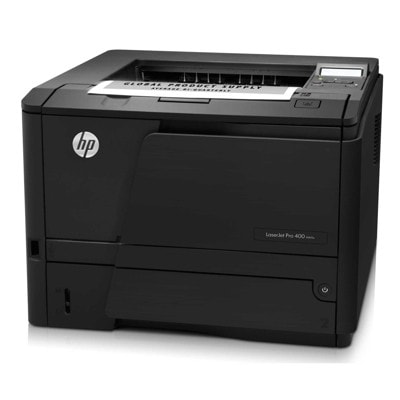
Reliable printing with the HP LaserJet Pro 400 M401a HP LaserJet Pro 400 M401a (also searched as HP M401a, M401A or HP LaserJet Pro 400 M401 Series Printer) is a proven monochrome laser printer designed for fast, crisp everyday printing. It’s a popular choice for offices, home offices and anyone who values sharp text, stable operation and efficient workflow. To keep this model performing at its best, choosing the right toner for printer HP LaserJet Pro 400 M401a is essential—both for print quality and cost control. What to expect from a toner for HP LaserJet Pro 400 M401a A good toner for HP M401a should deliver deep black, consistent coverage and clean, professional-looking documents from the first page to the last. Because this is a monochrome device, the key is reliability: predictable yield, smooth printing, and trouble-free installation. In our category you’ll find both Original OEM and high-quality Compatible options—so you can match the cartridge to your budget and printing intensity. Typical uses include: - invoices, reports and contracts with crisp, readable text,
- shipping labels and forms where strong black matters,
- everyday office printing with consistent output and good page yield.
Compatible and Original OEM: one printer, two smart paths We offer two main choices for your toner for printer HP LaserJet Pro 400 M401a: - Original OEM toner – made by HP, ideal if you want the manufacturer’s cartridge and the most “plug-and-play” approach.
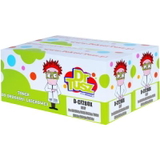
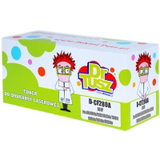
- Compatible toner – a cost-effective alternative. Our compatible cartridges from DrTusz.pl are designed to be just as good as originals in everyday use: clean black, stable performance and excellent value per page.
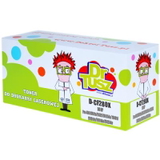
Both options are meant to help you print confidently—whether you prioritize maximum predictability or the lowest cost per page. Popular toner cartridges in this category (CF280A / CF280X family) This category focuses on the most commonly used cartridges for the M401 series: HP 80A and HP 80X (including multipacks). If you’re searching by code, you may also encounter phrases like CF270A in searches; however, for this printer family the key references here are CF280A and CF280X. Among the best-selling choices, you’ll find: - Compatible Toner 80A for HP (CF280A) (Black) – a great everyday option when you print regularly and want to keep costs under control.
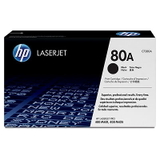
- Original OEM Toner HP 80A (CF280A) (Black) – the OEM solution for users who prefer original cartridges.
- Compatible Toner 80X for HP (CF280X) (Black) – higher-yield printing for busy offices and frequent document batches.
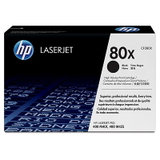
- Original OEM Toner HP 80X (CF280X) (Black) – high-yield OEM cartridge for demanding, professional environments.
- Compatible Toners 80X for HP (CF280XD) (Black) (2-pack) – convenient double pack to minimize downtime and keep a spare ready.
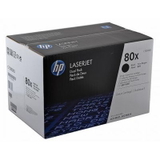
- Original OEM Toners HP 80X (CF280XD) (Black) (2-pack) – OEM multipack for uninterrupted workflows and easy stock management.
How to choose the right toner for HP LaserJet Pro 400 M401a Not sure whether to pick 80A or 80X, compatible or OEM? We encourage you to consider these simple points: - Your monthly volume – if you print a lot, the 80X / CF280X high-yield option can reduce the frequency of replacements.
- Your budget strategy – compatible cartridges offer excellent value, while Original OEM is the classic manufacturer route.
- Convenience – a 2-pack (CF280XD) is ideal if you don’t want to worry about running out at the worst moment.
When shopping, always match the cartridge symbol to your needs: CF280A (standard yield) or CF280X (high yield). If you type “M401 a”, “M401 A” or “HP LaserJet Pro 400 M401a” into search, you’ll land in the right place—this is exactly the category dedicated to that printer. Common user issues—and how the right cartridge helps The HP LaserJet Pro 400 M401a is known for dependable performance, but like any laser printer it can show typical toner-related symptoms when a cartridge is near empty or not seated properly. Customers often ask us about: - faded prints or uneven black – usually solved by replacing the toner or gently redistributing toner inside the cartridge (if it’s not fully empty yet),
- toner low messages – a normal indicator that it’s time to plan a replacement to avoid downtime,
- streaks or background shading – often related to a worn cartridge or heavy-duty printing cycles; a fresh, reliable toner for HP M401a typically restores clean output.
If you’re unsure which option will solve your issue, we’re here to help—tell us what you see on the printout and which cartridge you currently use. Choose, order, and keep printing We make it easy to pick the right toner for printer HP LaserJet Pro 400 M401a—whether you want a cost-saving compatible cartridge or an Original OEM HP solution. Browse the products listed in this category, choose CF280A or CF280X based on your printing volume, and consider a 2-pack to stay prepared. Call to action: We encourage you to explore our full selection of compatible and Original OEM toners for the HP LaserJet Pro 400 M401a and place your order today. If you have any questions about compatibility, yield, or which cartridge fits your needs best—contact us and we’ll guide you quickly and clearly. Fast delivery and helpful support are part of what we do every day. |