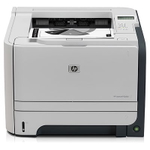
Reliable printing with the HP LaserJet P2055d Dear Customer, the HP LaserJet P2055d (also searched as HP P2055d, P2055D or HP LaserJet P2050 Series) is a well-known monochrome laser printer valued for fast, sharp business documents and trouble-free duplex printing. To keep this model performing at its best, you need one thing above all: a dependable toner for printer HP LaserJet P2055d that delivers consistent black text, page after page. What matters in a toner for HP LaserJet P2055d Choosing the right toner for HP LaserJet P2055d is not only about “will it print,” but how it prints over time—clarity, proper fusing, and stable coverage on invoices, reports, labels and daily office paperwork. A good toner for HP P2055d should ensure: - deep, even black with no gray background,
- sharp edges on small fonts and tables,
- smooth operation in both single-sided and duplex mode,
- predictable yield (standard and high-capacity options),
- clean performance that helps reduce dusting and streaks.
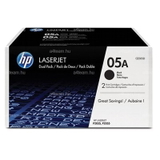
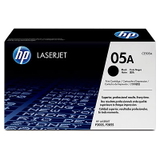
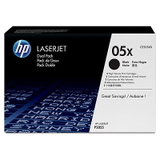
This category is built around the most popular cartridge family for this printer—HP 05A / 05X (often compared with other codes you may see while searching, such as CE457A in broader listings). If you print occasionally, a standard cartridge may be enough. If you print a lot, a high-yield option can lower your cost per page and reduce how often you replace the cartridge. Compatible and Original OEM options—plus refill components We know every user prints differently, which is why we offer a complete range for ink for HP LaserJet P2055d—and in laser printing that means toner, refill materials and service parts. In this category you’ll find products in four classes: Refill components, Compatible, and Original OEM, covering these types: Bulk Toners, Toners, Fuser Units, and Bulk Toners + Chips. Our goal is simple: help you choose the best toner for printer P2055d for your budget and workload, without compromising on print quality. And yes—our compatible cartridges from DrTusz.pl are designed to be as good as originals in everyday use: crisp text, stable coverage, and reliable performance. Popular products for HP P2055d in this category To make your choice easier, here are several frequently selected items and what they’re best for: - Compatible Toner 05A for HP (CE505A) (Black) – a solid everyday choice for home and office printing with an excellent cost-to-quality balance.
- Compatible Toner 05X for HP (CE505X) (Black) – high-yield option for heavier workloads; fewer replacements and a lower cost per page.
- Compatible Toners 05A for HP (CE505AD) (Black) (2-pack) and Compatible Toners 05X for HP (CE505XD) (Black) (2-pack) – practical sets for offices: a spare always ready, less downtime.
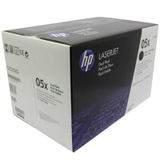
- Original OEM Toner HP 05A (CE505A) (Black) and Original OEM Toner HP 05X (CE505X) (Black) – for customers who prefer manufacturer supplies and maximum OEM consistency.
- Original OEM Toners HP 05A (CE505AD) (Black) (2-pack) and Original OEM Toners HP 05X (CE505XD) (Black) (2-pack) – convenient OEM multipacks for predictable replenishment.
- Bulk Toner to refill cartridge HP 05A (CE505A) (Black) – for users who refill and want to reduce printing costs while keeping control over maintenance.
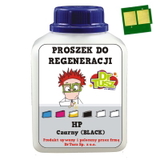
- Bulk Toner + Chip to refill cartridge HP 05X (CE505X) (Black) – ideal when you need both toner and a replacement chip during refilling.
- Original OEM Fuser Unit Canon RM1-6406 (RM1-6406-000) – a key maintenance part when symptoms point to fusing wear (faded print, smearing, poor toner adhesion).
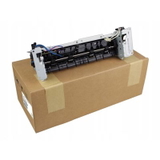
How to choose: Original OEM vs compatible vs refilling When selecting toner for printer HP LaserJet P2055d, start with your printing volume and expectations: - Original OEM – great if you want the manufacturer’s cartridge and the most “set-and-forget” experience. Choose 05A for standard usage or 05X for higher volume.
- Compatible – the smart option if you want high quality and better value. Our compatible toner for HP LaserJet P2055d is designed to deliver results comparable to OEM: sharp text, stable blacks, and reliable feeding.
- Refill components (Bulk toners / Bulk toners + chips) – best if you’re comfortable with refilling. It can significantly reduce cost per page, especially for frequent printing. A chip can be helpful when the printer requires a new chip to properly recognize the cartridge status.
If you’re unsure which code you need, look for CE505A (05A) or CE505X (05X) on your current cartridge label. Those are the most common matches for HP LaserJet P2055d supplies. Common user issues with the HP LaserJet P2055d—and how supplies help This printer is durable, but like any laser device it can show typical wear symptoms over time. Customers often report: - Faint prints or uneven black – often linked to a near-empty cartridge, toner distribution issues, or worn components in older cartridges.
- Smudging or toner not bonding properly – can indicate fuser wear; in such cases a Fuser Unit like Canon RM1-6406 may be the right direction.
- Streaks or repetitive marks – can be connected to cartridge condition, toner quality, or internal wear after long use.
- Frequent replacements – if you print a lot, switching from 05A to 05X high-yield can reduce downtime.
We encourage you to match the supply type to the symptom: choose a fresh cartridge when quality drops, consider high-yield when volume increases, and think about maintenance parts when print defects persist despite replacing toner. Order your toner for HP LaserJet P2055d with confidence We make it easy to find the right toner for HP P2055d—whether you choose Compatible, Original OEM, or Refill components like bulk toner and chips. Browse the products in this category, compare yields and pack options, and pick the solution that best matches your everyday printing. CTA: We encourage you to explore our full selection of toner for printer HP LaserJet P2055d and choose the version that fits your needs today. If you have questions about CE505A/CE505X compatibility, duplex printing quality, or which option is best for your workload, contact us—our team will gladly help. We also ensure fast delivery and careful packaging, so you can get back to printing without unnecessary delays. |