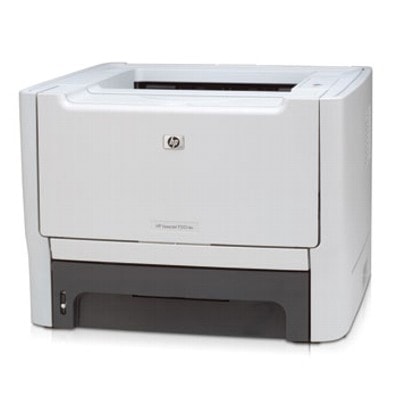
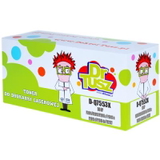
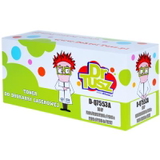
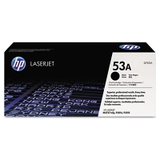
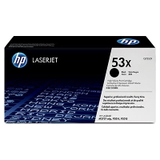
| HP LaserJet P2010 (also found as HP P2010 or HP LaserJet P2010 Series) is a classic monochrome laser printer valued for fast, sharp text printing and dependable everyday performance. It’s a popular choice for offices, home offices and service points that need predictable results at a reasonable cost. To keep this model working at its best, choosing the right toner for HP LaserJet P2010 is essential—both for print quality and for the long-term condition of the device. Reliable black prints for work, invoices and everyday documents The HP LaserJet P2010 is designed for crisp black-and-white output—ideal for contracts, shipping documents, reports and large batches of text pages. A properly selected toner for HP P2010 delivers deep blacks, clean edges and consistent coverage from the first page to the last. In our category you’ll find laser cartridges and bulk toner solutions built specifically for this device, including the well-known toner codes Q7553A (53A) and Q7553X (53X), as well as multi-packs for higher-volume users. We offer options for different printing styles: occasional printing, daily office workloads, and high-volume environments where cost per page matters. Whether you prefer Original OEM cartridges or a high-quality compatible cartridge, we help you match the toner to how you actually print. Compatible, Original OEM and refill components—choose the way you print In this category, we combine three practical approaches to printing with HP LaserJet P2010: - Original OEM – manufacturer cartridges designed to meet strict specifications. Great for users who want to keep everything 100% OEM and predictable.
- Compatible – a smart alternative for people who want excellent prints and lower running costs. Our compatible cartridges are selected to be as good as the originals in everyday use—sharp text, stable performance and reliable page yield.
- Refill components (Bulk Toner) – for advanced users and service workflows. Bulk toner allows you to refill an empty cartridge and reduce printing costs even further, especially in high-volume scenarios.
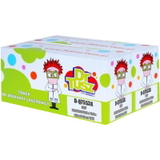
All options are centered around what matters most: dependable output and a smooth user experience with toner for printer HP LaserJet P2010. Popular products in this category (Q7553A / Q7553X) We keep the offer clear and complete, so you can quickly select the exact cartridge that fits your needs. Here are some frequently chosen items for HP LaserJet P2010: - Compatible Toner 53A for HP (Q7553A) (Black) – a balanced choice for everyday printing.
- Compatible Toner 53X for HP (Q7553X) (Black) – a high-yield option for frequent printing and better cost per page.
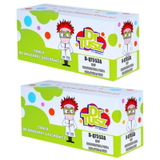
- Compatible Toners 53X for HP (Q7553XD) (Black) (2-pack) – convenient and economical for offices.
- Compatible Toners 53A for HP (Q7553AD) (Black) (2-pack) – a practical reserve for uninterrupted work.
- Original OEM Toner HP 53A (Q7553A) (Black) – OEM reliability for standard workloads.
- Original OEM Toner HP 53X (Q7553X) (Black) – OEM high-yield cartridge for heavier usage.
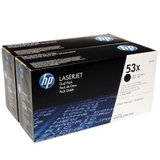
- Original OEM Toners HP 53X (Q7553XD) (Black) (2-pack) – OEM convenience for teams and busy offices.
- Bulk Toner to refill cartridge HP 53A (Q7553A) (Black) – refill solution for users focused on maximum savings.
Thanks to this range, you can easily match the right toner for HP LaserJet P2010 to your budget and printing volume—without compromising day-to-day quality. How to choose the right toner for HP LaserJet P2010 When selecting ink for HP LaserJet P2010 (in practice: black laser toner), we recommend focusing on three simple questions: - How much do you print? For occasional printing, 53A is often sufficient; for frequent printing, the higher-yield 53X is usually the better deal.
- Do you prefer OEM or compatible? OEM is the classic choice; compatible is ideal when you want to lower costs while maintaining excellent quality. Our compatible cartridges are built to perform as well as originals in everyday work.
- Do you want to refill? Bulk toner is great for experienced users and service processes, but it requires proper technique and cleanliness.
If you’re searching by phrase, you can also find this category using: HP LaserJet P2010, HP P2010, HP Laserjet P2010 Series, CB450Z or simply P2010. Common user issues and quick tips for better printing With the HP LaserJet P2010, customers most often report issues that are easy to prevent with the right cartridge and a few good habits: - Faded prints or light text – usually a sign of low toner or an uneven distribution. Gently rocking the cartridge can help temporarily; replacing with a fresh toner for HP P2010 is the long-term solution.
- Streaks or background shading – may occur when the cartridge is worn or after poor-quality toner use. Choosing a proven compatible cartridge or Original OEM reduces risk.
- “Toner low” messages too early – printers estimate, they don’t always measure precisely. Often you can still print many pages; the key is to have a spare cartridge ready.
- Smudging right after printing – can indicate paper mismatch or a cartridge issue. Using proper laser paper and a high-quality toner typically resolves it.
Whenever you want the most stable effect, we recommend selecting a cartridge matched to your workload—especially if the printer is used for invoices, shipping labels, or archived documents where clarity matters. Order your toner today—fast, convenient and with real support We make it easy to choose the right toner for printer HP LaserJet P2010—whether you want a dependable Original OEM cartridge, a cost-effective compatible option that performs like the original, or bulk toner for refilling. Browse the available products, compare yields and packs, and pick the option that best suits your printing routine. We encourage you to add your chosen cartridge to the cart now and secure uninterrupted printing. If you’re unsure whether to select 53A or 53X, or whether a compatible cartridge is the best fit, contact us—we’ll help you choose quickly and accurately. We also ensure efficient order handling and delivery, so your HP LaserJet P2010 can get back to work without delays. |