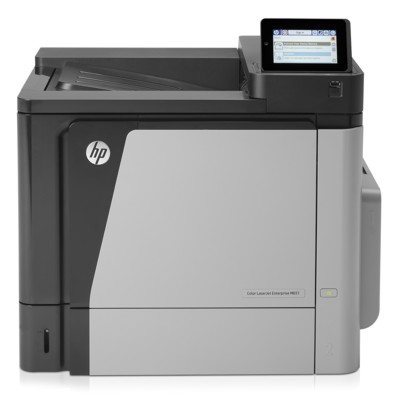
Reliable printing with the HP LaserJet Enterprise M651n Dear Customer, the HP LaserJet Enterprise M651n (also searched as HP M651n, M651n, M651 N or CZ255A) is a powerful enterprise-class laser printer designed for fast, consistent monochrome printing in busy offices. If you use the HP LaserJet Enterprise M651 Series for invoices, reports, logistics documents or daily administration, you already know one thing: stable performance depends heavily on the right toner for printer HP LaserJet Enterprise M651n and properly maintained key components. Toner and fuser: what matters most in the M651n In this category we focus on Original OEM supplies and service parts for the M651n, including toners and a fuser unit. A high-quality toner for HP M651n is crucial for sharp text, clean edges, and reliable page-to-page consistency—especially when you print large volumes. The fuser unit is equally important: it permanently bonds toner to paper using heat and pressure, directly affecting durability, smudging resistance, and overall print quality. When you choose the right toner for printer M651n, you benefit from: - crisp black text and professional-looking documents,
- predictable performance in high-volume environments,
- reduced risk of streaks, backgrounding, and fading,
- smooth printer operation with fewer interruptions.
Our selection for HP LaserJet Enterprise M651n (OEM range) We offer carefully selected, popular items that match the needs of both standard and high-yield users. If you want dependable results and maximum compatibility, an Original OEM toner for HP LaserJet Enterprise M651n is a proven choice. In this category you’ll find, among others: - Original OEM Toner HP 652A (CF320A) (Black) – a solid option for everyday office printing.
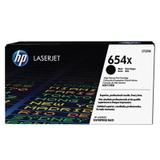
- Original OEM Toner HP 654X (CF330X) (Black) – a high-yield solution for heavy workloads and lower cost per page.
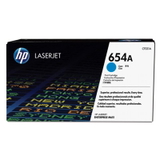
- Original OEM Toner HP 654A (CF331A) (Cyan) – for consistent color output in compatible setups.
- Original OEM Toner HP 654A (CF332A) (Yellow) – supports clean, vivid color elements where applicable.
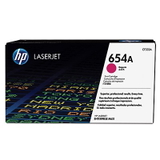
- Original OEM Toner HP 654A (CF333A) (Magenta) – for balanced tones and stable color performance.
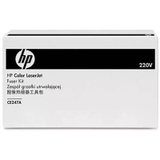
- Original OEM Fuser Unit HP CE247A (CE247A) – a key maintenance component for preventing smears and recurring fuser-related errors.
Thanks to the breadth of our offer, you can conveniently match the exact cartridge or service part to your device naming variant—whether you search for M651 n, M651N or HP LaserJet Enterprise M651 Series. How to choose the right toner for HP M651n Choosing a toner for printer HP LaserJet Enterprise M651n is easiest when you focus on two factors: the cartridge code and your print volume. If you print occasionally, a standard-yield toner is typically sufficient. If you print a lot—daily batches of documents, warehouse labels, or accounting paperwork—consider a high-yield version (like the CF330X) to reduce replacement frequency. We also recommend checking: - the exact model marking on the printer (e.g., CZ255A),
- your typical monthly page count (to decide between standard vs high-yield),
- symptoms that may indicate a worn fuser rather than an empty toner.
Original OEM vs compatible: what’s the difference? In general, an Original OEM toner for HP LaserJet Enterprise M651n is designed by the printer manufacturer and is known for predictable results and seamless compatibility. Compatible cartridges, on the other hand, are alternative products designed to match OEM performance at a different price point. Important note: while this specific category focuses on Original OEM items, we often help customers compare options across our store. We encourage you to contact us if you’re considering a compatible alternative—our compatible cartridges from DrTusz.pl are designed to be as good as the originals in everyday office use, with excellent print quality and reliability when correctly matched to the printer model. Common M651n printing issues—and what usually fixes them The HP LaserJet Enterprise M651n is built for demanding work, but like any high-volume device it can show typical consumable-related symptoms over time. If you notice any of the issues below, the solution might be simpler than you think: - Smudging or toner rubbing off – often points to a worn fuser unit (consider HP CE247A).
- Light or uneven print – may indicate a near-empty toner or cartridge nearing end-of-life.
- Streaks and repeating marks – can result from cartridge wear or internal components; choosing the correct toner for HP M651n is the first step.
- Frequent paper jams near the exit – sometimes associated with fuser wear and paper handling conditions.
If you tell us what you see on the page (and ideally the error message), we’ll help you identify whether you need a new toner for printer M651n or it’s time for a fuser replacement. Order with confidence—fast support and the right match We encourage you to explore our selection of toner for printer HP LaserJet Enterprise M651n and essential maintenance parts. Whether you’re stocking up for the next quarter or solving an urgent print-quality issue, we’re here to help you choose the correct CF320A, CF330X, CF331A, CF332A, CF333A or the CE247A fuser unit. CTA: Add the right toner to your cart today or contact us for quick assistance in selecting the best option for your HP LaserJet Enterprise M651n. We’ll help you get back to smooth, reliable printing with minimal downtime and convenient delivery. |