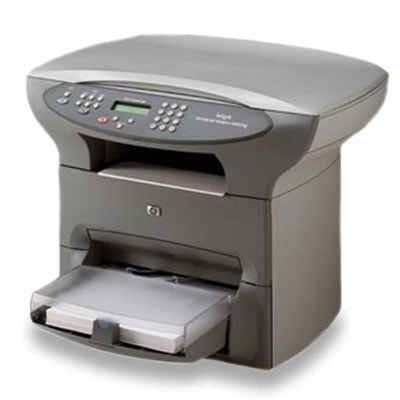
Reliable printing with the HP LaserJet 3310 (HP 3310 / HP LaserJet 3300 Series) The HP LaserJet 3310 is a proven, workhorse monochrome laser multifunction printer from the HP LaserJet 3300 Series. It’s valued for crisp text, predictable performance, and low cost per page—especially in offices, schools, and home workspaces where documents need to look professional every day. To keep this device running smoothly, choosing the right toner for printer HP LaserJet 3310 is key. In this category we offer everything you may need: Original OEM cartridges, high-quality Compatible options, and even Bulk Toner for refilling. What to expect from toner for HP LaserJet 3310 A good toner for HP 3310 should deliver clear, dense blacks, sharp edges on small fonts, and consistent coverage from the first page to the last. Since the HP LaserJet 3310 is commonly used for invoices, forms, contracts, and everyday paperwork, reliability matters just as much as print quality. Our selection includes both Toners (ready-to-install cartridges) and Bulk Toners (refill components for users who prefer maintaining their cartridges). When you choose ink for HP LaserJet 3310 many users mean “toner”—and that’s exactly what this printer uses: dry laser toner powder. With the right cartridge, you can minimize streaks, keep pages uniform, and maintain stable operation across the life of the device. Compatible, Original OEM, and refill components—choose the setup that fits your needs We know that different customers expect different things from toner for printer HP LaserJet 3310. That’s why we’ve built this category around three practical paths: - Original OEM – ideal if you want the manufacturer’s cartridge for maximum predictability and “install-and-print” convenience.
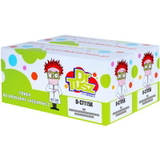
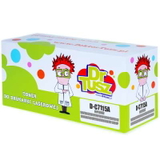
- Compatible – a smart choice when you want excellent quality at a better price. Our compatible cartridges from DrTusz.pl are designed to be as good as the originals in everyday printing: sharp text, strong black, and reliable performance.
- Refill components (Bulk Toner) – for users who like to refill and optimize costs even further. It’s a great option when you print a lot and prefer hands-on maintenance.
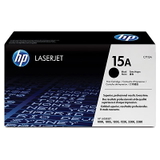
This page is tailored specifically to the HP LaserJet 3310 / HP LaserJet 3300 Series and the cartridges commonly searched by codes such as C9709A (series reference) and popular cartridge symbols like C7115A and C7115X. Popular products in this category (Bulk Toners & Toners) To make choosing easier, here are some of the most frequently selected options for toner for HP LaserJet 3310: - Original OEM Toner HP 15A (C7115A) (Black) – classic OEM choice for stable results and consistent output.
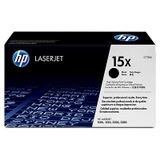
- Original OEM Toner HP 15X (C7115X) (Black) – higher-yield OEM version for users printing more pages between replacements.
- Compatible Toner 15A for HP (C7115A) (Black) – dependable everyday compatible toner for HP 3310 with excellent text quality.
- Compatible Toner 15X for HP (C7115X) (Black) – extended printing capacity in a compatible version, perfect for busy offices.
- Compatible Toners 15A for HP (C7115AD) (Black) (2-pack) – convenient twin pack to reduce downtime and keep a spare on hand.
- Compatible Toners 15X for HP (C7115XD) (Black) (2-pack) – high-yield 2-pack for frequent printing and cost control.
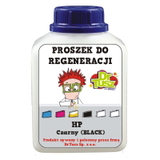
- Bulk Toner to refill cartridge HP 15A (C7115A) (Black) – refill component for users who want to maintain cartridges and reduce cost per page.
With this range, you can match your purchase to how you print: occasional home documents, regular office batches, or heavy daily output. How to choose the right toner for HP 3310: practical tips When selecting toner for printer HP LaserJet 3310, we recommend focusing on three simple criteria: - Cartridge code – the most common are HP 15A (C7115A) and HP 15X (C7115X). Choose 15X if you want more pages per cartridge.
- Printing volume – for occasional printing, 15A is often enough; for frequent printing, 15X or a 2-pack is typically more economical.
- Your preference: OEM vs compatible vs refill – OEM for maximum manufacturer consistency, compatible for strong value without sacrificing quality, bulk toner for refill-focused users.
Original vs compatible toner—what’s the real difference? Many customers ask whether a compatible toner for HP LaserJet 3310 will look as good as an OEM cartridge. In everyday office printing—where crisp text and clear lines matter most—our answer is simple: yes. We carefully select compatible cartridges so you can expect results comparable to original toner: clean black, sharp fonts, and stable performance, while keeping your printing budget under control. If you prefer the manufacturer’s solution, Original OEM cartridges remain an excellent option. If you want the best price-to-performance ratio, our Compatible toners are a reliable alternative. Common issues with the HP LaserJet 3310—and how the right toner helps The HP LaserJet 3310 is durable, but like any laser device, it can show typical signs of wear or consumable mismatch. Users most often report: - Faded prints or light text – often solved by replacing an empty/low-quality cartridge with a fresh, well-matched toner for HP 3310.
- Streaks or uneven coverage – can be related to the cartridge condition; choosing a reliable compatible or OEM toner can significantly reduce this issue.
- Toner dusting or smudging – using proper toner and storing cartridges correctly helps keep output clean.
If you’re unsure which toner for printer HP LaserJet 3310 will best address your situation, we’re here to help you pick the right option based on your printing habits. Order your toner for HP LaserJet 3310 and keep printing without interruptions We encourage you to browse our selection of toner for HP LaserJet 3310—including Compatible, Original OEM, and Bulk Toner refill components. Choose a single cartridge, a high-yield option, or a practical 2-pack and enjoy reliable black-and-white printing day after day. CTA: Add the right toner to your cart today or contact us—together we’ll match the best cartridge code (C7115A / C7115X) to your HP LaserJet 3310 and your printing needs. We offer fast delivery options and friendly support, so you can get back to printing as quickly as possible. |