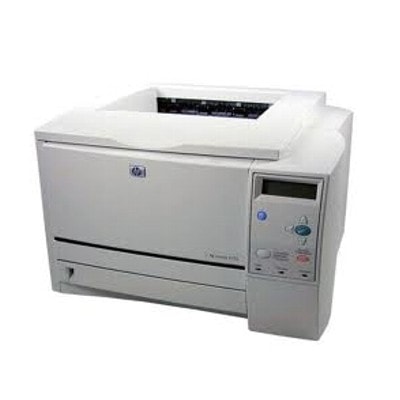
HP LaserJet 2300L – a reliable office classic that still delivers If you use the HP LaserJet 2300L (also searched as HP 2300L, 2300L, 2300 l or HP LaserJet 2300 Series), you already know why this model has earned its reputation: it’s fast, sturdy, and perfect for crisp black-and-white documents. Whether you print invoices, shipping labels, reports, or everyday office paperwork, the key to consistent results is choosing the right toner for printer HP LaserJet 2300L—and keeping a spare cartridge ready. Toner for HP LaserJet 2300L – what matters most in daily printing A good toner for HP LaserJet 2300L should provide sharp text, solid blacks, and stable performance from the first page to the last. In this category we focus on black laser supplies designed for the HP LaserJet 2300 family—ideal for high-volume printing where reliability and cost control matter. When you choose ink for printer HP LaserJet 2300L (commonly used as a phrase, even though this model uses toner), pay attention to: - Compatibility and correct symbol – most users look for HP 10A (Q2610A) or the Q2610D 2-pack; the printer series can also be referenced with codes like Q2477A in searches.
- Page yield and work rhythm – offices printing daily benefit from having a spare cartridge or a 2-pack.
- Print consistency – even coverage, no background greying, and clean, readable small fonts.
- Cost per page – compatible toner and bulk toner refills can dramatically lower running costs without sacrificing quality.
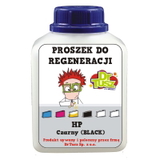
Our selection: refill components, compatible and Original OEM cartridges We stock a wide range of solutions so you can choose exactly how you want to print—premium Original OEM, cost-effective compatible options, or bulk toners for refilling. Here are some of the most popular items in this category: - Bulk Toner to refill cartridge HP 10A (Q2610A) (Black) – a practical choice for users who refill and want maximum savings per page while keeping control over the process.
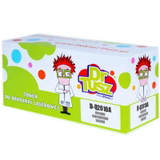
- Compatible Toner 10A for HP (Q2610A) (Black) – our go-to option for everyday printing: dependable, budget-friendly, and designed to match the performance you expect from a toner for HP 2300L.
- Compatible Toners 10A for HP (Q2610D) (Black) (2-pack) – ideal for offices and heavy users who don’t want downtime; two cartridges mean continuity and better planning.
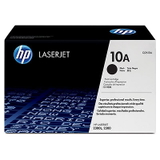
- Original OEM Toner HP 10A (Q2610A) (Black) – the official manufacturer cartridge for customers who prefer OEM solutions and want a familiar, factory-standard experience.
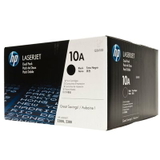
- Original OEM Toners HP 10A (Q2610D) (Black) (2-pack) – a convenient Original OEM bundle when you print a lot and want to keep supplies consistent across teams.
Thanks to this mix, you can choose the exact balance of price, yield, and printing habits—without compromising on clear, professional pages. How to choose the right toner cartridge for HP 2300L When customers ask us which toner for printer HP LaserJet 2300L is best, we recommend starting with your priorities: - If you want maximum predictability – choose Original OEM Toner HP 10A (Q2610A) or the Q2610D 2-pack.
- If you want the best value without sacrificing quality – pick a Compatible Toner 10A (Q2610A/Q2610D). Our compatible cartridges from DrTusz.pl are made to be as good as the originals: sharp text, stable coverage, and reliable page-to-page performance.
- If you refill and want the lowest cost per page – go for Bulk Toner to refill HP 10A (Q2610A) and keep printing expenses under tight control.
Tip: if your printer is shared in an office, the 2-pack (Q2610D) is often the most convenient way to avoid interruptions—especially when print volume spikes. Common HP LaserJet 2300L printing issues and quick toner-focused tips The HP LaserJet 2300L is known for durability, but like any laser printer it can show symptoms when toner is running low or the cartridge is worn. If you notice any of the following, a fresh toner for HP LaserJet 2300L (or a proper refill) is often the fastest fix: - Faded prints or light text – typically a low-toner sign; replacing the cartridge restores density.
- Uneven black areas or streaking – may indicate toner distribution issues; swapping to a new compatible or Original OEM cartridge often solves it.
- Background greying – can happen with an aging cartridge or poor-quality supplies; our compatible toner is built for clean, readable output.
- Frequent “replace cartridge” messages – keep a spare ready (especially with office use) to avoid downtime.
If you’re unsure whether you need a new cartridge, a compatible replacement, or refill components, tell us how the page looks and what you print most often—we’ll help you choose the best option for your HP 2300 L setup. Order your toner today and keep your HP LaserJet 2300 Series running We encourage you to explore our full range of toner for printer HP LaserJet 2300L—including Refill components, trusted Compatible cartridges, and Original OEM options. Add a spare to your basket, choose the 2-pack for convenience, or pick bulk toner if you refill and want maximum savings. CTA: View the available cartridges above and choose the best toner for HP 2300L for your printing needs. If you have questions about Q2610A/Q2610D compatibility, print quality, or refill options, contact us—we’ll respond quickly and help you order with confidence. |