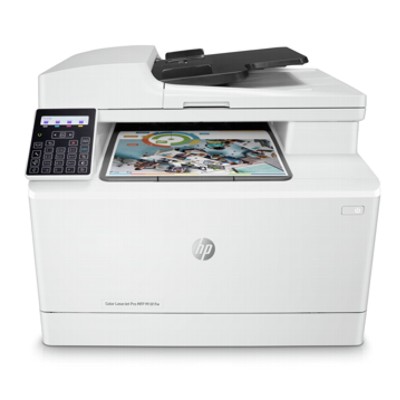
HP Color LaserJet Pro M181fw MFP – compact color laser printing you can rely on Dear Customer, HP Color LaserJet Pro M181fw MFP (also searched as HP M181fw, HP Color LaserJet Pro M181, T6B71A, M181FW or M181 fw) is a popular all-in-one color laser device designed for everyday office and home-office work. It combines printing, copying, scanning and faxing in one compact unit, offering sharp text, vivid color and convenient wireless operation. To keep this printer working at its best, you need the right toner for printer HP Color LaserJet Pro M181fw MFP—and that’s exactly what we specialize in. Color toner for HP M181fw – what it is and why it matters The toner for HP Color LaserJet Pro M181fw MFP is a dry powder used by the laser system to create precise prints quickly and cleanly. With the right set of CMYK cartridges, you’ll get crisp black documents, clear charts and strong marketing materials with consistent color. Whether you print invoices, school projects, shipping labels or presentations, choosing a reliable toner for printer HP M181fw directly affects: - print quality (deep blacks, smooth gradients, readable small fonts),
- reliability (fewer streaks, less background haze),
- running costs (cost per page and overall efficiency),
- work comfort (predictable results and fewer interruptions).
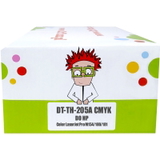
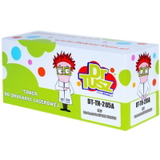
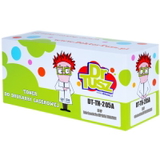
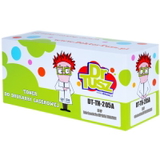
This category focuses on Color toners for the HP M181fw series—both Original OEM and Compatible options—so you can match performance and budget to your needs without guesswork. Our range: Original OEM and compatible 205A toners, plus the device itself We offer a broad, carefully selected assortment for your printer, built around the widely used HP 205A toner family. Here you’ll find individual colors and convenient sets, as well as the printer device for customers who want a complete solution. - Compatible Toners 205A CMYK for HP (DT-TH-205A/K) (multi pack) – a practical full set when you want to refresh all colors at once.
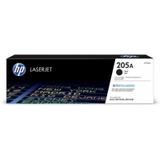
- Original OEM Toner HP 205A (CF530A) (Black) – for those who prefer manufacturer cartridges.
- Compatible Toner 205A for HP (CF530A) (Black) – a cost-effective choice for everyday monochrome documents.
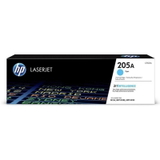
- Original OEM Toner HP 205A (CF531A) (Cyan) and Compatible Toner 205A for HP (CF531A) (Cyan) – for clear blues and accurate graphics.
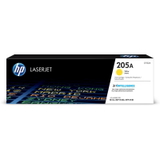
- Original OEM Toner HP 205A (CF532A) (Yellow) and Compatible Toner 205A for HP (CF532A) (Yellow) – for bright highlights and warm tones.
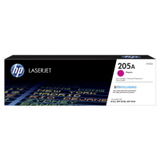
- Original OEM Toner HP 205A (CF533A) (Magenta) and Compatible Toner 205A for HP (CF533A) (Magenta) – for vivid reds and strong color balance.
- All-In-One Printer HP Color LaserJet Pro M181fw MFP – for customers looking to buy the device and secure supplies in one place.
Thanks to this mix of Original OEM, Compatible cartridges and All-in-One Printers, you can build a setup that fits your workflow—whether you print occasionally or every day. How to choose the right toner for HP Color LaserJet Pro M181fw MFP When selecting toner for printer HP Color LaserJet Pro M181fw MFP, start with the cartridge code. This model uses the HP 205A series: CF530A (Black), CF531A (Cyan), CF532A (Yellow) and CF533A (Magenta). Next, decide which option fits you best: - Original OEM toner – the manufacturer’s cartridge, chosen by customers who want a direct OEM solution.
- Compatible toner – a smart alternative when you want to reduce printing costs without sacrificing quality. Our compatible cartridges from DrTusz.pl are designed to deliver print quality and reliability comparable to OEM—sharp text, stable color and smooth operation.
If you print a lot in color, we recommend a multipack CMYK set—it’s convenient and helps keep your color balance consistent. If you mostly print documents, keeping an extra black cartridge on hand can prevent downtime. Common user issues with HP M181fw toners—and how we help Users of HP M181fw sometimes report issues that are usually easy to solve with the right cartridge choice and a few good habits: - Faded prints or uneven color – often caused by a low toner level or a cartridge that wasn’t shaken gently before installation. A fresh, well-matched toner for HP M181fw restores solid coverage.
- Streaks or spots – can appear when toner is nearly empty or after long storage. Replacing the cartridge with a reliable OEM or our proven compatible option typically resolves the problem quickly.
- Printer not recognizing a cartridge – usually related to seating or protective elements not removed. We recommend reinstalling the cartridge carefully and ensuring it clicks into place.
- Unexpectedly high printing costs – choosing a high-quality compatible cartridge is one of the simplest ways to reduce cost per page while keeping excellent results.
We focus on practical compatibility and predictable performance—so you can print with confidence, whether you choose Original OEM or Compatible toners. Order your toner today and keep your HP Color LaserJet Pro M181fw MFP ready for work We encourage you to explore the full selection of toner for printer HP Color LaserJet Pro M181fw MFP in this category—Black, Cyan, Yellow and Magenta, as well as convenient CMYK multipacks and the HP Color LaserJet Pro M181fw MFP device itself. Add the right HP 205A cartridges to your cart and enjoy a smooth shopping experience, fast delivery options and helpful customer support if you have any questions. CTA: Choose your toner for HP M181fw (OEM or compatible) now, and if you’re unsure which cartridge code to pick—contact us. We’ll help you match the correct CF530A/CF531A/CF532A/CF533A toner to your exact printer version. |