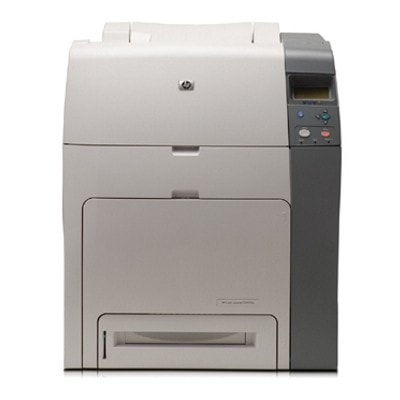
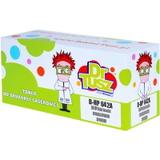
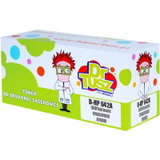
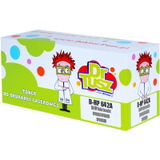
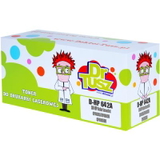
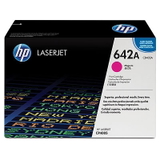
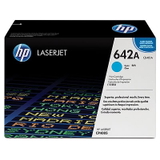
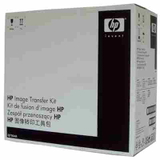
Reliable colour printing with HP Color LaserJet CP4005 HP Color LaserJet CP4005 (also found as HP CP4005 or HP Color LaserJet CP4005 Series) is a robust office colour laser printer designed for fast, sharp output and consistent performance in busy environments. If you use your CP4005 for everyday documents, presentations, marketing materials, or colour-heavy reports, choosing the right toner for HP Color LaserJet CP4005 is the key to keeping prints crisp and your workflow uninterrupted. Toner for HP Color LaserJet CP4005: what matters most A good toner for printer HP Color LaserJet CP4005 should deliver strong blacks, clean gradients, and stable colour coverage across many pages. In this category we focus on two essentials for CP4005 users: toner cartridges (for daily printing) and maintenance kits (for long-term reliability). This combination lets you maintain print quality and reduce downtime—especially important when the printer is shared across a team. Whether you print mainly black text or full-colour charts, the CP4005 works with the 642A series cartridges (codes like CB400A, CB401A, CB402A, CB403A). Keeping a complete set on hand is a simple way to avoid last-minute shortages—many users notice that one empty colour cartridge can slow down or stop urgent jobs. Compatible and Original OEM options—choose what fits your needs We offer both Original OEM supplies and carefully selected Compatible alternatives, so you can match your purchase to your priorities: budget, page volume, and internal purchasing policies. Original OEM is ideal for customers who want manufacturer-branded supplies. At the same time, our compatible solutions from DrTusz.pl are designed to be just as good as originals in everyday use—clear output, dependable performance, and an excellent price-to-quality ratio. - Original OEM toner for HP Color LaserJet CP4005 – manufacturer-branded reliability and consistent results.
- Compatible toner for HP Color LaserJet CP4005 – great value without compromising print quality; a smart choice for frequent printing.
- Maintenance Kit for HP CP4005 – helps restore smooth operation when the printer has a high page count.
Popular products in this category (642A / CB503Z family) To make shopping easier, we stock the most commonly chosen items for this model—both compatible and Original OEM. If you searched for CB503Z or CP4005, you are in the right place. Here are key products available in this category: - Compatible Toner 642A for HP (CB400A) (Black)
- Original OEM Toner HP 642A (CB400A) (Black)
- Compatible Toner 642A for HP (CB401A) (Cyan)
- Original OEM Toner HP 642A (CB401A) (Cyan)
- Compatible Toner 642A for HP (CB402A) (Yellow)
- Original OEM Toner HP 642A (CB402A) (Yellow)
- Compatible Toner 642A for HP (CB403A) (Magenta)
- Original OEM Toner HP 642A (CB403A) (Magenta)
- Original OEM Maintenance Kit HP Q7504A (Q7504A)
Thanks to this range, you can order a single missing colour, a complete CMYK set, or combine a toner for HP CP4005 with a maintenance kit to cover both immediate printing and long-term upkeep. How to choose the right toner for HP CP4005 If you want a quick, safe selection process, focus on two things: the cartridge code and your printing habits. For this printer family, the right choice is typically one of the 642A cartridges—black (CB400A), cyan (CB401A), yellow (CB402A), or magenta (CB403A). - If you print lots of text and invoices, start with an extra black toner for HP Color LaserJet CP4005.
- If you print presentations, charts, or branding materials, keep cyan, magenta and yellow ready—colour jobs can quickly deplete one shade faster than the others.
- If your printer has a high page count or you notice recurring print artefacts, consider the Maintenance Kit HP Q7504A to restore stable operation.
Original OEM vs compatible: what are the real differences? Many customers ask us which option is “best.” The honest answer is: it depends on your workplace needs. Original OEM toner for printer HP Color LaserJet CP4005 is often chosen by organisations that standardise on manufacturer supplies. Compatible toner for HP Color LaserJet CP4005, on the other hand, is popular with customers who print frequently and want to reduce cost per page while still expecting professional-looking results. Importantly, our compatible cartridges from DrTusz.pl are as good as the originals in everyday use—sharp text, strong blacks, and vivid colour output. They are a practical choice for offices, schools, and home businesses that want dependable prints without overpaying for every page. Common CP4005 user issues and how supplies can help HP Color LaserJet CP4005 is built for work, but like any laser printer it can show wear or supply-related symptoms over time. The right toner for HP Color LaserJet CP4005 and timely maintenance can prevent many headaches: - Faded prints or uneven colour – often linked to a low or aging toner cartridge; replacing the specific colour usually restores proper density.
- Streaks, spots, or repeating marks – may appear after long usage; if the issue persists after changing toner, a maintenance kit can be the next step.
- Unexpected downtime during urgent jobs – avoid it by keeping at least one spare cartridge (especially black) and monitoring levels for each colour.
If you are unsure whether you need a new cartridge or it is time for a maintenance kit, we encourage you to contact us—our team will help you choose the most cost-effective option. Order your toner and keep your HP Color LaserJet CP4005 running We make it easy to select the right toner for HP Color LaserJet CP4005—compatible or Original OEM—and complete your order quickly. Choose the colour you need, add a maintenance kit if your printer is due for service, and keep printing without interruptions. CTA: We encourage you to browse the products in this category and pick the best toner for HP CP4005 for your needs. If you have any questions about CB400A/CB401A/CB402A/CB403A or the HP Q7504A maintenance kit, contact us—we will gladly help you match the right supply to your printer and printing volume. We ship quickly and securely, so you can get back to reliable printing as soon as possible. |