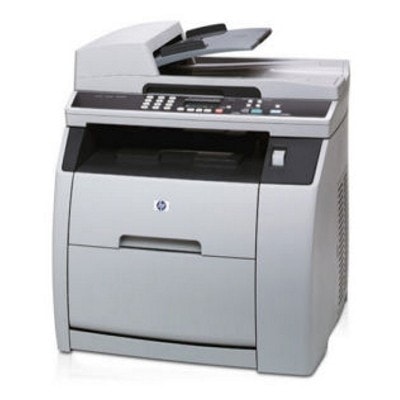
Reliable color printing with HP Color LaserJet 2820 HP Color LaserJet 2820 (also found as HP 2820 or HP Color LaserJet 2800 Series) is a well-known color laser multifunction device designed for busy home offices and small businesses. It combines printing, copying and scanning in one compact unit, delivering crisp text and vivid color documents. To keep this machine performing at its best, choosing the right toner for HP Color LaserJet 2820 and the correct drum unit is essential—especially when you want consistent colors and trouble-free operation. Toner and drum unit for HP 2820 – what you need to know This series uses separate color toners and a dedicated imaging component (drum unit). In practice, that means you replace toner colors individually as they run out, and the drum unit for HP Color LaserJet 2820 when print quality indicates it’s time. Whether you print invoices, presentations, school materials or marketing documents, the right toner for printer HP Color LaserJet 2820 helps maintain sharp edges, smooth gradients and stable color reproduction. In this category you will find: - Toners for black and for each color (Cyan, Magenta, Yellow) – ideal for daily printing and color-heavy documents.
- Drum Units – responsible for transferring the image onto paper; crucial when you notice background haze, streaks or faded areas.
- Original OEM and Compatible options – so you can match your budget and printing intensity.
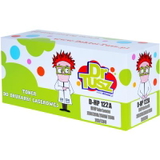
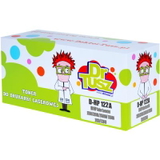
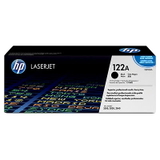
Popular search references like Q3948A and the 2800 series naming can be confusing, so we make it simple: we list products clearly by model and code (e.g., Q3960A/Q3961A/Q3962A/Q3963A for 122A, and Q3971A/Q3972A/Q3973A for 123A), so you can confidently pick the right toner for HP 2820. Original OEM vs Compatible – choose what fits your printing style We offer both Original OEM toner for HP Color LaserJet 2820 and high-quality compatible toner for HP Color LaserJet 2820. Original cartridges are produced to the printer brand’s specification and are a safe choice for users who want to stick strictly to OEM solutions. At the same time, our compatible cartridges from DrTusz.pl are designed to be just as good as the originals in everyday use—delivering clean text, strong blacks and vibrant colors at a more budget-friendly cost per page. If you print a lot (especially color), a compatible toner for printer HP Color LaserJet 2820 can be the smartest way to keep printing costs under control without sacrificing quality. Highlights from our HP Color LaserJet 2820 toner range We keep this category practical and complete, so you can build a full set or replace only what you need. Here are some frequently chosen options: - Compatible Toner 122A for HP (Q3960A) (Black) – dependable everyday black for documents and text-heavy prints.
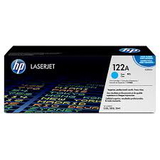
- Compatible Toner 122A for HP (Q3961A) (Cyan) and Original OEM Toner HP 122A (Q3961A) (Cyan) – for clean blues and balanced color charts.
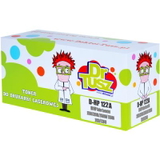
- Compatible Toner 122A for HP (Q3962A) (Yellow) and Original OEM Toner HP 122A (Q3962A) (Yellow) – ideal for vivid highlights and warm tones.
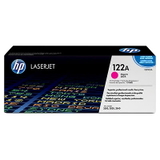
- Compatible Toner 122A for HP (Q3963A) (Magenta) and Original OEM Toner HP 122A (Q3963A) (Magenta) – for rich reds and smooth skin tones in graphics.
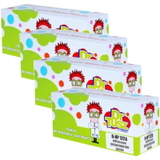
- Compatible Toners 122A CMYK for HP (DT-TH-122A/K) (multi pack) – a convenient set when you want to refresh all colors at once.
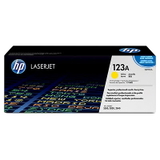
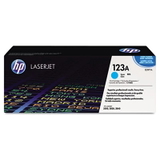
- Original OEM Toner HP 123A (Q3971A) (Cyan), Original OEM Toner HP 123A (Q3972A) (Yellow), Original OEM Toner HP 123A (Q3973A) (Magenta) – OEM alternatives for users who prefer this series.
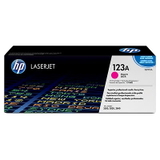
- Compatible Toner 123A for HP (Q3971A) (Cyan), Compatible Toner 123A for HP (Q3972A) (Yellow), Compatible Toner 123A for HP (Q3973A) (Magenta) – cost-effective color options for frequent printing.
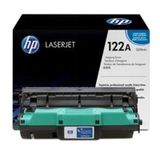
- Compatible Drum Unit 122A for HP (Q3964A) (Color) and Original OEM Drum Unit HP 122A (Q3964A) (Color) – essential when toner replacement alone doesn’t restore perfect print quality.
How to choose the right toner for HP Color LaserJet 2820 To select the best toner for HP Color LaserJet 2820, we recommend a quick checklist: - Match the cartridge code: most users choose within the 122A family (Q3960A/Q3961A/Q3962A/Q3963A) and, for some colors, also 123A (Q3971A/Q3972A/Q3973A).
- Decide OEM vs compatible: OEM for strict brand preference, compatible for excellent value and everyday reliability.
- Consider a multipack: if your color levels often run out close together, a CMYK set helps you avoid downtime.
- Don’t forget the drum unit: if prints show repeating marks, streaks, gray background, or uneven color density, the drum unit for HP 2820 may be the real solution.
Common HP 2820 printing issues – and what usually fixes them HP Color LaserJet 2820 is robust, but like any laser printer it can signal when consumables are near the end of their life. Here are typical symptoms and what to check: - Faded prints or weak colors – often a low toner level or an aging drum unit.
- Streaks, spots, repeating marks – frequently related to the drum unit Q3964A or toner residue buildup.
- One color missing – replace the specific color toner (C/M/Y) rather than the whole set.
- Powdery look or background shading – check the drum unit condition and ensure the toner is correctly seated.
If you’re unsure which toner for printer HP Color LaserJet 2820 will solve your issue, we encourage you to contact us—our team will help you pick the right toner or drum unit quickly. Order your toner for HP Color LaserJet 2800 Series with confidence We make it easy to keep your HP Color LaserJet 2820 running smoothly—whether you choose Original OEM cartridges or our proven compatible options that perform just as well in everyday printing. Browse the products in this category, select the right color (or a full CMYK set), and add a drum unit if your printer needs a full refresh. Call to action: We encourage you to explore our full selection of toner for HP Color LaserJet 2820 and drum unit for HP 2820. Order today for fast delivery, and if you have any questions about compatibility or print quality—contact us and we’ll guide you to the best choice. |