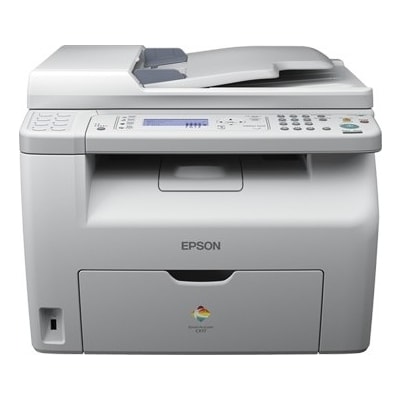
Epson AcuLaser CX17NF – compact colour laser performance for office and home office The Epson AcuLaser CX17NF (also searched as Epson CX17NF, CX17 NF, CX17nf or C11CB71061) is a practical colour laser multifunction device designed for everyday business documents. It combines printing, copying, scanning and faxing in one compact body, making it a popular choice for small offices and busy home offices that need reliable colour output without taking up too much space. To keep this machine running at its best, choosing the right toner for printer Epson AcuLaser CX17NF is essential—both for print quality and for predictable running costs. What a toner for Epson AcuLaser CX17NF affects: quality, reliability and cost per page Because the CX17NF is a colour laser device, it uses four separate cartridges: black, cyan, magenta and yellow. A well-matched toner for Epson AcuLaser CX17NF ensures crisp black text, smooth gradients in charts, and stable colour reproduction in logos and marketing materials. It also helps maintain consistent performance over long print runs—important when you print invoices, contracts, reports or customer documentation day after day. When you shop for toner for printer CX17NF, pay attention to: - Correct cartridge code – this model uses the 0611/0612/0613/0614 series.
- Colour matching – select the right toner for each colour channel (K, C, M, Y).
- Print consistency – good toner supports even coverage and sharp edges, especially in small fonts.
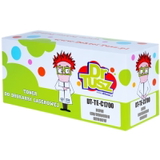
Compatible and Original OEM toners – choose what fits your priorities In our store you can choose between Original OEM cartridges and high-quality Compatible alternatives. Many customers ask which one is “better”—and the most honest answer is: it depends on your needs. Original cartridges are produced by the printer manufacturer and are a safe choice for those who prefer sticking to OEM solutions. At the same time, our compatible cartridges from DrTusz.pl are designed to deliver results that are as good as the originals—clear text, strong blacks and stable colour. If you want to optimise your printing budget without sacrificing output quality, a compatible toner for Epson AcuLaser CX17NF is often the smartest route. - Original OEM toner for Epson AcuLaser CX17NF – manufacturer-grade solution, ideal for users who prefer OEM-only supplies.
- Compatible toner for Epson CX17NF – excellent value, reliable everyday printing and quality comparable to OEM.
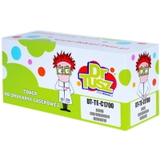
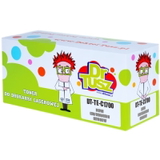
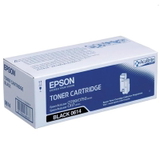
Popular toner cartridges in this category (0611–0614 series) This category includes the full colour set, so you can replace only the cartridge that is running low or build a complete set for uninterrupted work. You will find both OEM and compatible versions of the same codes: - Compatible Toner 0614 for Epson (C13S050614) (Black)
- Original OEM Toner Epson 0614 (C13S050614) (Black)
- Compatible Toner 0613 for Epson (C13S050613) (Cyan)
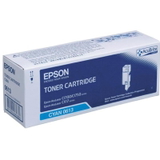
- Original OEM Toner Epson 0613 (C13S050613) (Cyan)
- Compatible Toner 0612 for Epson (C13S050612) (Magenta)
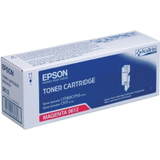
- Original OEM Toner Epson 0612 (C13S050612) (Magenta)
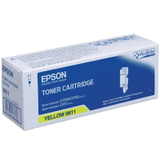
- Compatible Toner 0611 for Epson (C13S050611) (Yellow)
- Original OEM Toner Epson 0611 (C13S050611) (Yellow)
Thanks to this selection, you can easily match your purchase to your workflow—whether you print mostly black text or frequently use colour for presentations and graphics. How to choose the right toner for printer Epson AcuLaser CX17NF We encourage you to choose your toner based on the way you print. If you need predictable, repeatable colour for client-facing documents, you may prefer OEM. If your priority is keeping costs under control while maintaining excellent print quality, our compatible cartridges are a proven solution. To avoid ordering the wrong product, simply match the code on your current cartridge to the one in the product name: - 0614 = Black (C13S050614)
- 0613 = Cyan (C13S050613)
- 0612 = Magenta (C13S050612)
- 0611 = Yellow (C13S050611)
Search terms can vary, so if you type Epson AcuLaser, CX17NF, CX17 nf or C11CB71061, you’re still in the right place—this category is built exactly for that device. Typical user issues with CX17NF printing—and what to check before replacing a cartridge If print quality suddenly drops, it’s not always a “printer failure”. Very often it’s simply time for a fresh toner for Epson AcuLaser CX17NF—or a quick basic check. The most common symptoms reported by users include faint prints, uneven colour or missing colour elements. - Faded text or weak colours – usually indicates low toner in one cartridge (often black).
- One colour missing – check which of the four toners is empty and replace only that one.
- Inconsistent coverage – a new, properly stored toner often solves the issue; also check print settings (draft/eco modes).
If you’re unsure which cartridge is responsible, we encourage you to contact us—we’ll help you choose the correct toner for printer CX17NF quickly and confidently. Order today and keep your Epson AcuLaser CX17NF ready for work We invite you to explore our full range of toner cartridges for Epson AcuLaser CX17NF—both Compatible and Original OEM. Choose a single colour or complete your set, and enjoy smooth printing with sharp text and reliable colour output. Add the right toner to your cart now, and if you have any questions about compatibility or choosing between OEM and compatible options, contact us—our team is here to help. We also provide fast delivery options so you can get back to printing without unnecessary downtime. |