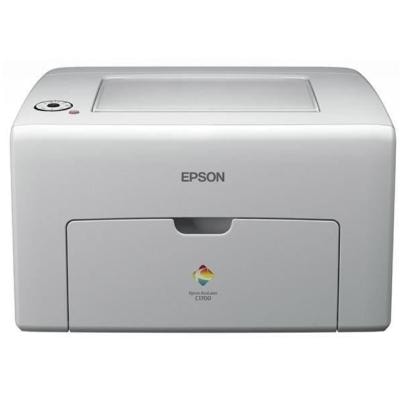
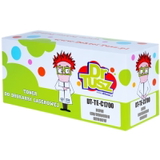
Epson AcuLaser C1700 – compact colour laser printing you can rely on The Epson AcuLaser C1700 (also searched as Epson C1700 or by code C11CB71001) is a compact colour laser printer designed for everyday office printing. It’s valued for sharp text, clear business graphics, and efficient performance in small teams and home offices. To keep it working at its best, choosing the right toner for printer Epson AcuLaser C1700 is essential—both for print quality and for predictable running costs. What toner for Epson AcuLaser C1700 does and why it matters Unlike inkjet supplies, laser toners are based on fine powder that is fused to the paper during printing. A properly selected toner for Epson AcuLaser C1700 delivers consistent colour, crisp edges, and smudge-resistant documents—ideal for invoices, reports, shipping labels, presentations, and everyday black text. When your printer starts showing pale colours, uneven coverage, background haze, or “low toner” messages, it’s usually time to replace the cartridge. With the right toner for Epson C1700, you maintain: - clean, readable text and smooth graphics,
- stable colour balance across Cyan, Magenta, Yellow and Black,
- reliable printer operation and fewer interruptions.
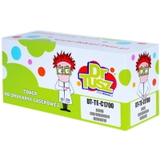
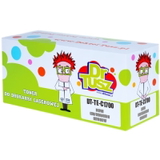
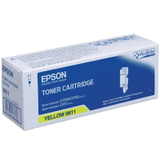
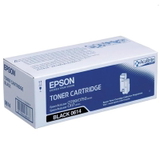
Compatible and Original OEM – two smart options in one place In our store we offer both Original OEM cartridges and carefully selected Compatible cartridges for the Epson AcuLaser series. This way you can choose what matters most—maximum brand-standard consistency or the best value per page—without compromising on quality. Original OEM toner for Epson AcuLaser C1700 is produced by Epson and matched to the printer’s specifications. Many customers choose OEM when they want full brand continuity for colour-critical documents or simply prefer the manufacturer’s cartridge line. Compatible toner for Epson AcuLaser C1700 is a cost-effective alternative. At DrTusz.pl, we focus on compatibility and performance—our compatible cartridges are made to fit and work smoothly with the printer, and in everyday use they are as good as the originals for typical office printing. If you print a lot, compatible toner is often the easiest way to lower printing costs while keeping strong, professional results. Popular toner cartridges in this category (Black & CMY) This category includes a complete colour set, so you can quickly match the cartridge to your needs. Here are some of the most frequently chosen items: - Original OEM Toner Epson 0614 (C13S050614) (Black) – for sharp black text and clear monochrome documents.
- Compatible Toner 0614 for Epson (C13S050614) (Black) – a great choice for everyday printing with excellent value.
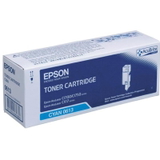
- Original OEM Toner Epson 0613 (C13S050613) (Cyan) and Compatible Toner 0613 for Epson (C13S050613) (Cyan) – for clean blues and balanced colour graphics.
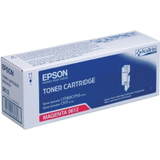
- Original OEM Toner Epson 0612 (C13S050612) (Magenta) and Compatible Toner 0612 for Epson (C13S050612) (Magenta) – for vivid reds and smooth gradients.
- Original OEM Toner Epson 0611 (C13S050611) (Yellow) and Compatible Toner 0611 for Epson (C13S050611) (Yellow) – for bright highlights and warm tones.
Thanks to this selection, you can buy a single colour you’ve run out of, or complete your set for consistent colour output. If you’re searching by phrase, you may also find these supplies under: Epson AcuLaser, C1700, or C11CB71001. How to choose the right toner for Epson AcuLaser C1700 To pick the correct toner for printer Epson AcuLaser C1700, start with the cartridge code printed on the old unit or listed in the printer’s supplies menu. For this model, the key series is: - Epson 0611 – Yellow
- Epson 0612 – Magenta
- Epson 0613 – Cyan
- Epson 0614 – Black
Then decide between OEM and compatible: - Choose Original OEM if you want the manufacturer’s cartridge line for colour consistency and a familiar printing experience.
- Choose Compatible if you want to reduce running costs without sacrificing everyday print quality—our compatible toners are designed to work reliably and deliver professional-looking pages.
Common user issues with Epson C1700 and simple fixes We often help customers with a few recurring situations. Here’s what usually works: - Printer says “Replace toner” too early – remove the cartridge, gently redistribute toner by rocking it side-to-side, and reinstall it firmly.
- Faded prints or uneven colour – make sure the correct colour cartridge is installed and run the printer’s cleaning/calibration if available; replace the toner if it’s near empty.
- Streaks or background shading – check whether the cartridge is seated correctly; if the problem persists, replacing the toner is often the fastest solution for clean output.
- Cartridge not recognized – confirm you’ve selected the right code (0611–0614) for the Epson AcuLaser C1700 and reinstall the cartridge carefully.
If you’re unsure which toner for Epson AcuLaser C1700 to choose, we’re here to help—tell us what you print most often (text, invoices, colour graphics), and we’ll recommend the best option. Order your toner today – we’re ready to help We encourage you to explore our full range of toner cartridges for Epson AcuLaser C1700—both Compatible and Original OEM. Choose the colour you need, add it to your cart, and keep your printer ready for every task. We offer fast delivery options and friendly customer support: if you have any questions about selecting the right toner for Epson C1700, contact us and we’ll guide you step by step. CTA: Check the available Epson 0611/0612/0613/0614 toners now and pick the best cartridge for your Epson AcuLaser C1700—order today or ask us for help with choosing. |