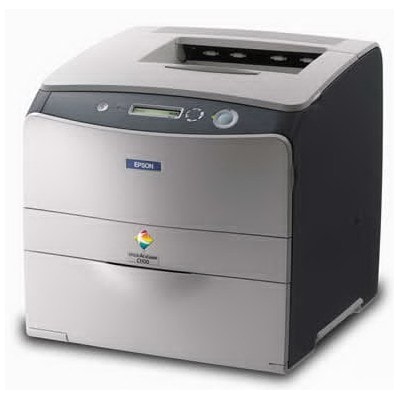
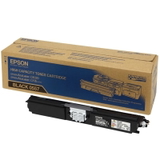
Epson AcuLaser C1600 – compact color laser, big expectations The Epson AcuLaser C1600 (also searched as Epson C1600 or simply C1600) is a popular compact color laser printer designed for everyday office work and home-business printing. It’s valued for sharp text, clear color documents, and reliable performance in typical workloads such as invoices, offers, presentations, labels, and training materials. To keep your printer running at its best, choosing the right toner for printer Epson AcuLaser C1600 matters—both for print quality and cost control. Toner for Epson AcuLaser C1600 – what it affects in daily printing A well-matched toner for Epson AcuLaser C1600 is responsible for consistent color reproduction, crisp black text, and clean lines without background haze. Whether you print occasionally or every day, the right toner cartridge helps the printer maintain stable density and reduces the risk of common issues like pale prints, uneven color, or streaks. In this category you’ll find laser toner cartridges in all key colors, so you can replace only what you need and keep your Epson AcuLaser ready for the next task: - Black toner – for documents, contracts, and sharp everyday text
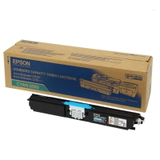
- Cyan toner – for cool tones, charts, and graphics
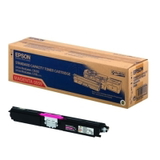
- Magenta toner – for vivid accents, logos, and photos in documents
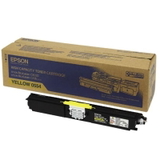
- Yellow toner – for highlights and warm color balance
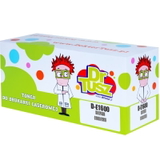
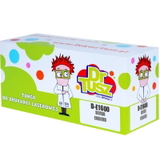
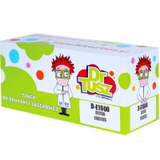
Original OEM and Compatible – one place, full choice We created this page to make shopping simple: you can choose either Original OEM or Compatible toner cartridges for the Epson AcuLaser C1600. If you prefer manufacturer-branded solutions, we stock original Epson toners. If you want to reduce printing costs without sacrificing quality, our compatible cartridges are a proven alternative—at DrTusz.pl we focus on compatibility, stability, and print results that are as good as originals. Popular options in this category include, among others: - Original OEM Toner Epson C1600/CX16 (C13S050557) (Black)
- Original OEM Toner Epson C1600/CX16 (C13S050556) (Cyan)
- Original OEM Toner Epson C1600/CX16 (C13S050555) (Magenta)
- Original OEM Toner Epson C1600/CX16 (C13S050554) (Yellow)
- Compatible Toner C1600/CX16 for Epson (C13S050557) (Black)
- Compatible Toner C1600/CX16 for Epson (C13S050556) (Cyan)
- Compatible Toner C1600/CX16 for Epson (C13S050555) (Magenta)
- Compatible Toner C1600/CX16 for Epson (C13S050554) (Yellow)
This way, you can match your purchase to your printing style: OEM for maximum manufacturer continuity, or compatible toner for Epson AcuLaser C1600 when you want strong value and dependable output. How to choose the right toner cartridge for Epson C1600 When selecting toner for printer Epson C1600, we recommend checking two things: the color you need and the cartridge code. For the Epson AcuLaser C1600/CX16 series, the key references are: - C13S050557 – Black
- C13S050556 – Cyan
- C13S050555 – Magenta
- C13S050554 – Yellow
If you print mostly text, black will run out first. If you print color charts, logos, or marketing materials, keep an eye on cyan/magenta/yellow as well—color laser printers often need all colors available to print properly. Original vs compatible toner – practical differences (and what really matters) Original OEM toner for Epson AcuLaser C1600 is produced under the manufacturer’s brand and is a great pick for users who want to stay strictly within OEM solutions. Compatible toner for Epson AcuLaser C1600 is made to match the same printer requirements and cartridge format, offering excellent print quality and performance—at a more budget-friendly price. What many customers care about most is reliability and repeatable results. That’s why we offer compatible cartridges that are as good as the originals: clear text, stable colors, and smooth everyday printing—ideal for offices, schools, and home workspaces. Common Epson AcuLaser C1600 toner-related issues – and quick tips If your Epson AcuLaser prints lighter than usual, shows streaks, or displays a toner message after replacement, these quick steps often help: - Make sure the cartridge is the correct code and color for the printer.
- Remove all packaging elements (seals/tapes) before installation.
- Gently shake the new toner cartridge side-to-side to distribute toner evenly (a common fix for pale prints).
- Run the printer’s cleaning/calibration option if colors look uneven.
If anything still looks off, we encourage you to contact us—our team will help you choose the right toner for Epson AcuLaser C1600 and troubleshoot typical installation questions. Choose your Epson AcuLaser C1600 toner today We encourage you to browse our full selection of toner cartridges for Epson AcuLaser C1600—both Original OEM and Compatible. Pick the color you need, match the code, and get your printer back to perfect form. Add your toner to the cart now, or contact us if you want help selecting the best option for your printing habits. We’re here to make your Epson AcuLaser printing simple, cost-effective, and reliable—with fast delivery and friendly support. |