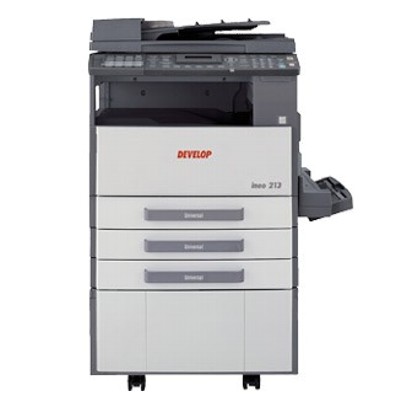
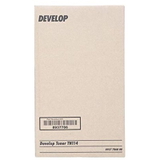
| Develop Ineo 213 is a reliable office multifunction device designed for everyday document workflows: sharp text, repeatable quality and convenient operation for teams that print a lot. To keep this model working at its best, you need a dependable toner for Develop Ineo 213—one that delivers consistent black density, clean lines and trouble-free performance from the first page to the last. Stable black prints for office work In this category we focus on toner cartridges for Develop Ineo 213 intended for laser printing. A good toner for printer Develop 213 is not just “powder in a cartridge”—it’s the key to legible invoices, crisp contracts and professional-looking reports. With the right toner, the Develop Ineo series maintains stable print coverage and minimizes common issues such as uneven blacks or faint text. Customers choose a dedicated toner for Develop Ineo 213 because it helps: - keep text sharp and readable, even on small fonts,
- avoid frequent cartridge changes in busy departments,
- maintain predictable printing costs,
- support smooth daily work—printing without unnecessary downtime.
Original OEM toner for Develop Ineo 213 – quality you can trust If you prefer the manufacturer’s solution, Original OEM is the safest, most straightforward choice. An Original OEM toner for Develop Ineo 213 is designed specifically for this device family, ensuring excellent compatibility and stable performance. It’s an ideal option for offices that require maximum repeatability, clear documentation and full confidence in day-to-day printing. In this subcategory we offer Original OEM toners such as: - Original OEM Toners Develop TN-114 (8937786) (Black) (2-pack) – a practical option for teams that print regularly and want to keep a spare toner ready.
Choosing a multi-pack is often the easiest way to secure continuity: you reduce the risk of running out of toner at a critical moment and simplify ordering for the whole office. How to choose the right toner for Develop 213 When selecting a toner for printer Develop Ineo 213, we recommend checking a few essentials before you buy: - Printer model: make sure your device is Develop Ineo 213 (also searched as Develop 213 or Develop Ineo 213).
- Cartridge code: confirm the toner symbol, e.g. TN-114 (8937786), to match the correct version.
- Printing habits: if you print frequently, consider a 2-pack to keep a backup toner on hand.
- Expected results: for formal business documents, OEM toner is a popular choice thanks to predictable output and reliability.
Common printing issues and practical tips Many everyday problems reported by users are not faults of the printer itself, but symptoms of a depleted or improperly installed cartridge. If you notice light prints, streaks, or uneven black coverage, it may be time to replace the toner for Develop Ineo 213. We also suggest: - installing the new cartridge carefully according to the printer’s prompts,
- keeping toner sealed until use to protect it from moisture,
- ordering in advance—especially in offices where printing cannot stop.
If you’re unsure which option to choose, we’re here to help—tell us your printer model and cartridge code, and we’ll guide you to the right toner for Develop Ineo 213. Order your toner and keep your Develop Ineo running We encourage you to explore our selection of toner cartridges for Develop Ineo 213 and choose the solution that fits your workflow. Add Develop TN-114 to your basket, secure a spare with a 2-pack, and enjoy predictable printing without interruptions. If you have any questions about compatibility, availability or choosing the best toner for Develop 213, contact us—we’ll respond quickly and help you place the right order. |