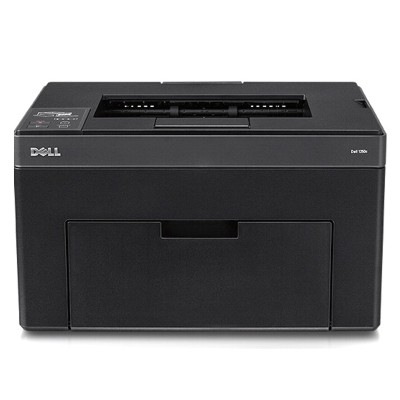
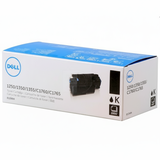
Dell C1250 – compact colour laser that deserves reliable toner Dear Customer, the Dell C1250 (also searched as Dell 1250 or C1250) is a compact colour laser printer designed for everyday office documents: invoices, offers, shipping labels and clear colour graphics. To keep it printing sharply and consistently, you need the right toner for printer Dell C1250—matched to this model and delivered in a fresh, safe-to-use cartridge. What you get with the right toner for Dell C1250 Choosing a dedicated toner for Dell C1250 means predictable results from the first to the last page: crisp text, even fills and stable colour reproduction. Laser toner is perfect for documents that must look professional and remain legible for a long time—without smudging or bleeding. With properly selected cartridges, your Dell C1250 maintains smooth operation and consistent print quality in both mono and colour jobs. - Sharp black text for contracts, reports and everyday printing
- Clean cyan, magenta and yellow for charts, logos and presentations
- Stable performance thanks to cartridges designed specifically for the Dell C1250 engine
- Convenient replacement—quick swap and back to printing
Original OEM toner cartridges available in this category In this category we focus on genuine solutions—Original OEM toner cartridges that fit the Dell C1250 perfectly. If you value factory consistency, predictable colour and full compatibility, you’re in the right place. Our selection covers the complete colour set, so you can replace a single colour or build a full set for uninterrupted work: - Original OEM Toner Dell DV16F (593-11140) (Black) – deep black for crisp text and strong contrast
- Original OEM Toner Dell PDVTW (593-11141) (Cyan) – clean blues and smooth gradients
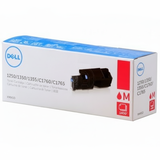
- Original OEM Toner Dell XMX5D (593-11142) (Magenta) – vivid reds and precise colour balance
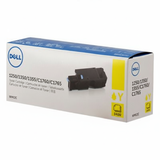
- Original OEM Toner Dell 5M1VR (593-11143) (Yellow) – bright highlights and clear warm tones
All products are clearly marked by code and colour, making it easy to choose the right toner for Dell C1250 without guessing. How to choose the correct cartridge (and avoid common Dell C1250 issues) When selecting a toner for printer Dell C1250, always confirm the printer model and cartridge code. Many users search by “Dell 1250” or “C1250”, so we recommend matching by the OEM part numbers listed above to ensure a perfect fit. Typical issues reported by Dell C1250 users are usually easy to prevent: - Faded prints or uneven colour – often caused by an almost empty cartridge; replacing the correct colour restores quality
- Streaks or background tint – may appear when toner is near the end or after long downtime; a fresh OEM toner often solves it
- Printer not recognising the cartridge – avoid mix-ups by checking the exact Dell codes before purchase
Need help choosing between black and colour replacements, or building a full CMYK set? We’re happy to advise—tell us what and how much you print, and we’ll help you pick the best option. Order your toner for Dell C1250 with confidence We encourage you to browse the available toner for Dell C1250 cartridges and choose the colour you need today—black for everyday text or cyan/magenta/yellow to keep your colour prints accurate. Add the right OEM toner to your cart and enjoy fast, convenient delivery. If you have any questions about compatibility or which cartridge code is correct, contact us—together we’ll make sure your Dell C1250 prints exactly the way it should. |