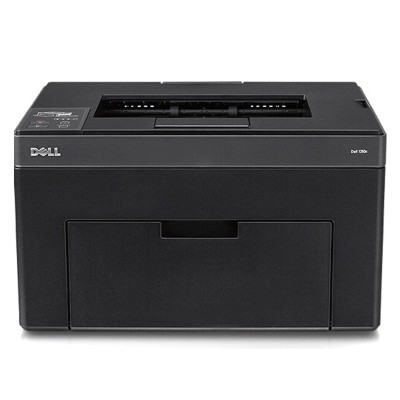
Dell C1250 – compact color laser that still delivers Dear Customer, the Dell C1250 (also searched as Dell 1250 or simply C1250) is a small, practical color laser printer designed for everyday office and home-office printing. It’s appreciated for sharp text, clear business graphics, and reliable color output in a space-saving format. To keep your prints consistent and your printer working smoothly, choosing the right toner for printer Dell C1250 is essential—especially when you care about clean blacks, balanced colors, and predictable page yield. What a toner for Dell C1250 influences in daily printing A toner for Dell C1250 is not just “powder in a cartridge”. It directly affects print density, color accuracy, and how evenly the printer lays down color on the page. In laser printing, toner quality also matters for the stability of gradients, the readability of small fonts, and the overall look of charts and logos. When you select a well-matched toner cartridge for Dell C1250, you gain: - Clear, crisp black text for invoices, documents, and reports
- Vibrant color output for presentations, marketing materials, and graphics
- Stable performance—fewer print artifacts and more predictable results
- Better workflow thanks to fewer interruptions and consistent quality from the first page to the last
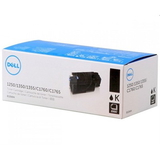
Original OEM toner cartridges for Dell C1250 in our offer In this category we focus on Original OEM solutions—perfect if you want manufacturer-grade consistency and the exact match designed for the Dell C1250 engine. If you’re looking for a dependable toner for printer Dell C1250, these are the most popular choices customers reach for: - Original OEM Toner Dell DV16F (593-11140) (Black) – for sharp text, strong contrast and professional-looking documents
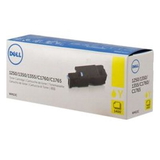
- Original OEM Toner Dell 5M1VR (593-11143) (Yellow) – for warm highlights, readable charts and bright accents
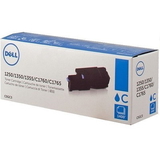
- Original OEM Toner Dell PDVTW (593-11141) (Cyan) – for clean blues and balanced color graphics
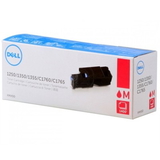
- Original OEM Toner Dell XMX5D (593-11142) (Magenta) – for vivid reds and accurate color tones in images and branding
Thanks to a clear selection of colors, you can easily complete a full CMYK set and keep your Dell C1250 toner supply ready for every task—whether you print mostly in black or regularly produce color documents. How to choose the right toner for Dell C1250 (and avoid mistakes) To pick the correct toner cartridge for Dell 1250 / Dell C1250, we recommend checking two things: the printer model name (C1250) and the toner code on the cartridge. The product symbols listed in this category—such as 593-11140 for black—make selection straightforward and safe. Our practical tips before you order: - Match the color to your needs—black is essential for text, while cyan/magenta/yellow complete color printing
- Consider your print style—documents and spreadsheets benefit from a strong black; marketing materials need full CMYK
- Replace toners in time—printing with very low toner can lead to pale pages or uneven color
Original vs compatible: what’s the difference? Many customers ask us whether an original cartridge is necessary. Original OEM toner for Dell C1250 is made to the manufacturer’s specification and is often chosen for maximum predictability and repeatable color. Compatible toner for Dell C1250 can be a cost-effective alternative—and in DrTusz.pl we focus on quality, so our compatible cartridges are designed to be just as good as originals in everyday use: reliable, safe for the printer, and capable of producing clean, professional prints. In this particular category you’ll find Original OEM toners. If you’d like, we can help you compare options and select the best solution for your budget and printing volume. Common Dell C1250 printing issues and how the right toner helps The Dell C1250 is a dependable device, but like any laser printer it may show typical symptoms when a cartridge is near empty or not performing at its best. Users most often report: - Faded prints or weak blacks—usually a sign the black toner is running low
- Uneven color or missing tones—often connected to a depleted cyan/magenta/yellow cartridge
- Streaks or spots—sometimes caused by inconsistent toner distribution or aging consumables
Choosing the correct, high-quality Dell C1250 toner and replacing it when needed is one of the simplest ways to keep output clean and professional. Order your Dell C1250 toner today – we’re here to help We encourage you to explore our selection of toner cartridges for Dell C1250 and pick the colors you need right now—black for everyday printing or a full set for consistent color results. If you’re not sure which toner fits your printer, contact us and we’ll help you choose quickly and confidently. We make ordering simple, offer fast delivery options, and support you before and after the purchase. CTA: Add your chosen toner for printer Dell C1250 to the cart now, or message us for help selecting the best OEM set for your printing needs. |