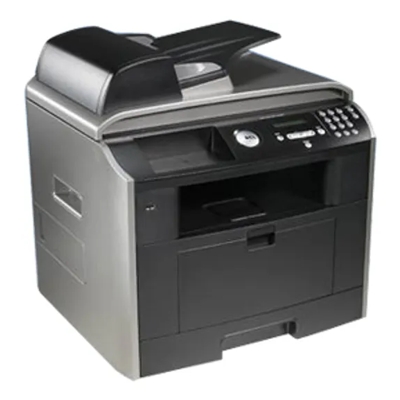
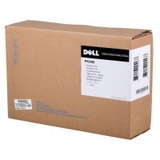
Dell 2230 printer – reliable monochrome printing for everyday work If you use the Dell 2230, you already know why it’s still a popular choice in offices and home workspaces: it’s fast, compact, and designed for crisp black-and-white documents. The Dell 2230 is especially valued for printing invoices, reports, shipping labels, and everyday correspondence without unnecessary complications. To keep that performance consistent, you simply need the right toner for printer Dell 2230 and a dependable drum unit for Dell 2230. Toner and drum unit for Dell 2230 – what they do and why they matter In a laser printer like the Dell 2230, print quality depends mainly on two components: the toner cartridge (the powder that forms the text) and the drum unit (the imaging component that transfers toner onto the page). Choosing the right toner for Dell 2230 means: - sharp, readable black text with consistent density,
- smooth printing of barcodes and small fonts,
- reliable performance from the first page to the last,
- less downtime caused by low-quality consumables.
When the drum unit is worn, you may notice repeating marks, background shading, or faded areas even after replacing the toner. That’s why having the correct drum unit for printer Dell 2230 is just as important as the toner itself. Compatible and Original OEM – we give you the choice We know different customers have different priorities, so in our category you’ll find both Original OEM and Compatible options for Dell 2230. If you want manufacturer-branded parts, choose OEM. If you want excellent value without sacrificing quality, our compatible solutions are the smart alternative—our customers appreciate them for dependable results and strong cost-per-page. Looking for a proven product? These are among the most popular items in this category: - Compatible Toner 2230 for Dell (593-10500) (Black) – a practical choice for everyday printing and a great way to reduce running costs while keeping professional results.
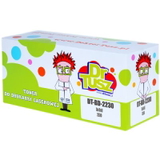
- Compatible Drum Unit 593-10338 for Dell (593-10338) (Black) – ideal when your prints start showing streaks or repeating marks; restores clean page output.
- Original OEM Drum Unit Dell 593-10338 (593-10338) (Black) – the manufacturer’s solution for users who prefer OEM components and want the exact original specification.
How to choose the right toner for printer Dell 2230 When selecting toner for Dell 2230 or a Dell 2230 drum unit, we recommend focusing on the cartridge code and the type of consumable you actually need (toner vs drum). For this model, the key references in this category include 593-10500 (toner) and 593-10338 (drum unit). Matching the code is the simplest way to ensure compatibility. Many users of the Dell 2230 encounter similar issues over time. Here’s what they usually mean: - Faded prints – often caused by low toner level, but can also indicate a worn drum unit.
- Streaks, spots, or repeating marks – typically a sign the drum unit needs replacement (especially if the problem persists after changing toner).
- Uneven black coverage – can result from an aging drum or poor-quality consumables; choosing a reliable toner for printer 2230 helps maintain consistent output.
If you’re deciding between OEM and compatible: Original OEM is the brand-name route, while our compatible options are designed to deliver print quality and reliability comparable to originals—at a more attractive price. If you print a lot, compatible consumables are often the best way to keep the Dell 2230 economical without compromising document readability. Order your Dell 2230 toner and drum unit with confidence We encourage you to explore our full selection of toner cartridges for Dell 2230—both Compatible and Original OEM—including the essential drum unit 593-10338. If you’re not sure which item to pick, contact us and we’ll help you match the correct toner for Dell 2230 or the right drum unit based on your printer and symptoms. CTA: Choose your preferred toner for printer Dell 2230 today, add it to your cart, and keep your Dell 2230 printing clean, sharp, and reliable. We’re here to help, and we aim for fast delivery so you can get back to printing without delay. |