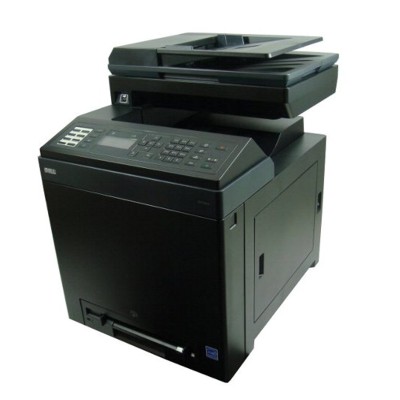
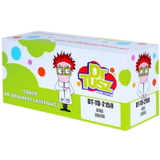
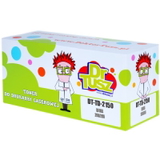
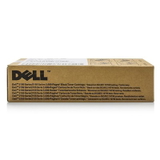
Dell 2155cn – a reliable color laser for the office The Dell 2155cn (also searched as Dell 2155CN, 2155 cn, 2155 CN, or simply Dell 2150/2155 series) is a popular color laser multifunction printer designed for everyday business printing. It’s valued for sharp text, clear graphics, and consistent performance in small offices and home offices. To keep it working at its best, you need the right toner for printer Dell 2155cn and, when necessary, a dedicated drum unit that maintains image quality over time. Toner and drum unit for Dell 2155cn – what they do and why it matters In a laser device like the Dell 2155cn, the toner for Dell 2155cn is the powdered “ink” responsible for color and black printing, while the drum unit for Dell 2155cn helps transfer the image onto the paper. Choosing high-quality supplies is the simplest way to avoid common problems such as fading, uneven color, background smudging, or recurring print defects. In this category, we offer both Original OEM and Compatible laser cartridges, so you can match your purchase to your printing needs—whether you prioritize manufacturer-certified solutions or want to reduce printing costs without sacrificing quality. Our selection: Original OEM and Compatible cartridges for Dell 2155cn We’ve prepared a wide range of options for customers looking for toner for printer Dell 2155cn in every key color. You’ll find popular, proven products such as: - Original OEM Toner Dell 2150/2155 (593-11040) (Black) – for crisp documents and deep blacks in everyday office use.
- Original OEM Toner Dell 2150/2155 (593-11041) (Cyan) – for clean blues and accurate color balance.
- Original OEM Toner Dell 2150/2155 (593-11033) (Magenta) – for vivid graphics, charts, and presentations.
- Original OEM Toner Dell 2150/2155 (593-11037) (Yellow) – for bright highlights and clear color prints.
- Compatible Toner 2150/2155 for Dell (593-11040) (Black) – a cost-effective choice for high-volume black printing.
- Compatible Toner 2150/2155 for Dell (593-11041) (Cyan), (593-11033) (Magenta), (593-11037) (Yellow) – consistent color printing with excellent value.
- Original OEM Drum Unit Dell 2150/2155 (593-10353) – the right solution when print quality drops even after replacing toner.
Whether you search for supplies using phrases like Dell 2155cn, 2155CN, 2155 cn, or Dell 2150, you’re in the right place: these cartridges and drum unit are dedicated to the Dell 2150/2155 family. How to choose the right toner for Dell 2155cn When selecting your toner for Dell 2155cn, we encourage you to consider three practical points: - Color you need: Black for documents, or Cyan/Magenta/Yellow for full-color output.
- Printing volume: If you print a lot, compatible cartridges can significantly reduce the cost per page.
- Condition of the drum unit: If prints show repeating marks, streaks, or a “ghosting” effect, the drum unit may be worn and should be replaced.
Original OEM vs Compatible – differences without the myths Original OEM toner for printer Dell 2155cn is produced to the printer manufacturer’s specifications and is often chosen for standardization in corporate environments. At the same time, many customers prefer compatible toner for Dell 2155cn as a smart alternative for everyday printing. Our message is simple: compatible cartridges from the DrTusz.pl offer are as good as the originals in daily use—delivering strong blacks, stable colors, and reliable performance, while helping you control printing costs. If you’re looking for the best value for money, compatible toner is an excellent choice. Common user issues with Dell 2155cn – and what usually helps The Dell 2155cn is dependable, but like any laser printer it may occasionally signal maintenance needs. The most frequent situations we see include: - Faded prints or weak colors: typically a toner level issue or a cartridge nearing the end.
- Streaks, spots, repeating marks: often related to the drum unit for Dell 2155cn (especially when a new toner doesn’t fix it).
- Color imbalance: can happen when one color is low—replacing the correct Cyan/Magenta/Yellow toner usually restores proper output.
If you’re unsure whether you need a new toner or a drum unit, we’re here to help you choose the best match for your exact printer behavior. Order your Dell 2155cn toner today We encourage you to explore our full range of toner cartridges for Dell 2155cn—both Original OEM and Compatible—as well as the dedicated drum unit. Choose the colors you need, compare options, and print with confidence. CTA: Add the right toner for Dell 2155cn or drum unit 593-10353 to your cart now, or contact us—our team will gladly help you pick the best solution and arrange fast delivery. |