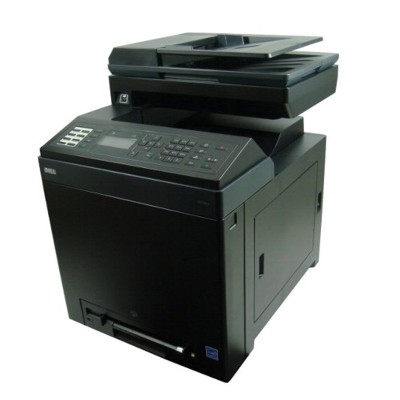
Dell 2155cdn – a reliable colour laser for everyday work The Dell 2155cdn (also searched as Dell 2155CDN, 2155 cdn, 2155CDN, or simply Dell 2150/2155) is a popular colour laser multifunction printer designed for busy offices and home workspaces that expect crisp text, readable graphics and stable network printing. To keep your device performing at its best, you need the right toner for printer Dell 2155cdn and, when required, a properly matched drum unit for Dell 2155cdn. In this category we offer both Original OEM and carefully selected Compatible options—so you can choose what fits your priorities and budget. What matters in Dell 2155cdn toners and drum units Choosing the right toner for Dell 2155cdn is not only about colour. It’s also about consistent page yield, correct colour balance (especially for charts and presentations), and clean printing with minimal background haze. In colour laser printers, print quality depends on a well-working set of four toners (Black, Cyan, Magenta, Yellow) and the condition of the drum unit, which transfers toner precisely onto the page. In our range you will find: - Toner cartridges for Dell 2155cdn – Black, Cyan, Magenta and Yellow for everyday documents and colour prints.
- Drum Unit for Dell 2150/2155 (593-10353) – essential for maintaining sharp edges, correct density and reliable printing over time.
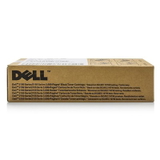
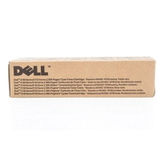
Whether you print invoices, shipping labels, reports or training materials, a high-quality toner for printer Dell 2155cdn helps avoid wasted paper, reprints and unnecessary downtime. Compatible and Original OEM – choose the option that fits you We know that customers shopping for toner for Dell 2155CDN often compare cost, longevity and peace of mind. That’s why we keep both options available. - Original OEM – the manufacturer’s cartridge, a great choice when you want maximum predictability and full OEM standard right out of the box.
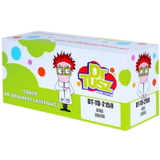
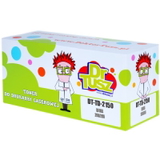
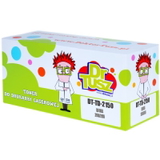
- Compatible – a smart alternative when you want to reduce printing costs without sacrificing quality. The compatible cartridges in the DrTusz.pl offer are designed to be just as good as originals in everyday use: sharp text, stable colours and reliable performance.
No matter which route you take, we focus on offering solutions that work well with your device and support the printing results you expect from the Dell 2155cdn. Popular products in this category (OEM and compatible) To make your choice easier, here are some of the most frequently selected items for this model. You can build a full colour set or replace only the cartridge that has run out. - Original OEM Toner Dell 2150/2155 (593-11040) (Black) – for crisp, deep black text and professional office documents.
- Original OEM Toner Dell 2150/2155 (593-11041) (Cyan) and Compatible Toner 2150/2155 for Dell (593-11041) (Cyan) – for clear blues and balanced colour graphics.
- Original OEM Toner Dell 2150/2155 (593-11033) (Magenta) and Compatible Toner 2150/2155 for Dell (593-11033) (Magenta) – important for accurate reds, purples and skin tones in colour prints.
- Original OEM Toner Dell 2150/2155 (593-11037) (Yellow) and Compatible Toner 2150/2155 for Dell (593-11037) (Yellow) – for bright highlights, charts and vivid colour elements.
- Original OEM Drum Unit Dell 2150/2155 (593-10353) – a key maintenance component when print quality drops despite using new toner.
This variety means you can tailor your order: OEM for selected colours, compatible for everyday high-volume printing, or a complete matching set—whatever supports your workflow best. How to pick the right toner for Dell 2155cdn (and avoid common issues) When selecting toner for printer Dell 2155cdn, start with the cartridge code and colour. For this series, the most common codes in this category include 593-11040 (Black), 593-11041 (Cyan), 593-11033 (Magenta) and 593-11037 (Yellow). If you’re unsure whether your device is listed as Dell 2155cdn or Dell 2150, don’t worry—these supplies are often described as Dell 2150/2155 and are intended for the same family. Users of the Dell 2155cdn typically report a few recurring situations: - Faded print or uneven colour – often solved by replacing the low toner colour; if it persists across pages, the drum unit may be approaching the end of its life.
- Streaks or background haze – can indicate a worn drum unit or toner residue; replacing the drum unit for Dell 2155cdn restores sharpness and clean backgrounds.
- Colours not matching expectations – using a balanced set (and avoiding “almost empty” cartridges) helps maintain consistent colour output.
- “Toner low” messages too early – common in many laser printers; replacing when print quality actually drops is often more practical than relying solely on estimates.
If you print a lot, compatible options can significantly reduce cost per page while keeping results professional. If you prioritise absolute OEM standard for specific client-facing documents, choose Original OEM for those colours. We’re happy to help you match the right option to your usage. Order your Dell 2155cdn toner today – we’re here to help We encourage you to explore our full selection of toner cartridges for Dell 2155cdn—both Original OEM and high-quality Compatible—as well as the dedicated drum unit for the Dell 2150/2155 series. Add the colours you need to your basket, complete your set, and keep your printer ready for daily work without interruptions. If you have any questions about choosing the right toner for Dell 2155CDN, matching codes, or deciding between OEM and compatible, contact us—our team will guide you quickly and clearly. Choose your supplies now and enjoy convenient ordering and fast delivery options tailored to your needs. |