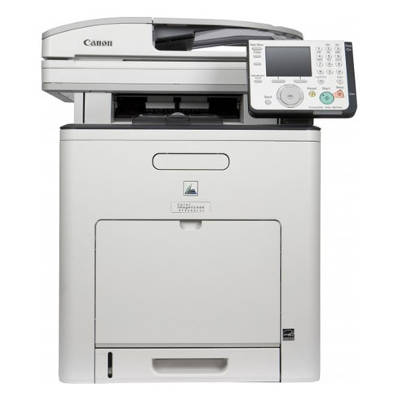
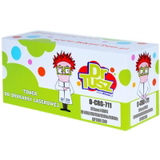
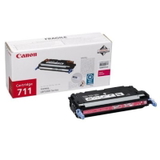
Reliable colour printing with Canon i-SENSYS MF9280Cdn Canon i-SENSYS MF9280Cdn (also searched as Canon MF9280Cdn, MF9280CDN, MF 9280 cdn and similar variants) is a robust colour laser multifunction device designed for busy offices and demanding home workspaces. It combines fast printing, copying and scanning with professional-looking colour output—so the right toner for Canon i-SENSYS MF9280Cdn is essential to keep everyday work smooth, predictable and cost-effective. What you can expect from toner for Canon i-SENSYS MF9280Cdn This model uses the Canon CRG-711 series, which delivers sharp text, clean lines and consistent colour blocks. A well-matched toner for Canon MF9280Cdn helps you maintain stable print quality from the first page to the last—important for invoices, reports, presentations, labels and marketing materials. When you choose toner for MF9280Cdn from our range, you gain: - Clear, high-contrast black text for everyday documents
- Vivid colour reproduction for charts, graphics and business materials
- Reliable page-to-page consistency—ideal for batch printing
- Reduced risk of streaks and fading when the cartridge is properly matched to the printer
Compatible and Original OEM—one place, every colour In this category we offer both Original OEM toner for Canon i-SENSYS MF9280Cdn and carefully selected compatible alternatives. Thanks to that, you can shop the way you prefer: stay with the manufacturer’s cartridge or reduce running costs with a high-quality compatible option—without compromising everyday reliability. Our selection includes the full set of CRG-711 colours: - Original OEM Toner Canon CRG-711 B (1660B002AA) (Black)
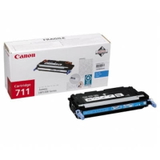
- Original OEM Toner Canon CRG-711 C (1659B002AA) (Cyan)
- Original OEM Toner Canon CRG-711 M (1658B002AA) (Magenta)
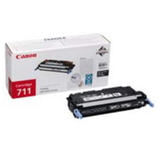
- Original OEM Toner Canon CRG-711 Y (1657B002AA) (Yellow)
- Compatible Toner CRG-711 B for Canon (1660B002AA) (Black)
- Compatible Toner CRG-711 C for Canon (1659B002AA) (Cyan)
- Compatible Toner CRG-711 M for Canon (1658B002AA) (Magenta)
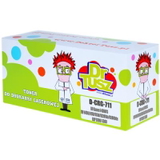
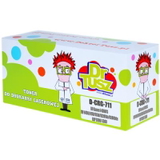
- Compatible Toner CRG-711 Y for Canon (1657B002AA) (Yellow)
Whether you print mostly in black or you need a complete CMYK set, we make it easy to choose the right toner for printer Canon i-SENSYS MF9280Cdn in a few clicks. How to choose the right cartridge: CRG-711 in practice Dear Customer, the safest way to pick the right toner for Canon i-SENSYS MF9280Cdn is to match the cartridge symbol. For this device, it’s CRG-711 with the colour letter: - B – Black (daily text printing, invoices, documentation)
- C – Cyan (blue tones, charts, photos/graphics elements)
- M – Magenta (red/purple tones, brand colours, graphics)
- Y – Yellow (warm highlights, colour balance in images)
If you notice colours look “off”, prints are too pale, or gradients are uneven, it often means one colour is running low even if others are still fine. Replacing the correct colour cartridge usually restores normal output immediately. Original OEM vs compatible: what’s the difference? Original OEM toner for Canon MF9280Cdn is made by the printer manufacturer and is a great choice for users who want to stay strictly with OEM supplies, for example in highly standardised office environments. Compatible toner for Canon i-SENSYS MF9280Cdn is a smart option when you want to reduce printing costs while keeping strong print quality and reliability. At DrTusz.pl we focus on proven compatible cartridges—our compatible CRG-711 toners are designed to work just as well as originals in everyday use: clear text, stable colour and dependable performance. In short: - Choose Original OEM if you prefer manufacturer-branded supplies and a classic OEM approach.
- Choose Compatible if you want excellent value and quality comparable to OEM—especially for frequent printing.
Common user issues with MF9280Cdn—and how the right toner helps The Canon i-SENSYS MF9280Cdn is built for workload, but like any colour laser printer it can show symptoms when a cartridge is near empty or not properly installed. The most common situations reported by users include: - Streaks or lines – often appear when toner is low or the cartridge needs reseating.
- Faded prints – frequently related to a nearly empty cartridge (especially in the colour that looks weak).
- Uneven colour areas – can occur when one colour is running out before the others.
- “Toner low” messages – a clear sign it’s time to order the next CRG-711 so you don’t stop mid-job.
If you print important documents, we recommend keeping at least one spare toner for MF9280CDN (especially black) to avoid downtime. Order your Canon i-SENSYS MF9280Cdn toner with confidence We encourage you to explore our full range of toner cartridges for Canon i-SENSYS MF9280Cdn—both Compatible and Original OEM. Choose the colours you need today, optimise your printing costs, and keep your Canon MF9280Cdn ready for every task. If you’re unsure which toner for printer Canon i-SENSYS MF9280Cdn to pick, contact us—we’ll help you match the right CRG-711 cartridge and colour. Order now and enjoy fast, convenient delivery and expert support from a store that specialises in printing supplies. |