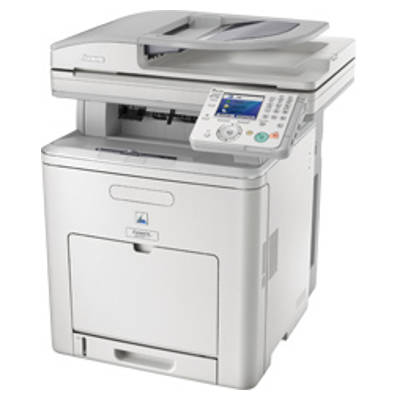
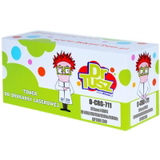
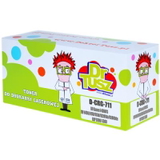
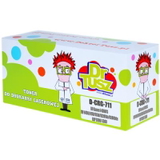
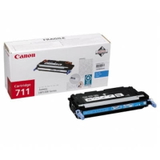
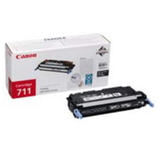
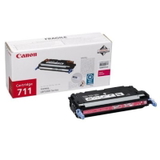
Canon i-SENSYS MF9170 – a reliable colour laser MFP for everyday work Canon i-SENSYS MF9170 (also searched as Canon MF9170, Canon i-SENSYS MF, MF9170 or MF 9170) is a proven multifunction colour laser printer designed for offices and demanding home users. It combines fast document handling with crisp text and vivid colour prints, so it’s often used for invoices, reports, presentations and marketing materials. To keep this device performing at its best, it’s worth choosing a high-quality toner for Canon i-SENSYS MF9170—matched perfectly to the CRG-711 series. Toner for Canon i-SENSYS MF9170 – what it does and why quality matters A laser toner is responsible for sharp outlines, consistent fill and clean gradients. In the Canon i-SENSYS MF9170, stable toner quality helps maintain predictable colour reproduction and reduces issues such as faded prints or uneven coverage. When you choose the right toner for Canon MF9170, you gain: - clear, professional-looking text and lines (ideal for documents),
- strong colour output for charts, graphics and offers,
- reliable performance across longer print runs,
- cleaner operation and fewer interruptions during busy days.
This category includes Laser cartridges in two classes—Original OEM and Compatible—so you can choose what best fits your printing habits and budget. Our range: Original OEM and Compatible CRG-711 toners We offer a complete set of colours for the Canon CRG-711 family, so you can easily replace one cartridge or stock up on a full CMYK bundle. You’ll find both original and compatible versions of every colour: - Original OEM Toner Canon CRG-711 B (1660B002AA) (Black)
- Original OEM Toner Canon CRG-711 C (1659B002AA) (Cyan)
- Original OEM Toner Canon CRG-711 M (1658B002AA) (Magenta)
- Original OEM Toner Canon CRG-711 Y (1657B002AA) (Yellow)
- Compatible Toner CRG-711 B for Canon (1660B002AA) (Black)
- Compatible Toner CRG-711 C for Canon (1659B002AA) (Cyan)
- Compatible Toner CRG-711 M for Canon (1658B002AA) (Magenta)
- Compatible Toner CRG-711 Y for Canon (1657B002AA) (Yellow)
Thanks to this selection, you can choose an original OEM toner for Canon i-SENSYS MF9170 for maximum brand consistency or a compatible toner for Canon i-SENSYS MF9170 to reduce printing costs—without giving up on quality. How to choose the right toner: Original vs Compatible If you print a lot, choosing cartridges wisely can make a real difference. Here’s a practical way to decide: - Original OEM toner for MF9170 – a great choice if you want Canon-branded supplies, repeatable colour output and the familiarity of OEM solutions.
- Compatible toner for MF9170 – ideal when you want excellent results with a more cost-effective approach. Our compatible cartridges from DrTusz.pl are designed to be just as good as the originals in everyday use: clean prints, reliable operation and consistent coverage.
When shopping, always match the code to your needs: CRG-711 B (Black), CRG-711 C (Cyan), CRG-711 M (Magenta) and CRG-711 Y (Yellow). If you often print colour documents, it’s smart to keep a spare set—colour laser printers can stop printing certain jobs when one colour runs low. Common MF9170 printing issues and how the right toner helps Users of Canon i-SENSYS MF9170 printers most often look for help with issues such as pale prints, uneven colour, streaks or sudden low-toner messages. In many cases, replacing an empty cartridge with a properly selected toner for Canon i-SENSYS MF9170 solves the problem immediately. If you print graphics and notice colour inconsistency, replacing the specific low colour (C/M/Y) can restore the expected vibrancy. And if black text looks grey, a fresh CRG-711 B cartridge is usually the fastest fix. Order your Canon i-SENSYS MF9170 toner with confidence We make it easy to choose the right toner for Canon MF9170—original OEM or compatible—so you can print without downtime and without guesswork. We encourage you to browse the available CRG-711 cartridges, compare options and select the version that best matches your workload and budget. CTA: Add the selected toner to your cart today, and if you’re unsure which cartridge to choose for Canon i-SENSYS MF9170 / MF 9170, contact us—our team will gladly help you pick the best option and get your printer back to perfect output as quickly as possible. We also offer fast delivery and secure packaging, so your toner arrives ready for immediate installation. |