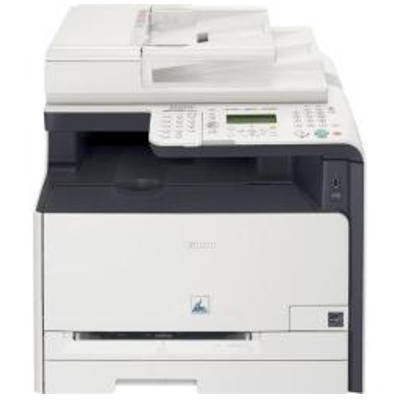
Canon i-SENSYS MF8000 series – reliable printing for a busy office The Canon i-SENSYS MF8000 (also searched as Canon MF8000, Canon i-SENSYS MF, MF8000 or MF 8000) is a popular laser multifunction device built for everyday business tasks. It’s designed for fast workflows: crisp text, clear graphics, and dependable operation when you print, copy, and scan regularly. To keep this kind of machine running at its best, you need a toner for printer Canon i-SENSYS MF8000 that matches your expectations—whether you prioritize maximum OEM consistency or the best cost per page. Toner for Canon i-SENSYS MF8000 – what matters in day-to-day use Choosing the right toner for Canon i-SENSYS MF8000 has a direct impact on print sharpness, color balance, and overall comfort of use. The MF8000 series is often used for: - black-and-white office documents (invoices, reports, contracts),
- color business materials (presentations, charts, simple marketing prints),
- mixed printing where consistent quality and predictable costs matter.
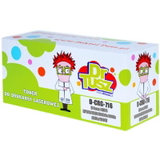
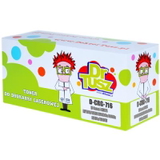
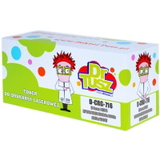
A well-chosen toner for printer MF8000 helps maintain clean edges, smooth fills, and stable colors (C/M/Y/K). It also reduces typical issues like faded pages, uneven coverage, or excessive background shading—problems that usually appear when a cartridge is low, not seated correctly, or simply not matched to your printing needs. Compatible and Original OEM toner – one place, a wide selection In our store we offer both Original OEM and Compatible options, so you can select exactly what fits your budget and printing style. If you print a lot, want to control expenses, or need a convenient backup set, compatible solutions are a smart choice. If you prefer the manufacturer’s cartridge for standardized office procedures, OEM is always available as well. Popular choices in this category include: - Compatible Toner CRG-716 B for Canon (1980B002AA) (Black) – a practical option for high-volume text printing.
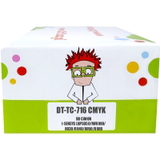
- Compatible Toners CRG-716 CMYK for Canon (DT-TC-716/K) (multi pack) – a convenient full set when you want all colors ready at once.
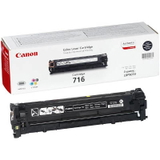
- Original OEM Toner Canon CRG-716 B (1980B002AA) (Black) – OEM black toner for customers who want Canon-branded supplies.
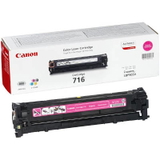
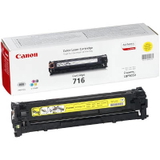
- Original OEM Toner Canon CRG-716 C (1979B002AA) (Cyan), Original OEM Toner Canon CRG-716 M (1978B002AA) (Magenta), Original OEM Toner Canon CRG-716 Y (1977B002AA) (Yellow) – OEM color toners for accurate, repeatable color output.
- Compatible Toner CRG-716 C (1979B002AA) (Cyan), Compatible Toner CRG-716 M (1978B002AA) (Magenta), Compatible Toner CRG-716 Y (1977B002AA) (Yellow) – compatible color toners for cost-effective everyday color printing.
How to choose the right toner for Canon MF8000 When you select a toner for Canon MF8000, we recommend focusing on a few simple points: - Color vs. black-only printing: if you mainly print text, start with black. If you print charts and presentations, keep the full CMYK set available.
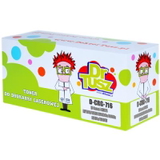
- Original OEM vs. Compatible: OEM is the manufacturer’s cartridge; compatible is a high-quality alternative. Our compatible toners from DrTusz.pl are designed to deliver print quality and reliability comparable to OEM, while helping you lower printing costs.
- Buying single cartridges vs. multipack: a multipack can be the most convenient option for offices, reducing downtime and ensuring consistent color availability.
Common MF8000 printing issues and quick tips Users of the Canon i-SENSYS MF8000 series most often report issues that are easy to solve with the right approach to toner and maintenance: - Faded prints or weak colors: usually a low cartridge—replacing the toner restores density and clarity.
- Streaks or uneven coverage: can happen when toner is nearly empty or after long periods without printing; replacing the toner and gently re-seating the cartridge often helps.
- Cartridge detection messages: ensure the correct CRG-716 model is selected and installed firmly; if you’re unsure, we can help you verify the match for your MF8000 device.
If you want stable, office-ready results, it’s worth keeping at least one spare toner for printer Canon i-SENSYS MF8000—especially black, which is typically used the most. Order today – keep your Canon i-SENSYS MF8000 ready to print We encourage you to explore our selection of toner for Canon i-SENSYS MF8000—both compatible toner and Original OEM toner. Choose the single color you need right now or go for a convenient CMYK multipack to stay fully stocked. If you’re not sure which toner for MF8000 will be best for your usage, contact us—we’ll help you choose quickly and confidently. Add your toner to the cart and enjoy a smooth purchase process, clear product availability, and fast delivery options tailored to your needs. |