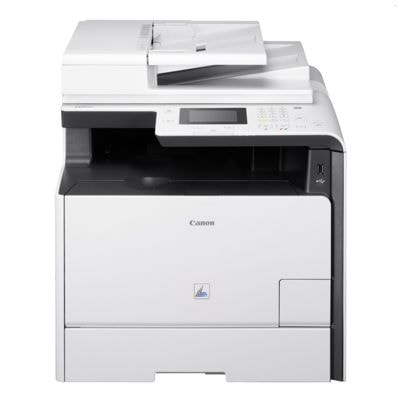
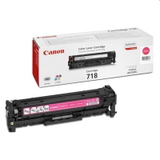
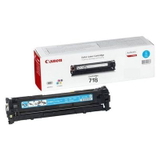
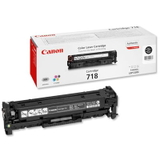
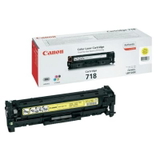
Canon i-SENSYS MF729Cx – a reliable colour laser MFP for busy offices The Canon i-SENSYS MF729Cx (also searched as Canon MF729Cx, MF 729 CX or MF729CX) is a fast, business-focused colour laser multifunction printer designed for everyday office tasks: sharp documents, clear charts, and consistent colour prints. To keep this model working at its best, you need a dependable toner for printer Canon i-SENSYS MF729Cx—and that’s exactly what we offer: both Original OEM and proven compatible toner options that help you print efficiently and predictably. Toner for Canon i-SENSYS MF729Cx – what matters in daily printing A well-chosen toner for Canon i-SENSYS MF729Cx means clean text, stable colour, and fewer interruptions. This model uses the Canon CRG-718 series (often identified by codes like 2662B002AA, 2662B005AA, 2661B002AA, 2660B002AA, 2659B002AA, and also searched via 9947B012). In practice, that means you can easily match the right cartridge to the colour you print most. Whether you print invoices, contracts, labels, presentations, or marketing materials, the right toner helps ensure: - crisp black text and smooth halftones,
- consistent cyan/magenta/yellow coverage in graphics,
- stable performance over long print runs,
- fewer issues like fading, uneven colour, or light printouts.
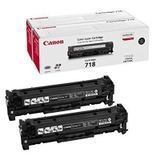
Original OEM and compatible toners – a wide selection in one place In our category “Toner cartridges for Canon i-SENSYS MF729Cx – compatible and original OEM” you’ll find the most popular, proven choices for this device—both for customers who prefer manufacturer cartridges and for those who want to optimise printing costs without sacrificing quality. Popular Original OEM options include: - Original OEM Toner Canon CRG-718 B (2662B002AA) (Black)
- Original OEM Toners Canon CRG-718 B (2662B005AA) (Black) (2-pack) – ideal when you print a lot of black text
- Original OEM Toner Canon CRG-718 C (2661B002AA) (Cyan)
- Original OEM Toner Canon CRG-718 M (2660B002AA) (Magenta)
- Original OEM Toner Canon CRG-718 Y (2659B002AA) (Yellow)
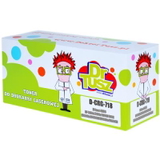
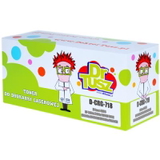
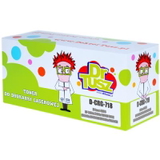
If you want excellent value, we also offer trusted compatible alternatives: - Compatible Toner CRG-718 B for Canon (2662B002AA) (Black)
- Compatible Toners CRG-718 B for Canon (2662B005AA) (Black) (2-pack)
- Compatible Toner CRG-718 C for Canon (2661B002AA) (Cyan)
- Compatible Toner CRG-718 M for Canon (2660B002AA) (Magenta)
- Compatible Toner CRG-718 Y for Canon (2659B002AA) (Yellow)
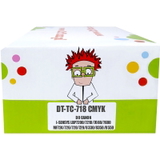
- Compatible Toners CRG-718 CMYK for Canon (DT-TC-718/K) (multi pack) – a convenient set for full-colour printing
How to choose the right toner: black, colour or a CMYK multipack? When choosing toner for printer Canon MF729Cx, start with how you print: - Mainly documents and text? Choose black (CRG-718 B). A 2-pack is often the most practical choice for offices.
- Presentations and colour graphics? Add cyan, magenta and yellow (CRG-718 C/M/Y) or pick a CMYK multipack for convenience.
- Predictable monthly usage? Consider buying a full set to avoid downtime when one colour runs out unexpectedly.
Also pay attention to the exact code you’re replacing (for example 2662B002AA vs 2662B005AA for selected black variants). If you’re unsure, we encourage you to contact us—we’ll help you match the correct toner to your Canon i-SENSYS MF729Cx. Original vs compatible toner for Canon i-SENSYS MF729Cx – the real differences Original OEM toner is the manufacturer’s cartridge—often chosen when you want to keep procurement consistent or follow internal office policies. Compatible toner for Canon i-SENSYS MF729Cx is the smart choice for customers who want to reduce printing costs while keeping quality high. Our compatible cartridges are selected to deliver results that are as good as originals in everyday office printing: strong blacks, stable colour, and reliable page-to-page consistency. In short: - OEM – manufacturer solution, classic choice for many businesses.
- Compatible (DrTusz.pl offer) – excellent value, dependable performance, and quality that meets real office needs.
Common printing issues with MF729Cx and how the right toner helps Users of the Canon i-SENSYS MF729Cx sometimes report issues such as light prints, uneven colour, or faster-than-expected toner depletion—most often related to printing settings, heavy coverage documents, or a cartridge nearing the end of its life. Our practical tips: - If prints look pale, check print density/quality settings and replace the cartridge if it’s near empty.
- If one colour disappears, it usually means that specific colour toner (C/M/Y) has run out—having a spare helps avoid delays.
- For offices with frequent printing, a black 2-pack or a CMYK multipack reduces downtime and emergency purchases.
Choose your Canon MF729Cx toner and keep work moving We encourage you to explore our full range of toner for Canon i-SENSYS MF729Cx—Original OEM and compatible options in black and colour, including cost-effective multipacks. Add the right cartridges to your basket, print with confidence, and keep your office workflow uninterrupted. If you need help choosing between CRG-718 variants or want to confirm compatibility for a search term like MF 729cx or MF729 cx, contact us—we’re here to help. We also offer fast delivery options, so you can restock quickly and get back to printing. |