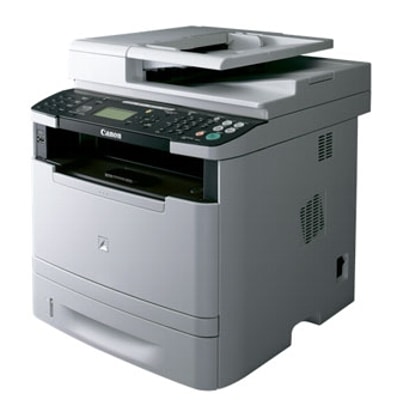
Canon i-SENSYS MF5980dw – a reliable workhorse for busy offices If you use the Canon i-SENSYS MF5980dw (also searched as Canon MF5980dw, MF5980DW, MF 5980 DW and similar variants), you already know it’s built for productivity. This monochrome laser multifunction printer is a great choice for teams that print a lot, expect sharp text, and value convenient features such as duplex printing and network connectivity. To keep it running at peak performance, you need the right toner for printer Canon i-SENSYS MF5980dw—reliable, efficient, and perfectly matched to your printing habits. Toner for Canon i-SENSYS MF5980dw – what it affects and why it matters A good toner for Canon i-SENSYS MF5980dw is more than “just a cartridge”. It directly impacts print quality, page yield, and everyday comfort of use. Whether you print invoices, shipping labels, contracts, reports, or internal documentation, a properly selected toner helps you achieve: - Crisp black text and clear lines—ideal for business documents
- Stable coverage from the first page to the last
- Fewer interruptions thanks to high-capacity options
- Predictable costs per page—especially important for offices
In this category you’ll find both Original OEM and Compatible solutions, so you can choose exactly the balance of price and performance that fits your workflow. Compatible and Original OEM toner – choose what suits your printing style We know that different customers have different priorities. Some want the manufacturer’s cartridge, others prefer an excellent alternative at a better price. That’s why we offer two proven routes for your toner for printer Canon MF5980dw: - Original OEM toner – Canon-branded cartridges designed by the printer manufacturer. A popular choice for users who want to stick to OEM supplies and keep an identical purchasing standard across the office.
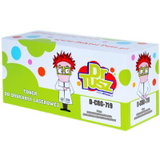
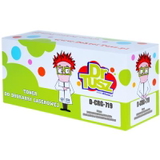
- Compatible toner – a cost-effective option for everyday printing. In our DrTusz.pl offer, compatible cartridges are prepared to deliver results that are as good as the originals: strong black, consistent output and reliable performance—ideal for high-volume printing.
No matter which option you choose, you can count on a clear product description, correct labeling, and a selection tailored precisely to the Canon i-SENSYS MF5980dw. Popular toners in this category – our most chosen options To make selection simple, we focus on the exact cartridges used by this model. Here are the key products you’ll find in the category: - Compatible Toner CRG-719H for Canon (3480B002AA) (Black) – a high-yield choice for frequent printing, great when you want fewer replacements and strong cost control.
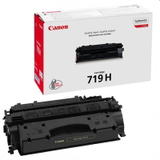
- Original OEM Toner Canon CRG-719H (3480B002AA) (Black) – the OEM high-capacity version, perfect for busy offices that prefer Canon-branded supplies.
- Compatible Toner CRG-719 for Canon (3479B002AA) (Black) – a standard-yield solution for users who print regularly but don’t necessarily need the high-capacity cartridge.
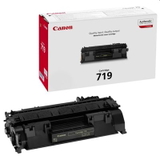
- Original OEM Toner Canon CRG-719 (3479B002AA) (Black) – the classic OEM option for consistent, everyday monochrome printing.
Each of these is a dedicated toner for Canon i-SENSYS MF5980dw, so you can order with confidence and avoid the frustration of mismatched supplies. How to choose the right toner for Canon MF5980dw When selecting a toner for printer MF5980dw, we recommend focusing on two practical questions: how much you print and how you want to manage costs. Here’s a simple guide: - If you print a lot (office documents every day), consider CRG-719H (high capacity) to reduce downtime and keep your workflow smooth.
- If you print moderately or occasionally, CRG-719 (standard capacity) may be the most economical and practical choice.
- If your company policy requires manufacturer supplies, choose Original OEM.
- If you want excellent quality with a better price-to-page ratio, choose our Compatible toner—our customers value it for reliability and results comparable to OEM.
Still unsure which toner for Canon i-SENSYS MF5980dw is best for you? Tell us how many pages you print per month, and we’ll help you choose the optimal cartridge. Common user issues with Canon i-SENSYS MF5980dw – and quick tips Even a great printer like the Canon i-SENSYS MF5980dw can occasionally display messages or symptoms that are toner-related. The most common include faint prints, uneven black coverage, or “toner low” warnings appearing earlier than expected. In many cases, these tips help: - Light print or faded text – make sure you’re using the correct cartridge (CRG-719 or CRG-719H) and check print settings (economy/toner saving modes can reduce density).
- Streaks or uneven coverage – gently redistribute toner by removing the cartridge and carefully rocking it side to side (if the cartridge is not empty yet).
- Early low-toner alerts – these are often estimates based on usage; print quality is the best indicator of actual remaining toner.
And of course, choosing a proven toner for Canon MF5980DW—compatible or original OEM—helps avoid many everyday printing headaches. Order your toner today – we’re here to help We encourage you to explore our full selection of toner cartridges for Canon i-SENSYS MF5980dw—both Compatible and Original OEM. We focus on supplies that fit, work, and deliver the print quality you expect, whether you’re printing at home or in a busy office environment. CTA: Choose your preferred toner for printer Canon i-SENSYS MF5980dw from the options above, add it to your cart, and keep your printer ready for every task. If you have any questions about CRG-719 vs CRG-719H, compatible vs OEM, or you want help matching the right toner to your monthly volume—contact us. We’ll be happy to advise and help you place the best order, with fast delivery options available. |