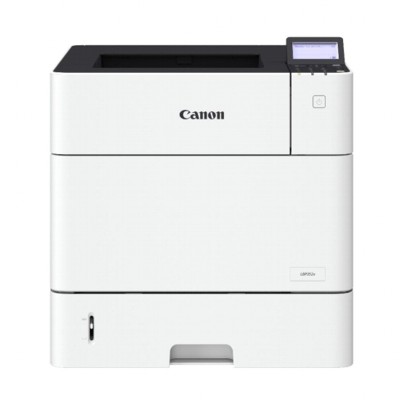
Reliable colour printing with Canon i-SENSYS LBP710Cx Canon i-SENSYS LBP710Cx (also searched as Canon LBP710Cx, LBP710Cx or LBP 710 CX) is a fast, modern colour laser printer designed for offices and demanding home users who expect crisp text, clean graphics and repeatable results. To keep this device performing at its best, it’s worth choosing a proven toner for printer Canon i-SENSYS LBP710Cx that matches your workload and quality expectations. Toner for Canon i-SENSYS LBP710Cx – what you gain Laser technology is all about precision and consistency. A properly selected toner for Canon i-SENSYS LBP710Cx helps maintain sharp edges on small fonts, smooth gradients in charts and vivid colours in marketing materials. OEM cartridges are built to work seamlessly with the printer’s calibration and colour management, which is especially important when you print: - everyday office documents and invoices,
- presentations, charts and reports,
- colour graphics, labels and internal marketing materials,
- documents where stable colour reproduction matters.
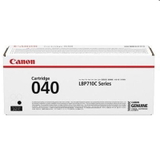
When you choose an original toner for printer LBP710Cx, you benefit from predictable page yield, consistent density and reliable operation from the first to the last page. Original OEM toners available in this category In this category we focus on Original OEM toner cartridges, so you can confidently select the exact cartridge version for your printer and your printing volume. We offer both standard and high-yield options in all colours, making it easy to plan costs and avoid downtime. - Original OEM Toner Canon 040BK (0460C001) (Black) – standard black toner for everyday documents.
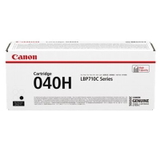
- Original OEM Toner Canon 040HBK (0461C001) (Black) – high-yield black for higher monthly volume and fewer replacements.
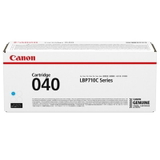
- Original OEM Toner Canon 040C (0458C001) (Cyan) – standard cyan for clear, balanced colour printing.
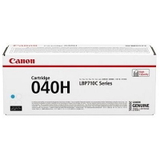
- Original OEM Toner Canon 040HC (0459C001) (Cyan) – high-yield cyan for frequent colour jobs.
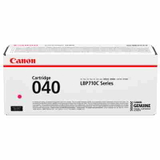
- Original OEM Toner Canon 040M (0456C001) (Magenta) – standard magenta for vibrant graphics.
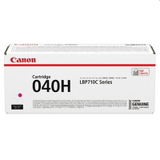
- Original OEM Toner Canon 040HM (0457C001) (Magenta) – high-yield magenta for larger projects.
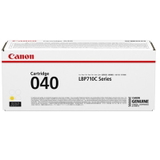
- Original OEM Toner Canon 040Y (0454C001) (Yellow) – standard yellow for bright highlights and accurate tones.
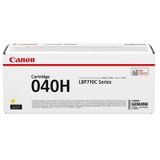
- Original OEM Toner Canon 040HY (0455C001) (Yellow) – high-yield yellow when colour printing is part of your routine.
Thanks to this selection, you can match the cartridge capacity to your needs—standard cartridges for occasional printing, or high-yield versions when your toner for Canon LBP710Cx must last longer between replacements. How to choose the right toner: standard vs high-yield If you’re unsure which toner for printer Canon i-SENSYS LBP710Cx to pick, start with your monthly volume and the type of documents you print. We recommend: - Standard (040 series) – a great choice for moderate printing and balanced costs.
- High-yield (040H series) – ideal for busy offices, frequent colour printing and fewer cartridge changes.
Also check the colour you replace most often. Many users print mainly in black, so a high-yield black cartridge can be the quickest way to reduce interruptions. Original OEM vs compatible: what’s the difference? Customers often ask us whether to choose an OEM cartridge or a compatible alternative. In this particular category you’ll find Original OEM toners, which are designed by the manufacturer for the Canon i-SENSYS LBP710Cx series and offer maximum predictability in terms of colour consistency and printer communication. At the same time, it’s worth knowing that high-quality compatible cartridges can also be an excellent solution. At DrTusz.pl, we make sure that our compatible toners are as good as the originals in everyday use—reliable, efficient and safe for the printer—while often helping to optimise printing costs. If you’d like, we can advise you which option best fits your exact needs and print volume. Common user issues and practical tips for LBP710Cx To keep your toner for LBP710Cx working smoothly and your prints looking great, consider these simple tips that often solve the most common problems: - Faded prints or uneven colour – gently redistribute toner by removing the cartridge and rocking it side to side (only if the printer manual allows it), then reinstall.
- Streaks or marks – make sure cartridges are installed correctly and packaging seals have been fully removed; persistent streaks may require checking the printer’s internal cleaning functions.
- “Toner low” message too early – page coverage matters; graphics and solid fills consume more toner than text documents.
- Colour mismatch – ensure you’re replacing the correct colour (C/M/Y/BK) and consider calibrating colour settings for consistent results.
And one more practical point: store spare cartridges in a dry place, away from direct sunlight, so your toner for Canon i-SENSYS LBP stays in optimal condition until you need it. Order your Canon i-SENSYS LBP710Cx toner with confidence We encourage you to browse our selection of toner for printer Canon i-SENSYS LBP710Cx and choose the cartridge that best matches your printing style—standard or high-yield, black or colour. If you need help identifying the right product code (for example 0454C001 or 0461C001) or you’re unsure whether you need a standard or “H” version, contact us—our team will gladly assist. CTA: Add the right toner to your cart today and keep your Canon LBP710Cx ready for crisp, professional printing. We ship quickly and carefully pack your order so it arrives safely and ready to install. |