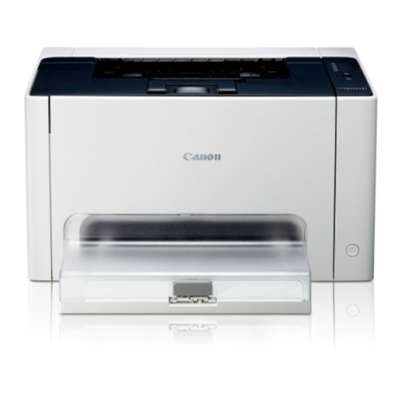
Canon i-SENSYS LBP7010 – compact color laser printing you can rely on The Canon i-SENSYS LBP7010 (also searched as Canon LBP7010, Canon i-SENSYS LBP, LBP7010 or LBP 7010) is a popular compact color laser printer designed for everyday home and small-office use. It’s valued for sharp text, vivid color output and a straightforward, no-nonsense workflow. To keep it performing at its best, you need a dependable toner for printer Canon i-SENSYS LBP7010 and, when required, a matching drum unit that maintains consistent image quality over time. Toners and drum units for Canon i-SENSYS LBP7010 – what matters most In this category you’ll find laser cartridges for the Canon LBP7010 in both Original OEM and Compatible options, including toners and a drum unit. A well-chosen toner for Canon i-SENSYS LBP7010 ensures clean lines, stable coverage and reliable page-to-page consistency—whether you print invoices, school materials, presentations or color graphics. What you gain with the right toner for LBP7010 and drum solution: - Stable print quality – crisp black text and balanced color tones.
- Better reliability – fewer printing interruptions and cleaner operation.
- Predictable costs – clear choice between OEM and cost-effective compatible cartridges.
- Complete CMYK support – separate cartridges for Black, Cyan, Magenta and Yellow.
Our range: Original OEM and compatible toner for Canon LBP7010 We make it easy to match the cartridge to your needs and budget. If you prefer manufacturer-certified solutions, choose Original OEM toner for Canon i-SENSYS LBP7010. If you want excellent performance at a more economical price, our compatible toner for Canon i-SENSYS LBP7010 is a smart alternative—our compatible cartridges from DrTusz.pl are designed to be as good as the originals in everyday use, delivering strong print quality and dependable operation. Popular products in this category include: - Original OEM Toner Canon CRG-729 B (4370B002) (Black)
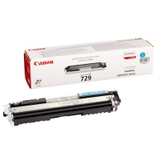
- Original OEM Toner Canon CRG-729 C (4369B002) (Cyan)
- Original OEM Toner Canon CRG-729 M (4368B002) (Magenta)
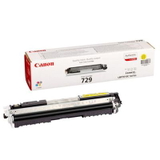
- Original OEM Toner Canon CRG-729 Y (4367B002) (Yellow)
- Compatible Toner CRG-729 B for Canon (4370B002) (Black)
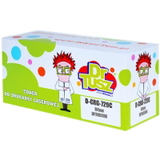
- Compatible Toner CRG-729 C for Canon (4369B002) (Cyan)
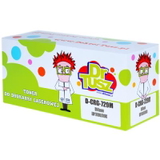
- Compatible Toner CRG-729 M for Canon (4368B002) (Magenta)
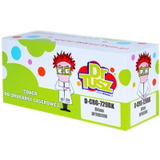
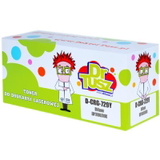
- Compatible Toner CRG-729 Y for Canon (4367B002) (Yellow)
- Original OEM Drum Unit Canon CRG-029 CMYK (4371B002)
Thanks to this selection, you can quickly build a complete color set and keep a spare toner for printer Canon i-SENSYS LBP7010 ready for busy periods. How to choose the right toner for Canon i-SENSYS LBP7010 Choosing the correct toner for Canon i-SENSYS LBP7010 is simple when you follow a few practical rules: - Match the code – this printer uses the Canon CRG-729 series for toners (Black/Cyan/Magenta/Yellow).
- Pick the right color – if prints look tinted or one color disappears, replace the corresponding cartridge (C/M/Y/K).
- Consider OEM vs compatible – OEM is ideal if you want the manufacturer’s solution; compatible is ideal if you want great value without compromising everyday quality.
- Don’t forget the drum – if you see repeating marks, background shading or persistent streaks across multiple cartridges, the drum unit for Canon LBP7010 may be the key.
Original OEM vs compatible: practical differences you’ll actually notice Customers often ask us which option is “best.” The truth is: it depends on what you prioritize. Original OEM toner for Canon LBP7010 is the manufacturer’s official choice and a great fit for those who want to keep everything strictly OEM. Meanwhile, our compatible toner for Canon i-SENSYS LBP7010 is built to deliver very similar everyday results—clean text, solid blacks and vivid colors—while helping you reduce printing costs. In short: - Original OEM – manufacturer-branded cartridges, great for users who prefer OEM-only supplies.
- Compatible (DrTusz.pl) – excellent quality comparable to OEM, strong value for money, ideal for frequent printing.
Common Canon LBP7010 printing issues and what to do When your Canon i-SENSYS LBP7010 starts acting up, it’s often related to consumables. Here are typical symptoms and the quickest path to improvement: - Faded prints – usually low toner; replace the relevant toner for LBP7010.
- Streaks or lines – can be a cartridge issue; if it persists across multiple colors, consider the drum unit.
- Incorrect colors – one of the CMYK toners may be depleted; replace Cyan/Magenta/Yellow as needed.
- Repeating marks – often linked to drum wear; check if it’s time for the Canon CRG-029 CMYK drum unit.
If you’re unsure which cartridge or drum will solve the problem, we encourage you to contact us—our team will help you choose the right toner for printer Canon i-SENSYS LBP7010 based on your print symptoms. Order your Canon i-SENSYS LBP7010 toner today We encourage you to explore the full selection in this category and choose the best toner for Canon i-SENSYS LBP7010—whether you prefer Original OEM reliability or the cost-effective performance of our compatible cartridges. Add the colors you need, consider a drum unit if print defects persist, and keep your Canon LBP7010 ready for every task. CTA: Choose your toner for Canon LBP7010 (OEM or compatible) and place your order now. If you need help selecting the right cartridge or drum unit, contact us—we’ll guide you quickly and clearly, and help you get back to perfect printing with fast delivery options. |