Haven't found what you were looking for? Click here! ▼
Describe below exactly what you are looking for and we will see how we can help. You will receive a reply to your e-mail address by 09:15 on friday (23 October 2026) at the latest
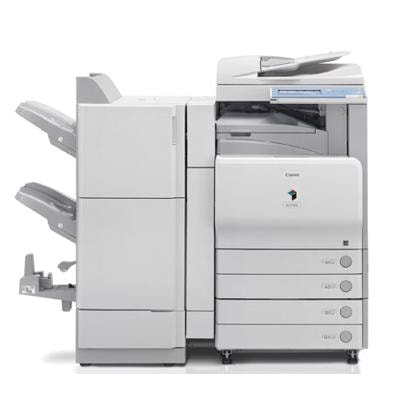
Toner cartridges for Canon imageRUNNER C3580 - compatible and original OEM
Keep your Canon imageRUNNER C3580 running at full color performance with the right laser cartridges for everyday office printing. In this category you’ll find both Original OEM and compatible options designed for Canon imageRUNNER devices, including searches like Canon iRC3580, iRC3580, and C3580.
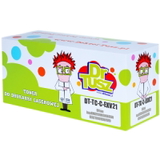
Choose from C-EXV 21 toner cartridges in Black, Cyan, Magenta, and Yellow—available as Original OEM (0452B002, 0457B002, 0454B002, 0455B002) or cost-effective compatible alternatives for the same colors and codes. For complete maintenance and consistent print quality, you can also pick up Original OEM drum units (0456B002–0459B002 series) and the waste toner tank (FM2-5533-000) to keep your Canon imageRUNNER output clean and reliable.
Whether you prioritize manufacturer-grade consistency or a budget-friendly replacement, these Canon imageRUNNER C3580 toner cartridges and components are selected for fit, compatibility, and sharp results. Stock up now and keep downtime to a minimum—explore the full range and choose the cartridges that match your printing needs.
Other names: Copier Canon imageRUNNER iRC3580, Copier Canon imageRUNNER C3580
Reliable printing with Canon imageRUNNER C3580 / iRC3580
The Canon imageRUNNER C3580 (also searched as Canon iRC3580, iRC3580 or C3580) is a proven A3 color multifunction device designed for busy offices and copy points. It’s built for high-volume workflows where consistent color, sharp text, and predictable running costs matter every day. To keep your Canon image RUNNER performing at its best, choosing the right toner for Canon imageRUNNER C3580 and the proper maintenance supplies is just as important as the printer itself.
Toners, drum units and waste toner tanks — what this device needs
In this category we focus on the exact consumables required by the device: toner cartridges, drum units and the waste toner tank. The right toner for printer Canon imageRUNNER C3580 ensures clean gradients, strong blacks, and stable color reproduction (Cyan, Magenta, Yellow, Black). Drum units are responsible for transferring the image precisely to the paper, while the waste toner tank safely collects excess toner created during printing and cleaning cycles.
With the correct set, you reduce downtime, avoid common print-quality issues, and keep your office running smoothly—whether you print invoices, training materials, contracts, presentations, or large-format reports.
Compatible and Original OEM — choose what fits your priorities
We offer both Original OEM supplies and carefully selected Compatible alternatives for the Canon iRC3580. Original OEM products are made by Canon and are a great choice for customers who want to stick to manufacturer supplies. Our compatible cartridges, on the other hand, are a smart way to control printing costs without sacrificing quality—because the compatible products from our DrTusz.pl offer are designed to be as good as the originals in everyday use.
Original OEM – manufacturer-grade consistency and documentation-friendly choice.
Compatible – excellent value, reliable performance, and strong print quality at a lower cost.
Popular products for Canon imageRUNNER C3580 (C-EXV 21 series)
Looking for the right toner for Canon imageRUNNER C3580? This category includes the widely used C-EXV 21 family. Here are some of the most frequently chosen items:
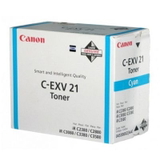
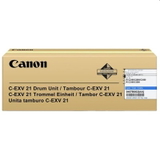
Original OEM Toner Canon C-EXV 21 C (0457B002) (Cyan)
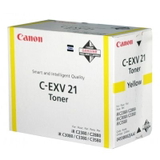
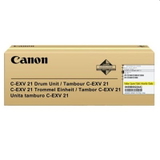
Original OEM Toner Canon C-EXV 21 Y (0455B002) (Yellow)
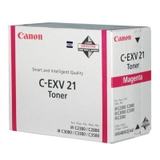
Original OEM Toner Canon C-EXV 21 M (0454B002) (Magenta)
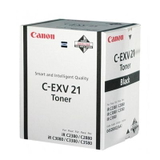
Original OEM Toner Canon C-EXV 21 B (0452B002) (Black)
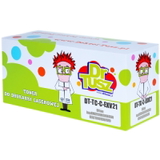
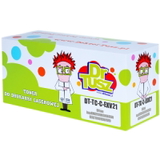
Compatible Toner C-EXV 21 B for Canon (0452B002) (Black)
Compatible Toner C-EXV 21 M for Canon (0454B002) (Magenta)
Compatible Toner C-EXV 21 C for Canon (0457B002) (Cyan)
Compatible Toner C-EXV 21 Y for Canon (0455B002) (Yellow)
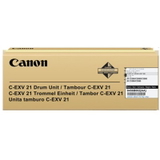
Original OEM Drum Unit Canon C-EXV 21 B (0456B002) (Black)
Original OEM Drum Unit Canon C-EXV 21 C (0457B00) (Cyan)
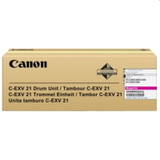
Original OEM Drum Unit Canon C-EXV 21 M (0458B002) (Magenta)
Original OEM Drum Unit Canon C-EXV 21 Y (0459B002) (Yellow)
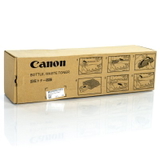
Original OEM Waste Toner Tank Canon C-EXV 21 (FM2-5533-000)
This wide selection makes it easy to build a complete, color-consistent set—whether you prefer Original OEM supplies or want to optimize costs with compatible cartridges.
How to choose the right cartridge: practical tips for everyday users
When selecting toner for printer Canon imageRUNNER C3580, we recommend focusing on a few key points:
Match the exact code – for this model, the safe reference is the C-EXV 21 series and the product numbers like 0452B002 (Black), 0457B002 (Cyan), etc.
Pick your supply class – choose Original OEM for manufacturer supplies or Compatible if you want excellent quality with better cost-efficiency (our compatible toners are made to deliver results comparable to OEM in everyday office printing).
Don’t forget maintenance items – if print quality declines even after replacing toner, the issue may be the drum unit or a full waste toner tank.
Buy by color strategy – offices with heavy text output often replace Black (B) more frequently, while marketing teams may go through color toners faster.
Common Canon iRC3580 issues — and the consumable that usually solves them
Many customers come to us after noticing a drop in print quality or device messages. With the Canon imageRUNNER C3580, the most common scenarios are:
Faded prints or weak colors – typically a low toner situation; replacing the correct toner for Canon iRC3580 restores density.
Streaks, smudges, repeating marks – often linked to a worn drum unit; replacing the drum can bring back clean, sharp output.
Device message about waste toner – the waste toner tank may be full; installing a new tank prevents overflow and keeps the machine clean.
Uneven color or background haze – can be related to aging imaging components; checking the relevant drum unit is a good next step.
If you’re unsure which component is causing the issue, we encourage you to contact us—together we’ll match the right consumable to your symptoms and your printing habits.
Order today and keep your Canon image RUNNER ready for work
We make it easy to choose the right toner for Canon imageRUNNER C3580—whether you prefer Original OEM cartridges or our high-quality Compatible alternatives. Add the needed toners, drum units, and waste toner tank to your basket in one go and avoid unexpected downtime.
CTA: Dear Customer, we encourage you to browse the full selection in this category and choose the best option for your Canon iRC3580. If you need help verifying a code or selecting between compatible and OEM supplies, contact us—our team will guide you quickly. We ship orders efficiently so you can get back to printing as soon as possible.