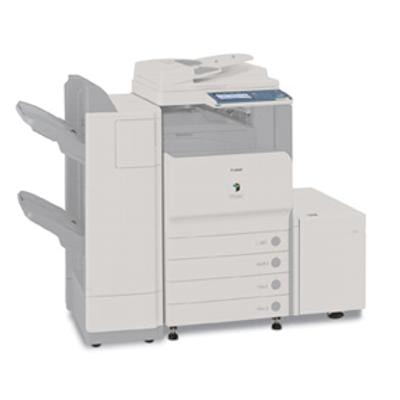
Reliable printing for Canon imageRUNNER C2550 / Canon iRC2550 Canon imageRUNNER C2550 (also searched as Canon iRC2550, Canon image RUNNER, C2550) is a popular A3 color multifunction device designed for busy offices, schools, and service points that need consistent quality, fast workflows, and predictable running costs. To keep this machine performing at its best, it’s essential to choose the right toner for Canon imageRUNNER C2550 and to replace key consumables on time—especially the drum unit and waste toner tank. Toner, drum unit and waste toner tank – what matters in daily use In this category you’ll find laser cartridges for Canon imageRUNNER C2550 in both Original OEM and Compatible versions, covering three essential consumable types: toners, drum units and waste toner tanks. This complete selection helps you keep your device ready for printing without unpleasant downtime. When you choose a toner for Canon iRC2550, focus on stable color reproduction, crisp text, and clean halftones—especially if you print presentations, brochures, invoices or internal documentation. Replacing the drum unit at the right time prevents faded areas, background haze, and uneven color patches. And a fresh waste toner tank is crucial when the device reports a “waste toner container full” message—ignoring it can stop printing entirely. Compatible vs Original OEM – choose what suits your priorities We offer both Original OEM Canon consumables and carefully selected Compatible alternatives. Original cartridges are a great choice when you want to stick to the manufacturer’s supply chain and standardized performance. At the same time, our compatible toner for Canon imageRUNNER C2550 is built to deliver results that are as good as the originals—sharp black text, vivid colors, and reliable page-to-page consistency—often with a more attractive cost per page. - Original OEM – manufacturer-made consumables, a classic option for strict procurement rules and brand-only policies.
- Compatible – smart savings without sacrificing quality; ideal for offices that print a lot and want to optimize operating costs.
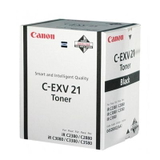
Popular products for Canon C2550 – our best-selling choices To make shopping easier, here are some key items available in this category. Whether you need a single color or a full set, we’ve got options for every printing scenario: - Original OEM Toner Canon C-EXV 21 B (0452B002) (Black)
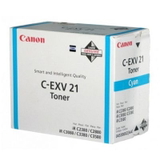
- Original OEM Toner Canon C-EXV 21 C (0457B002) (Cyan)
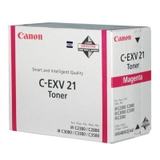
- Original OEM Toner Canon C-EXV 21 M (0454B002) (Magenta)
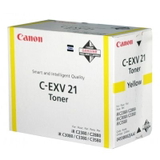
- Original OEM Toner Canon C-EXV 21 Y (0455B002) (Yellow)
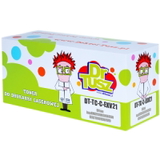
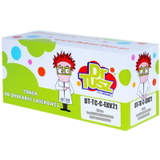
- Compatible Toner C-EXV 21 B for Canon (0452B002) (Black)
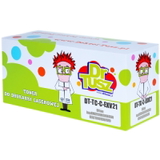
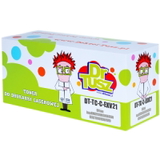
- Compatible Toner C-EXV 21 C for Canon (0457B002) (Cyan)
- Compatible Toner C-EXV 21 M for Canon (0454B002) (Magenta)
- Compatible Toner C-EXV 21 Y for Canon (0455B002) (Yellow)
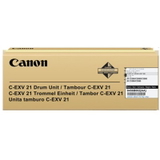
- Original OEM Drum Unit Canon C-EXV 21 B (0456B002) (Black)
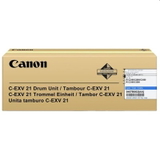
- Original OEM Drum Unit Canon C-EXV 21 C (0457B00) (Cyan)
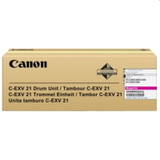
- Original OEM Drum Unit Canon C-EXV 21 M (0458B002) (Magenta)
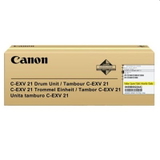
- Original OEM Drum Unit Canon C-EXV 21 Y (0459B002) (Yellow)
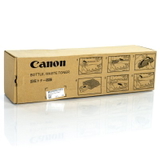
- Original OEM Waste Toner Tank Canon C-EXV 21 (FM2-5533-000)
Thanks to this range, you can quickly match the exact consumable you need—whether you’re replacing only black for daily documents or restoring full color capability for marketing materials. How to choose the right toner for Canon imageRUNNER C2550 If you want the fastest, most trouble-free purchase, we recommend checking three things: the device name used in your office, the cartridge symbol, and the color. This model is commonly listed as Canon imageRUNNER C2550 or Canon iRC2550, and it uses the C-EXV 21 family. - Match the symbol: choose C-EXV 21 and the correct code (e.g., 0452B002 for Black).
- Pick the right type: toner for fading/empty color, drum unit for print-quality defects, waste toner tank when the machine indicates the container is full.
- Select your class: Original OEM or Compatible—both are available for toners, while drums and the waste toner tank in this category are Original OEM.
Common user issues with Canon iRC2550 and how consumables solve them Many issues reported by Canon image RUNNER users are simply related to consumable wear or replacement timing. If you notice any of the symptoms below, the right cartridge often resolves the problem immediately: - Faded prints or weak colors – typically indicates low toner; replacing the relevant toner for Canon C2550 restores density.
- Streaks, repeating marks, uneven fill – often connected to a worn drum unit (especially after long usage cycles).
- “Waste toner container full” message – replace the waste toner tank Canon C-EXV 21 (FM2-5533-000) to resume normal operation.
- Color imbalance (one color dominates) – a single depleted color toner (C/M/Y) can distort the overall result; swapping that color brings balance back.
Order with confidence – we’re here to help We encourage you to explore our full selection of toner for printer Canon imageRUNNER C2550 and choose between compatible and Original OEM options that match your budget and printing volume. If you’re unsure whether you need a toner, drum unit, or waste toner tank—or you want to confirm the right code for Canon iRC2550—contact us. We’ll help you select the best consumable quickly, so you can get back to clean, professional printing. CTA: Add the right Canon C-EXV 21 toner to your cart now, or reach out to our team for a fast, friendly recommendation and smooth delivery planning. |