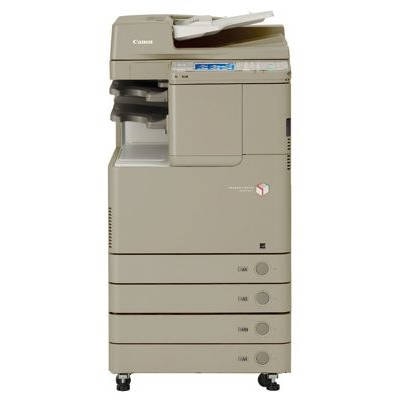
Reliable colour printing with Canon imageRUNNER C2030L Canon imageRUNNER C2030L (also searched as Canon iRC2030L, iRC2030L, C2030L, C2030 L or Canon image RUNNER) is a proven A3 colour multifunction device designed for busy offices, reception areas and copy points. It combines fast everyday document handling with professional-looking colour output—provided you use the right toner for Canon imageRUNNER C2030L and replace the imaging components on time. In our store you’ll find everything needed for this model in one place: toner cartridges, drum units and waste toner tanks in both Original OEM and Compatible versions. Toner, drum unit and waste toner tank—what each part does When customers search for “ink for Canon imageRUNNER C2030L”, they usually mean laser consumables. This device uses toner powder, not liquid ink. To keep your print quality stable and your device running smoothly, it’s worth understanding the role of each component: - Toner for Canon iRC2030L – delivers colour and text density. Replace it when prints become faint or the machine reports a low level.
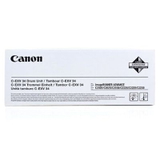
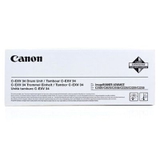
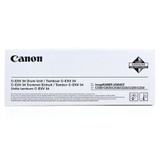
- Drum unit – transfers the image onto the paper. A worn drum may cause background shading, repetitive marks, streaks or uneven colour.
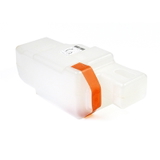
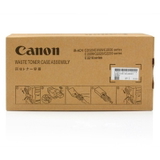
- Waste toner tank – collects excess toner during operation. When full, the printer may stop and request replacement even if you still have toner left.
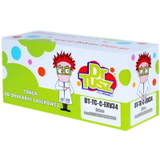
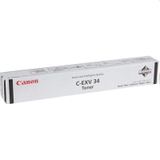
Choosing the right combination of these items is the simplest way to avoid downtime and keep sharp graphics, clean text and consistent colour across all your office documents. Our range for Canon imageRUNNER C2030L: Original OEM and Compatible We offer a wide selection of cartridges laser for this series—so you can match your purchase to your budget, workload and printing expectations. If you prefer manufacturer-certified consumables, choose Original OEM toner for Canon imageRUNNER C2030L. If you print a lot and want to optimise costs, our Compatible toner for Canon imageRUNNER C2030L is a smart alternative—carefully selected to deliver results as good as the originals in everyday office printing. Popular products in this category include: - Original OEM Toner Canon C-EXV 34 BK (3782B002) (Black)
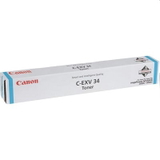
- Original OEM Toner Canon C-EXV 34 C (3783B002) (Cyan)
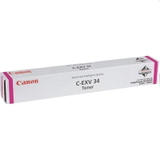
- Original OEM Toner Canon C-EXV 34 M (3784B002) (Magenta)
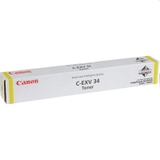
- Original OEM Toner Canon C-EXV 34 Y (3785B002) (Yellow)
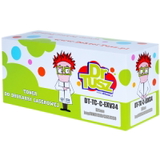
- Compatible Toner C-EXV 34 BK for Canon (3782B002) (Black)
- Compatible Toner C-EXV 34 C for Canon (3783B002) (Cyan)
- Compatible Toner C-EXV 34 M for Canon (3784B002) (Magenta)
- Compatible Toner C-EXV 34 Y for Canon (3785B002) (Yellow)
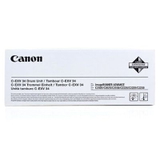
- Original OEM Drum Unit Canon C-EXV 34 BK (3786B003) (Black)
- Original OEM Drum Unit Canon C-EXV 34 C (3787B003) (Cyan)
- Original OEM Drum Unit Canon C-EXV 34 M (3788B003) (Magenta)
- Original OEM Drum Unit Canon C-EXV 34 Y (3789B003) (Yellow)
- Original OEM Waste Toner Tank Canon C-EXV 34 (FM3-8137-000)
- Compatible Waste Toner Tank C-EXV 34 for Canon (FM3-8137-000)
Thanks to this variety, you can buy a single colour you’re missing, complete a full CMYK set, or plan preventive maintenance by adding a drum unit or waste toner tank to your order. How to choose the right toner for Canon C2030L To select the correct toner for printer Canon imageRUNNER C2030L, start with the code used by your device: Canon C-EXV 34. Then choose the colour (BK/C/M/Y) and decide between Original OEM or Compatible. - Choose Original OEM if you want the manufacturer’s solution, consistent performance in demanding environments, and you prefer to keep all consumables in the OEM ecosystem.
- Choose Compatible if you want excellent everyday print quality at a more cost-effective level. Our compatible cartridges are made to fit and work correctly with the Canon imageRUNNER C2030L series—so you can print confidently without overpaying.
If you’re unsure whether you need toner or another component: fading colour usually points to toner; recurring marks at regular intervals, background haze or poor image transfer can indicate a drum unit nearing end of life; and a “waste toner container full” message means it’s time for a new waste toner tank. Common user issues and practical tips In office use, the Canon imageRUNNER C2030L often prints mixed content: invoices, reports, scanned copies and colour presentations. That’s why customers most frequently ask us how to keep colours stable and avoid interruptions. Here are the most useful, real-world tips: - Keep a spare black toner – black is usually consumed fastest in document-heavy environments.
- Replace the waste toner tank promptly – waiting too long can stop printing unexpectedly and disrupt workflows.
- Don’t ignore early print artefacts – lines, speckles or uneven patches may be the first sign the drum unit needs replacement.
- Match the exact code – C-EXV 34 is the key for this model; it helps avoid ordering the wrong cartridge.
We encourage you to treat toner, drum unit and waste toner tank as a complete system—this approach usually reduces service calls and keeps your Canon image RUNNER performing at its best. Order today and keep your office running Choose the right toner for Canon imageRUNNER C2030L, add a matching drum unit or waste toner tank if needed, and enjoy dependable printing without interruptions. We invite you to browse the full selection of Original OEM and Compatible cartridges laser for Canon iRC2030L. If you want help selecting the best option for your print volume and budget, contact us—we’ll gladly guide you to the most practical choice. Add your consumables to the cart and place your order for fast, convenient delivery. |