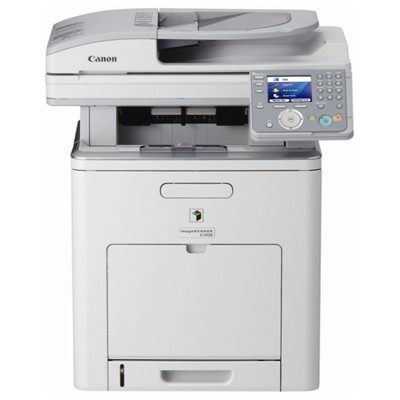
Canon imageRUNNER C1028iF toners for everyday office work The Canon imageRUNNER C1028iF (also searched as Canon iRC1028iF, iRC1028iF, Canon image RUNNER, or C1028IF / C1028 if / C1028IF) is a compact A4 colour multifunction designed for busy teams. It combines printing, copying, scanning and faxing in one device, which is why consistent print quality and predictable running costs matter so much. With the right toner for Canon imageRUNNER C1028iF, your documents stay sharp, colours remain stable, and day-to-day work simply runs smoother. What to expect from a toner for Canon iRC1028iF This model uses the Canon C-EXV 26 series. Choosing the correct toner for printer Canon imageRUNNER C1028iF helps you maintain clear text, readable small fonts, and solid colour fills—important for invoices, reports, labels, internal presentations, and customer-facing documents. When you order a toner for Canon iRC1028iF from our range, you can count on: - Clean, crisp black printing for contracts and everyday office documents
- Accurate CMYK colours (Cyan, Magenta, Yellow) for charts, branding elements and visuals
- Stable performance over longer print runs—fewer interruptions, fewer reprints
- Easy replacement with clearly labelled products that match your device and colour
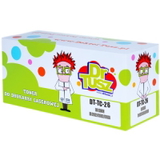
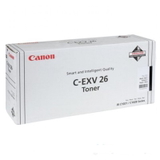
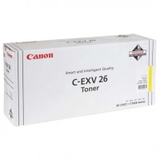
Original OEM vs compatible: choose what fits your priorities In this category you’ll find both Original OEM and Compatible options—so you can tailor your purchase to your budget and printing habits. An Original OEM toner Canon C-EXV 26 is the manufacturer’s solution, designed and tested by Canon for the Canon imageRUNNER C1028iF platform. At the same time, our compatible toner for Canon imageRUNNER C1028iF is a reliable alternative that delivers print quality and efficiency comparable to OEM—ideal when you want to control costs without sacrificing professional results. If you print frequently or need a full colour set on hand, compatible toners are often the most economical way to keep your Canon image RUNNER ready for action. Popular C-EXV 26 toners in our offer (Black + CMY) We keep the selection clear and complete, so you can quickly find the exact colour you need—either as an Original OEM or Compatible cartridge. The key products in this category include: - Original OEM Toner Canon C-EXV 26 B (1660B006) (Black)
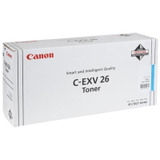
- Original OEM Toner Canon C-EXV 26 C (1659B006) (Cyan)
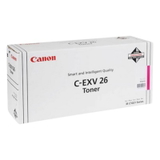
- Original OEM Toner Canon C-EXV 26 M (1658B006) (Magenta)
- Original OEM Toner Canon C-EXV 26 Y (1657B006) (Yellow)
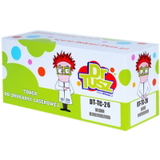
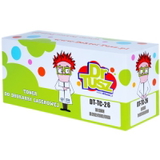
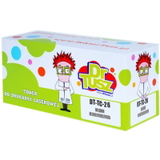
- Compatible Toner C-EXV 26 B for Canon (1660B006) (Black)
- Compatible Toner C-EXV 26 C for Canon (1659B006) (Cyan)
- Compatible Toner C-EXV 26 M for Canon (1658B006) (Magenta)
- Compatible Toner C-EXV 26 Y for Canon (1657B006) (Yellow)
Whether you need a single black toner for Canon imageRUNNER C1028iF for daily text printing, or you’re restocking all CMYK colours for consistent colour output, you can do it in one place—quickly and confidently. How to pick the right toner for Canon imageRUNNER C1028iF To avoid mismatches, we recommend focusing on two details: the series name and the part number. For this printer, the correct family is C-EXV 26, and each colour has its own code (for example, 1660B006 for Black). If you’re unsure whether your device is listed as Canon iRC1028iF or Canon imageRUNNER C1028iF, don’t worry—it’s the same toner family as long as your model corresponds to the C1028iF naming variants (C1028IF, C1028if, etc.). Common situations we help customers solve: - Faded prints or weak colours – often a sign that one colour toner is running low (CMY) or black is near empty
- Streaks or uneven coverage – replacing the correct colour toner and ensuring it’s seated properly usually resolves it
- “Which colour is missing?” – if greys look tinted or skin tones look off, one of CMY toners may be depleted
- High printing costs – switching to a compatible toner for printer Canon imageRUNNER C1028iF can significantly reduce your cost per page
If you want maximum peace of mind, choose Original OEM. If you want excellent value and consistent results, our compatible cartridges are a smart, proven choice—especially for frequent office printing. Order today and keep your Canon iRC1028iF ready to print We encourage you to explore the full range of toner for Canon imageRUNNER C1028iF in both Original OEM and Compatible versions, pick the colours you need, and place your order in a few clicks. If you’d like help matching the right toner for Canon iRC1028iF to your exact needs (black-only vs full colour, OEM vs compatible), contact us—we’ll guide you quickly and clearly. We provide fast, secure delivery options so you can get back to printing without delays. Choose your C-EXV 26 toners now and keep your Canon image RUNNER C1028iF producing sharp documents and vibrant colour every day. |