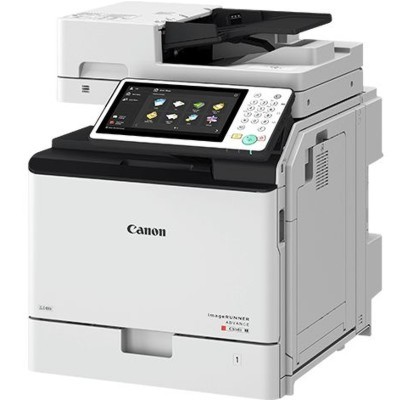
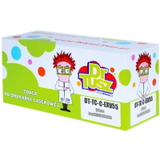
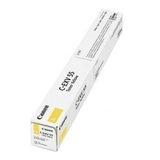
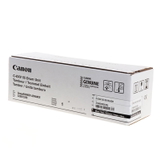
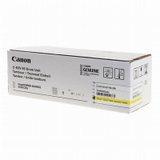
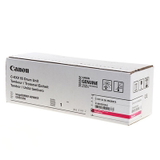
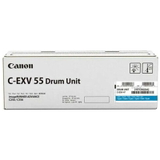
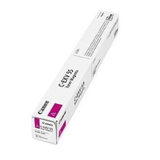
Canon imageRUNNER Advance C356P – reliable color printing for busy workplaces The Canon imageRUNNER Advance C356P (also searched as Canon iRAC356P, C356P, C356 p or Canon iR Advance) is a fast, office-ready A4 color device designed for teams that print a lot and expect consistent quality. It’s a great choice for everyday documents, presentations, invoices and marketing materials—especially when you pair it with the right toner for Canon imageRUNNER Advance C356P and a properly matched drum unit. Toner and drum units – what matters most in the C356P To get the best results from your device, you need two key consumables: toner cartridges and (in many cases) drum units. The toner is responsible for color density, sharp text and smooth gradients, while the drum unit transfers the image precisely to the paper. Choosing the right toner for printer Canon imageRUNNER Advance C356P helps you maintain: - clean, crisp black text for contracts and reports,
- stable color reproduction for charts and graphics (CMYK),
- fewer interruptions thanks to predictable performance,
- professional-looking prints even at higher monthly volumes.
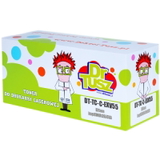
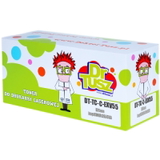
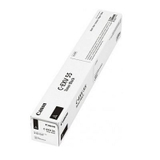
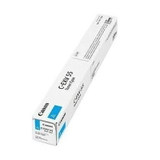
In this category, we offer both Original OEM and Compatible laser cartridges, including Toners and Drum Units, so you can choose the option that best fits your printing style and budget. Original OEM and Compatible – one printer, two smart paths If you prefer manufacturer-certified solutions, Original OEM toner for Canon imageRUNNER Advance C356P is the classic choice—designed by Canon for maximum predictability and full compatibility with the device’s internal monitoring. If you print a lot and want to optimize costs, our compatible toner for Canon imageRUNNER Advance C356P is an excellent alternative. We want to be clear: compatible cartridges from DrTusz.pl are built to deliver results that are as good as the originals—strong blacks, vivid colors, and reliable operation—while helping you reduce the cost per page. That’s why many offices choose compatible supplies for day-to-day printing and keep OEM for special projects, or simply stay with one solution consistently. Popular cartridges for Canon iRAC356P – Black and CMYK set Below are some of the most frequently chosen items in this category. All of them are dedicated to the Canon imageRUNNER Advance C356P family and match the same cartridge system (C-EXV 55): - Original OEM Toner Canon C-EXV 55 B (2182C002) (Black)
- Original OEM Toner Canon C-EXV 55 C (2183C002) (Cyan)
- Original OEM Toner Canon C-EXV 55 M (2184C002) (Magenta)
- Original OEM Toner Canon C-EXV 55 Y (2185C002) (Yellow)
- Compatible Toner C-EXV 55 B for Canon (2182C002) (Black)
- Compatible Toner C-EXV 55 C for Canon (2183C002) (Cyan)
- Compatible Toner C-EXV 55 M for Canon (2184C002) (Magenta)
- Compatible Toner C-EXV 55 Y for Canon (2185C002) (Yellow)
For long-term print quality and stable image transfer, we also stock dedicated drum units (Original OEM): - Original OEM Drum Unit Canon C-EXV 55 B (2186C002) (Black)
- Original OEM Drum Unit Canon C-EXV 55 C (2187C002) (Cyan)
- Original OEM Drum Unit Canon C-EXV 55 M (2188C002) (Magenta)
- Original OEM Drum Unit Canon C-EXV 55 Y (2189C002) (Yellow)
How to choose the right toner for Canon imageRUNNER Advance C356P When selecting ink for Canon imageRUNNER Advance C356P (in laser devices, that means toner), we recommend a simple approach: - Match the code: look for C-EXV 55 and the correct color (B/C/M/Y). If you search by model name (C356P, C356p, iRAC356P), you’ll land in the right place.
- Choose OEM for maximum standardization: ideal for environments with strict internal purchasing policies or critical color workflows.
- Choose Compatible for cost-efficient printing: best for high volumes and everyday office output—our compatible cartridges are designed to deliver performance comparable to OEM.
- Don’t forget the drum unit: if you notice quality issues that persist after replacing toner, the drum unit may be the missing piece.
Common user issues with C356P printing – and what usually fixes them Even a dependable device like the Canon iR Advance C356P may occasionally show symptoms that point to consumables. Here are the most common cases we see and how the right toner for printer Canon imageRUNNER Advance C356P or drum unit can help: - Faded prints or uneven density: often solved by replacing the toner in the affected color; if the problem repeats, consider checking the drum unit.
- Streaks or repeating marks: frequently linked to a worn drum unit (especially if the pattern repeats at regular intervals).
- Colors not looking right: replacing the specific CMYK toner and ensuring all colors are fresh usually restores balance.
- Frequent “replace consumable” prompts: make sure you’re using the correct C-EXV 55 series and installing the cartridge fully and properly.
If you’re unsure which consumable is responsible, we encourage you to contact us—we’ll help you identify whether you need a toner, a drum unit, or a full CMYK refresh. Choose your Canon C356P toner today – we’re here to help We invite you to explore our selection of toner cartridges for Canon imageRUNNER Advance C356P—both Original OEM and Compatible—as well as matching drum units. Whether you print mostly black documents or rely on full-color output every day, we’ll help you keep your device running smoothly and your costs under control. CTA: Browse the available C-EXV 55 toners and drum units in this category and choose the version that fits your needs. If you have questions about compatibility (C356 P / C356p / iRAC356P) or want help selecting OEM vs compatible, contact us—our team will guide you and we’ll arrange fast delivery straight to your door. |