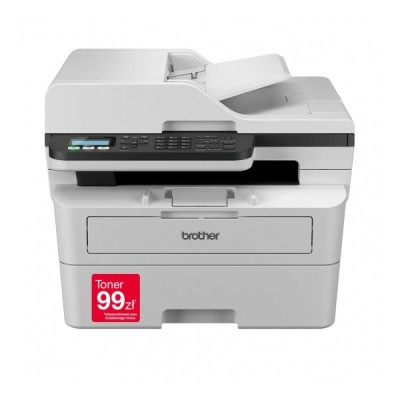
Brother MFC-B7800 DN – a dependable mono all-in-one for everyday office work Brother MFC-B7800 DN is a practical laser all-in-one designed for busy workplaces that need fast, clear black-and-white printing along with copying and scanning in one compact device. This model is often chosen for its reliability and predictable running costs—especially when you pick the right toner for printer Brother MFC-B7800 DN and match it with a quality drum unit. In this category, we’ve gathered everything you need for the Brother MFC-B7800 DN: Original OEM and Compatible mono consumables, including toners, drum units, and convenient toner + drum sets. Mono toner and drum system – what matters for print quality and cost The Brother MFC-B7800 DN uses a classic laser setup: the toner cartridge provides the powder, while the drum unit transfers the image to paper. Choosing the right toner for Brother MFC-B7800 DN is not only about page yield, but also about consistent text sharpness, clean edges, and stable performance from the first page to the last. A properly matched drum unit helps prevent typical issues like background “gray haze,” streaks, or uneven density. Whether you print invoices, shipping labels, contracts, reports, or everyday internal documents, a well-chosen ink for Brother MFC-B7800 DN (in this case: mono laser toner) means: - crisp black text and clear lines in tables and forms,
- fewer interruptions thanks to predictable yields,
- smooth operation when toner and drum are replaced on time,
- better cost control—especially important in office environments.
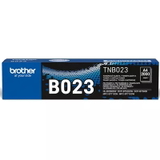
Our range: Original OEM and Compatible supplies for Brother MFC-B7800 DN We know customers search for this model in many ways (e.g., Brother MFCB7800DN, MFC-B7800dn, MFCB7800DNYJ1, or Brother MFC B Series). That’s why in one place we offer a wide selection of supplies clearly dedicated to the device, so you can quickly find the correct toner for printer Brother MFC-B7800 DN and the matching drum. Popular choices in this category include: - Original OEM Toner Brother TN-B023 (TNB023) (Black) – the manufacturer’s cartridge for users who want a classic OEM solution.
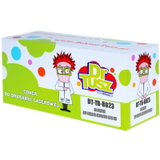
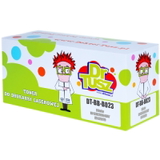
- Compatible Toner TN-B023 for Brother (TNB023) (Black) – a cost-effective option that delivers print quality comparable to OEM when you want to reduce cost per page.
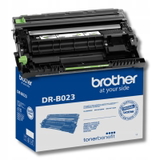
- Original OEM Drum Unit Brother DR-B023 (DRB023) (Black) – the dedicated drum unit to keep your prints clean and your device running smoothly.
- Compatible Drum Unit DR-B023 for Brother (DRB023) (Black) – a smart alternative designed to maintain stable print performance at a better price.
- Compatible Toner + Drum Unit TN-B023 + DR-B023 (TNB023, DRB023) (Black) (set) – a convenient set for planned maintenance and fewer downtime surprises.
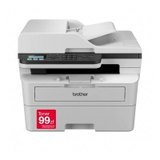
We also include the device itself in the category: All-In-One Printer Brother MFC-B7800 DN, which helps if you’re equipping a workplace or replacing an older unit. How to choose: Original OEM vs Compatible (and why the drum matters) When you’re deciding between an Original OEM cartridge and a Compatible toner for Brother MFC-B7800 DN, start with your printing habits. If you print occasionally, either option will work well—what matters most is replacing consumables before quality drops. If you print frequently, the best strategy is to choose a dependable toner and keep an eye on the drum condition so the printer stays consistent over time. - Original OEM: ideal if you prefer manufacturer-branded supplies and want a familiar, standard choice.
- Compatible: a great option when you want to lower running costs without compromising results—our compatible cartridges from DrTusz.pl are designed to be as good as the originals in everyday use.
- Drum unit: if you replace toner but still see streaks, faded areas, repeated marks, or a “dirty background,” the drum may be the real cause. Replacing the drum unit often restores “like-new” print quality.
Common user issues with Brother MFC-B7800 DN and quick tips Even a reliable mono laser all-in-one can show typical wear-related symptoms. If your toner for printer Brother MFC-B7800 DN is new but prints are not perfect, these quick checks can help: - Faded print or uneven black – gently remove and shake the toner cartridge (if recommended by the manufacturer) to distribute toner; if it persists, check drum condition.
- Streaks or repeating marks – often linked to a worn drum unit; consider replacing the DR-B023.
- Toner low messages too early – print coverage (heavy graphics, dense text) affects yield; choosing a reliable cartridge helps maintain stable results.
- Smudging – verify you’re using appropriate paper and that consumables are installed correctly.
If you tell us what you’re seeing on the page (streak direction, repeated spots, gray background), we’ll help you pick the right solution—toner, drum, or a set. Choose your toner today and keep your office running We encourage you to explore our full selection of toner for Brother MFC-B7800 DN, including Mono Toners, Drum Units, and practical Toners + Drum Units sets in both Original OEM and Compatible versions. Add the right consumable to your cart and enjoy a smooth, predictable printing workflow. If you need help matching TN-B023 and DR-B023 to your device version or you’re not sure which option is best for your print volume—contact us. We’re here to advise and help you order quickly, with convenient delivery and clear product selection. |