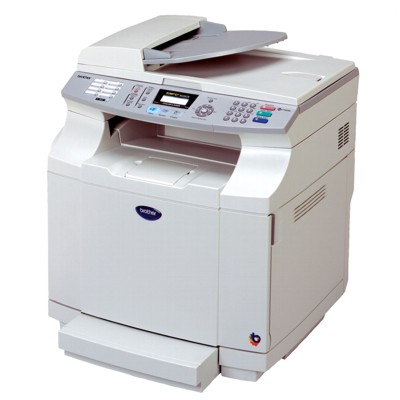
Reliable printing with the Brother MFC-9420CNLT If you use the Brother MFC-9420CNLT (also searched as Brother MFC9420CNLT, MFC-9420 CNLT, MFC9420CNLT and other variants), you know it’s a robust multifunction colour laser device built for everyday office work. It handles printing, copying and scanning in one workflow, so the quality and stability of your consumables matter. In this category we focus on one key element: a dependable toner for printer Brother MFC-9420CNLT that keeps your documents sharp, colours consistent and your device running smoothly. What a toner for Brother MFC-9420CNLT is responsible for A high-quality toner for Brother MFC-9420CNLT affects not only colour and contrast, but also the comfort of daily work: clear text on invoices, readable barcodes, and clean graphics on presentations. Because the Brother MFC Series is often used in busy environments, choosing the right toner is a simple way to reduce downtime and avoid reprints. When you choose an ink for printer Brother MFC-9420CNLT you might think of inkjets—but this model uses laser technology, so the right choice here is a toner for printer Brother MFC-9420CNLT. Toner is designed for fast, precise printing and good durability, making it ideal for: - office documents and contracts (crisp black text),
- colour charts, graphics and internal marketing materials,
- shipping labels and repetitive forms,
- everyday printing where consistency matters.
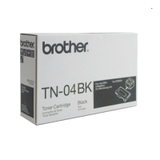
Original OEM toner cartridges: colour set for consistent results In this category we offer Original OEM cartridges—perfect if you want the manufacturer’s specification and predictable performance from the first page to the last. If you print mixed colour content, we recommend keeping a full CMYK set on hand, so you can replace cartridges when needed without interrupting your workflow. Popular choices for the Brother MFC-9420CNLT include: - Original OEM Toner Brother TN-04BK (TN04BK) (Black) – for sharp text, clear lines and strong contrast,
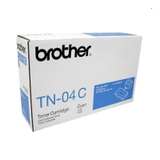
- Original OEM Toner Brother TN-04C (TN04C) (Cyan) – for vivid blues and clean colour balance,
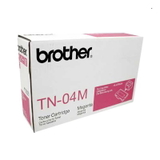
- Original OEM Toner Brother TN-04M (TN04M) (Magenta) – for accurate reds and strong accent colours,
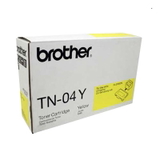
- Original OEM Toner Brother TN-04Y (TN04Y) (Yellow) – for bright highlights and natural warm tones.
Each toner cartridge is matched to the Brother MFC Series design, so installation is straightforward and everyday printing remains stable—especially important in shared-office environments. How to choose the right toner cartridge for your Brother MFC-9420CNLT When selecting a toner for printer Brother MFC-9420CNLT, start with two practical questions: which colour is running low, and what type of documents you print most often. For many customers, black toner runs out first; for others, frequent charts and presentations mean cyan/magenta/yellow are replaced more regularly. We recommend checking: - the cartridge code (TN-04BK, TN-04C, TN-04M, TN-04Y),
- the colour needed (Black/Cyan/Magenta/Yellow),
- your printing habits (text-heavy vs. colour-heavy),
- whether you prefer Original OEM or compatible solutions.
Original OEM vs compatible toner: what’s the difference? In this specific subpage you’ll find Original OEM toner cartridges. Original products are chosen by customers who want the manufacturer’s cartridge in their device and a very predictable print experience. At the same time, many customers ask us about compatible options. In our store we also offer compatible cartridges (including DrTusz.pl solutions in other dedicated categories) that are designed to deliver print quality and reliability comparable to originals—while being budget-friendly. If you’re unsure which route is best for your needs, we’re here to advise you based on your monthly page volume, content type and expectations. Common printing issues and quick tips for this model The Brother MFC-9420CNLT is dependable, but like any laser device it can show symptoms when consumables are near the end of life or when a cartridge isn’t seated correctly. If you notice issues, the cause is often simple: - Faded print / weak colours – a specific colour toner may be low; replacing the correct TN-04 cartridge usually solves it,
- Streaks or uneven coverage – can occur when toner is nearly depleted or after long intervals between prints; replacing the cartridge helps restore consistency,
- Colour balance looks “off” – one colour may be running out faster; keeping a full set (BK/C/M/Y) helps maintain predictable results,
- Cartridge not detected – check if it’s properly installed; if you need help, contact us and we’ll guide you.
If you tell us what you see on the printout and which toner for Brother MFC-9420CNLT you’re using, we can help you choose the right replacement quickly. Choose your toner and get back to printing We encourage you to browse the available toner cartridge for Brother MFC-9420CNLT options and pick exactly the colour you need—black for everyday documents or cyan/magenta/yellow for strong, professional colour output. Add the right toner for printer Brother MFC-9420CNLT to your cart and keep your device ready for work. Need support before you buy? Contact us—we’ll help you match the correct TN-04 cartridge to your Brother MFC-9420CNLT / MFC9420CNLT and advise whether Original OEM or a compatible alternative (available in other categories) will be the best fit. We also make ordering and delivery straightforward, so you can restock quickly and print without interruptions. |