Haven't found what you were looking for? Click here! ▼
Describe below exactly what you are looking for and we will see how we can help. You will receive a reply to your e-mail address by 09:15 on friday (6 November 2026) at the latest
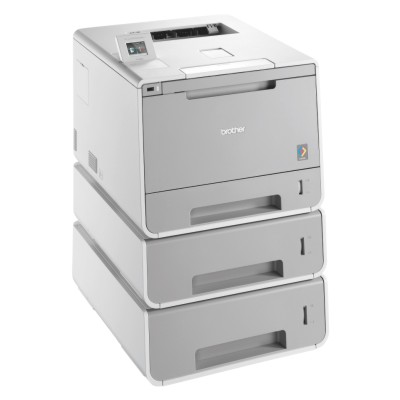
Toner cartridges for Brother HL-L9300CDWTT - compatible and original OEM
Stock up on reliable printing supplies for your Brother HL-L9300CDWTT with a complete selection of laser cartridges in both Original OEM and Compatible options. This category covers the essentials for everyday business printing—high-yield TN-900 toners in Black, Cyan, Magenta, and Yellow, plus convenient CMYK multipacks for efficient replenishment.
Choose Original OEM Brother TN-900 cartridges for consistent performance and manufacturer-grade results, or go with Compatible TN-900 toners for a cost-effective alternative that’s designed to fit and work smoothly with Brother HL L Series devices. You’ll find the right match for common searches like Brother HLL9300CDWTT and HL-L9300CDWTT toner cartridges, making it easy to locate what you need fast.
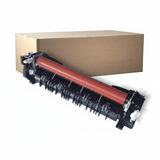
Beyond toner, this range also includes the Original OEM Fuser Unit Brother LY7902001 / LR2242001 to help maintain print quality and keep your printer running at its best. Pick your preferred OEM or compatible solution today and keep your Brother HL-L9300CDWTT producing sharp, vibrant pages—explore the full selection and order with confidence.
The Brother HL-L9300CDWTT is a fast, business-class color laser printer designed for busy offices that print a lot and expect consistent, professional-looking documents. If you use this model daily—whether for invoices, offers, reports or marketing materials—choosing the right toner for printer Brother HL-L9300CDWTT is key to keeping print quality high and downtime low. In this category we gathered both Original OEM and carefully selected Compatible supplies, so you can match your purchase to your needs and budget without compromising reliability.
Reliable color printing: toners and fuser units for HL-L9300CDWTT
To get the best from your Brother device, you need consumables that work precisely with the printing system. A well-chosen toner for Brother HL-L9300CDWTT ensures crisp black text, smooth gradients and vivid color blocks—especially important for presentations and branded documents. In addition to toner cartridges, this category also includes a fuser unit for Brother HL-L9300CDWTT, a key maintenance part responsible for permanently bonding toner to the paper. Replacing the fuser at the right time helps prevent smudging, ghosting, and paper-jam-related issues.
Toners (TN-900 series) – for everyday printing in black and color (CMYK).
Fuser unit – essential for long-term stability, clean output and fewer service interruptions.
Our range: Original OEM and Compatible options in one place
We want you to have real choice. That’s why we offer both Original OEM toner for printer Brother HL-L9300CDWTT and top-quality compatible alternatives. Whether you print occasionally or you run the device at full speed every day, you’ll find supplies tailored to your workload.
Popular picks from this category include:
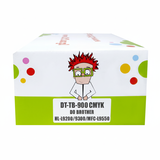
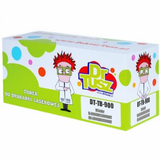
Compatible Toners TN-900 CMYK for Brother (TN900CMYK) (multi pack) – a convenient set for offices that print in color and want to optimize cost per page.
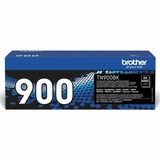
Original OEM Toner Brother TN-900BK (TN900BK) (Black) – for sharp text and professional black prints.
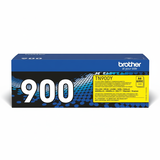
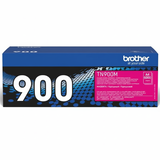
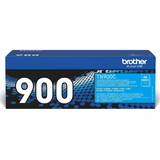
Original OEM Toner Brother TN-900C (TN900C) (Cyan), TN-900M (Magenta), TN-900Y (Yellow) – consistent color reproduction for business graphics.
Compatible Toner TN-900BK / TN-900C / TN-900M / TN-900Y – cost-effective everyday printing with performance you can trust.
Original OEM Fuser Unit Brother LY7902001 / LR2242001 – the right choice when your printer indicates fuser maintenance or print quality starts to drop.
How to choose the right toner for Brother HL-L9300CDWTT
When selecting ink for Brother HL-L9300CDWTT (in practice: toner, because it’s a laser printer), start with how you print:
Mostly text, lots of pages – choose an efficient black toner for printer Brother HL-L9300CDWTT and consider keeping a spare on hand.
Color documents and presentations – CMYK matters; a multipack helps keep colors balanced and avoids sudden shortages.
Quality issues or recurring jams – besides toner, check whether it’s time for a fuser unit for Brother HL-L9300CDWTT.
Original OEM vs Compatible: what’s the difference?
Original OEM cartridges are produced by the printer manufacturer and are a safe, predictable choice for environments that require maximum standardization.
Compatible toner for Brother HL-L9300CDWTT is a smart option when you want to reduce printing costs without sacrificing quality. The compatible cartridges available in our offer (including DrTusz.pl compatible solutions) are designed to deliver print quality and reliability comparable to OEM—clear text, stable color, and smooth everyday operation. For many offices, compatible TN-900 cartridges are the easiest way to lower the cost per page while keeping performance at a professional level.
Common user issues with HL-L9300CDWTT—and how the right supplies help
Faded prints or uneven color – often solved by replacing the relevant TN-900 toner color (BK/C/M/Y) and ensuring you’re using a well-matched cartridge.
Smudging or toner not fully fixed to paper – may indicate fuser wear; consider the Brother LY7902001 / LR2242001 fuser unit.
Interruptions during high-volume printing – keeping a spare toner for Brother HL-L9300CDWTT (or a CMYK multipack) prevents downtime.
Order confidently and keep your Brother running
We encourage you to explore our full selection of toner cartridges for Brother HL-L9300CDWTT—Original OEM and Compatible—as well as the dedicated fuser unit for this model. If you’re unsure which option will be best for your printing volume or document type, contact us—together we’ll match the right toner for printer Brother HL-L9300CDWTT to your needs. Choose your supplies now, place your order, and enjoy fast delivery and dependable support whenever you need it.