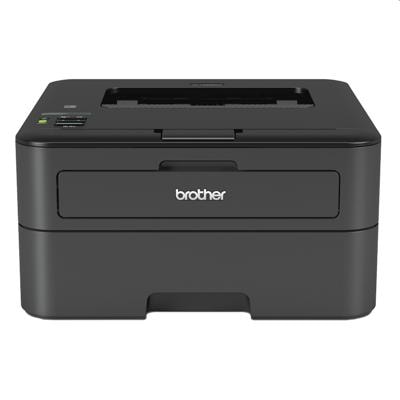
Brother HL-L2365DW – a compact mono laser built for everyday printing Brother HL-L2365DW (also searched as Brother HLL2365DW, HL-L2365 dw or HL L Series) is a reliable monochrome laser printer designed for fast, sharp document printing at home and in small offices. It’s appreciated for automatic duplex printing, wireless connectivity and low running costs—especially when you choose the right toner for printer Brother HL-L2365DW and keep the drum in good condition. What you’ll find in this category: toner, drum and fuser for HL-L2365DW Because this is a mono laser model, you only need black consumables—but it’s worth choosing them wisely. In our category you’ll find everything needed to keep your device working smoothly: - Mono toner cartridges – for daily text and business documents, clear black and crisp edges.
- Drum units – the imaging component that transfers toner to the page; essential for maintaining print quality.
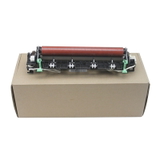
- Fuser unit – responsible for fixing toner onto paper with heat; important when the printer has a high page count or shows fusing issues.
- Toner + drum sets – convenient bundles for predictable maintenance and cost control.
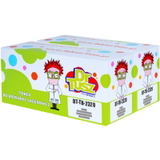
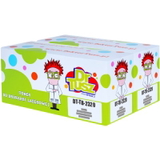
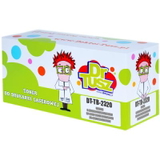
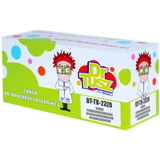
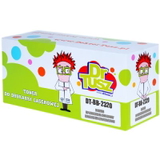
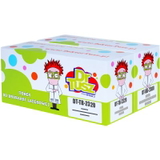
Whether you’re looking for ink for Brother HL-L2365DW (commonly used as a search phrase) or more precisely a toner for HL-L2365DW, you’re in the right place—this model uses toner technology, not liquid ink. Compatible vs Original OEM: choose what fits your priorities We offer both Original OEM and Compatible supplies for Brother HL-L2365DW, so you can decide what matters most: maximum OEM continuity or the best value per page. Original OEM cartridges are manufactured by Brother and are a great option for customers who prefer using brand-dedicated consumables. At the same time, our compatible solutions from DrTusz.pl are designed to deliver print quality and reliability comparable to OEM—often at a noticeably lower cost. If you print a lot, a well-chosen compatible toner for printer Brother HL-L2365DW can significantly reduce everyday expenses without sacrificing professional-looking documents. Popular products for Brother HL-L2365DW in our offer To make choosing easier, here are some of the best-selling items in this category—covering both compatible and Original OEM options: - Compatible Toner TN-2320 for Brother (TN2320) (Black) – a strong everyday choice for frequent printing.
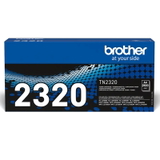
- Original OEM Toner Brother TN-2320 (TN2320) (Black) – for customers who want OEM consumables straight from the manufacturer.
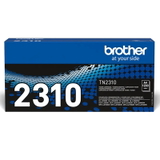
- Compatible Toner TN-2310 for Brother (TN2310) (Black) and Original OEM Toner Brother TN-2310 (TN2310) (Black) – practical solutions for lighter print volumes.
- Compatible Toners TN-2320 TWIN (TN2320TWIN) (2-pack) and Compatible Toners TN-2310 TWIN (TN2310TWIN) (2-pack) – convenient twin packs for offices and heavy users.
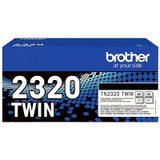
- Original OEM Toners Brother TN-2320 TWIN (TN2320TWIN) (2-pack) – OEM comfort in a multi-pack format.
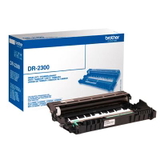
- Compatible Drum Unit DR-2300 (DR2300) and Original OEM Drum Unit Brother DR-2300 (DR2300) – when it’s time to restore sharpness and clean blacks.
- Compatible Toner + Drum Unit TN-2320 + DR-2300 set – the easiest way to refresh the full print system in one step.
- Original OEM Fuser Unit Brother LY9389001 (LY9389001) – for advanced maintenance and long-term reliability.
We also offer the device itself: Printer Brother HL-L2365DW—useful if you’re building a home-office setup or replacing older equipment. How to choose the right toner for Brother HL-L2365DW (and avoid common issues) When selecting toner for printer Brother HL-L2365DW, start with your printing habits. If you print frequently, consider TN-2320 options and twin packs for better cost efficiency. For occasional printing, TN-2310 may be sufficient. Also remember: toner and drum are separate in this series. If you replace toner but still see quality problems, the drum may be the real cause. Common user-reported symptoms and what they usually mean: - Faded prints or uneven black – toner may be low, or the drum may be worn.
- Repeating marks or lines – often linked to the DR-2300 drum unit reaching the end of its life.
- Toner smudging / poor fixing – can indicate fuser wear (worth checking the LY9389001 fuser unit in high-mileage devices).
- “Replace Toner” message too soon – sometimes solved by correct installation or gently redistributing toner; if not, a fresh cartridge is the safest option.
If you’re unsure whether you need a toner, a drum, or a full set, we’re here to help you choose the most cost-effective option—compatible or Original OEM—matched to your exact printer and usage. Order today and keep your HL-L2365DW printing at its best We encourage you to explore our selection of toner for HL-L2365DW, DR-2300 drum units, fuser units and ready-to-go sets. Choose Original OEM for brand continuity or our proven compatible supplies for excellent value—either way, you’ll find a solution tailored to your needs. CTA: Add the right consumables to your cart now, and if you have any questions about compatibility or print quality, contact us—we’ll guide you quickly to the best choice. We provide efficient order processing and convenient delivery options so you can get back to printing without delays. |