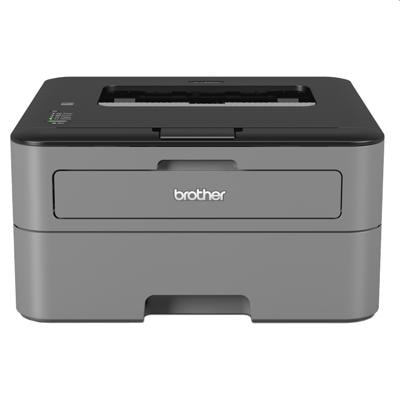
Brother HL-L2300D – a compact mono laser printer for everyday work If you use the Brother HL-L2300D (also searched as Brother HLL2300D, HL-L2300 d, HL L2300D, or Brother HL L Series), you already know why this model is so popular: it’s fast, reliable, and perfect for sharp black-and-white documents. Thanks to automatic duplex printing, it’s a great choice for home offices, small businesses, and anyone who prints frequently and wants to keep costs under control. To keep print quality consistently high, it’s worth choosing the right toner for printer Brother HL-L2300D and matching maintenance components like the drum unit or fuser unit. In this category, we offer both compatible solutions and original OEM products—so you can decide what works best for your budget and printing habits. Toner, drum unit, fuser – what your HL-L2300D really needs The Brother HL-L2300D is a mono laser device, so everything here is focused on crisp black prints: invoices, contracts, school materials, shipping labels, reports, and everyday correspondence. The key consumables are: - Toners – the core supply that produces the black text and graphics. Choosing the right toner for Brother HL-L2300D is the fastest way to restore sharp printing.
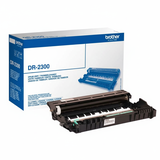
- Drum Units (DR-2300) – the drum transfers the image to paper. It lasts longer than a toner, but when it wears out, you may notice fading, background shading, or repeating marks.
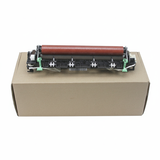
- Fuser Units – the fuser heats and bonds toner to paper. If prints smudge easily or toner doesn’t “set” properly, a worn fuser may be the cause (especially in high-volume environments).
- Toner + Drum sets – a convenient option when you want full refresh and predictable performance, especially if you’re troubleshooting print defects.
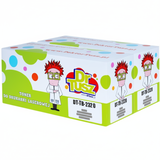
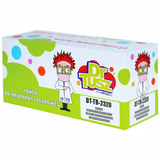
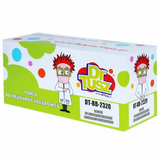
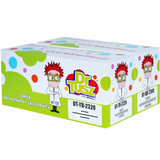
In short: selecting the right ink for Brother HL-L2300D (often searched as “ink,” although it’s actually toner in laser printers) and the correct drum/fuser components keeps your device efficient and your documents professional. Compatible and Original OEM – a wide choice in one place We designed this category to make shopping simple: you’ll find Original OEM supplies from Brother and our trusted compatible alternatives. Whether you want the manufacturer’s cartridge or you’re looking for a cost-effective equivalent, we’ve got options that match different print volumes. Popular products in this category include: - Compatible Toner TN-2320 for Brother (TN2320) (Black) – a strong everyday choice when you print a lot and want an excellent cost-per-page.
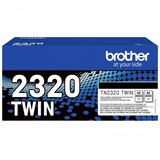
- Compatible Toners TN-2320 TWIN (TN2320TWIN) (Black) (2-pack) – ideal for offices and frequent printing: fewer reorders, better convenience.
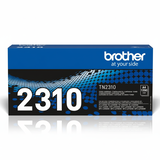
- Compatible Toner TN-2310 for Brother (TN2310) (Black) and Compatible Toners TN-2310 TWIN (TN2310TWIN) – great options for moderate print volumes.
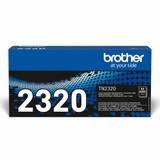
- Original OEM Toner Brother TN-2320 (TN2320) (Black) and Original OEM Toner Brother TN-2310 (TN2310) (Black) – for customers who prefer manufacturer supplies and the OEM workflow.
- Original OEM Toners Brother TN-2320 TWIN (TN2320TWIN) (Black) (2-pack) – a convenient OEM multi-pack solution.
- Compatible Drum Unit DR-2300 for Brother (DR2300) and Original OEM Drum Unit Brother DR-2300 (DR2300) – choose compatible for savings or OEM for brand-consistent maintenance.
- Original OEM Fuser Unit Brother LY9389001 (LY9389001) – a professional maintenance component for long-term reliability.
- Compatible Toner + Drum Unit TN-2320 + DR-2300 set – a smart “all-in-one” refresh when print quality drops and you want to eliminate guesswork.
- Printer Brother HL-L2300D – if you’re building or expanding a workstation, you can also order the device itself.
This variety means you can choose exactly the supply type you need—Mono Toner, Drum Unit, Fuser Unit, or a Toner + Drum bundle—without searching across multiple pages. How to choose the right toner for Brother HL-L2300D When selecting toner for printer Brother HL-L2300D, start with two practical questions: how much you print and whether you want a single cartridge or a twin pack. TN-2310 is often chosen for lighter usage, while TN-2320 is preferred for higher print volumes. Next, decide between Original OEM and Compatible: - Original OEM toner – produced by Brother, a straightforward option for those who want manufacturer branding and standard OEM routines.
- Compatible toner – a cost-effective alternative. Our compatible cartridges from DrTusz.pl are designed to deliver print quality and reliability that are as good as the originals, while helping you significantly reduce printing costs.
If your prints look uneven or you see repeating spots at regular intervals, consider the drum. For the HL-L2300D, choosing the correct DR-2300 drum unit (compatible or OEM) often solves issues that a new toner alone cannot. Common HL-L2300D printing issues – and what usually fixes them Users of the Brother HL-L2300D typically report a few recurring situations. Here’s what we recommend: - Faded text or light prints – replace the toner (TN-2310/TN-2320). If the problem persists, the drum may be worn.
- Repeating marks, lines, or gray background – often a sign that the drum unit DR-2300 needs replacing.
- Smudging or toner not fixed to paper – check paper type settings; in heavy-use environments, consider the condition of the fuser unit.
- Frequent “toner low” messages – common with heavy printing; a twin pack is a practical way to avoid downtime.
Choosing the right ink for printer Brother HL-L2300D (toner) plus the correct drum/fuser components is the simplest path to stable output and fewer interruptions—especially in offices where every minute matters. Order with confidence – and keep your Brother printing smoothly We encourage you to explore our full range of compatible and original OEM consumables for the Brother HL-L2300D: toners, drum units, fuser units, and convenient sets. If you’re not sure whether TN-2310 or TN-2320 is the best fit, or you suspect the drum unit is the real cause of print defects, contact us—we’ll help you choose the right product quickly. CTA: Add your selected toner for Brother HL-L2300D to the cart now, or reach out to our team for guidance—so you can get back to clean, sharp black prints without delay. We offer fast delivery options and friendly support, so you’re never left guessing what your printer needs. |