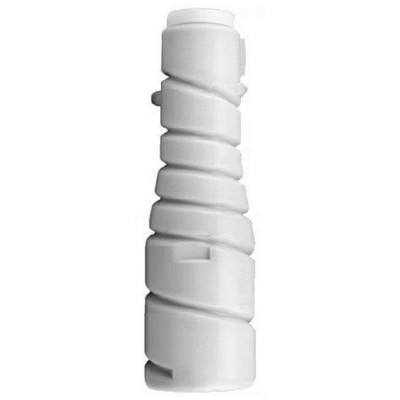
Meet the Develop TN-211 toner cartridges – crisp black text you can trust Dear Customer, when documents must look professional and every page needs to be reliably readable, the right toner makes all the difference. In this category we focus on the Develop TN-211 toner series – a proven choice for users who want clean black prints, consistent quality from the first page to the last, and trouble-free operation in the office. If you are looking for a dependable toner for Develop devices and you don’t want to waste time on faint prints, streaks, or repeated reprints, you are in the right place. Our offer here includes Original OEM Toner Develop TN-211 (8938417) (Black) – the manufacturer-grade solution designed for users who prioritize predictable results and stable performance in everyday printing. Where this series is used – printers compatible with TN-211 The Develop TN-211 series is intended for selected Develop office devices, including models from the Ineo line. For example, you’ll commonly meet it in environments using devices such as Develop Ineo 250 (and related configurations depending on your machine version and region). Choosing the right toner for printer Develop Ineo 250 starts with verifying the toner code on your current cartridge or in your device documentation—TN-211 is the key identifier. If you print invoices, contracts, shipping documents, school materials, or internal reports, a correctly matched Develop TN-211 toner helps keep every page sharp and business-ready. Why choose an Original OEM TN-211 toner? Original OEM means the toner is produced to the printer manufacturer’s specifications. With Original OEM Toner Develop TN-211 (8938417) (Black), you gain the calm confidence that comes from component-level compatibility and consistent print behavior. It’s the kind of choice that simply works—especially valuable when multiple people share one office device and nobody has time for troubleshooting. - Clear, deep black for professional-looking text and legible barcodes
- Stable quality across longer print runs—important for reports and batches
- Predictable device cooperation with firmware and cartridge detection
- Less risk of common defects such as uneven density, background shading, or smudging
Common printing problems—and how the right TN-211 toner helps Many users come to us after experiencing typical laser-print issues. Often, the root cause is a worn cartridge, an incorrectly matched model, or a low-quality replacement. A properly selected toner for printer Develop can eliminate the most frequent frustrations: - Faded prints – fresh TN-211 toner restores strong black density
- Streaks and lines – a well-made cartridge supports even toner distribution
- Grey background (“fogging”) – correct toner composition helps keep whites clean
- Messages about incompatible supplies – OEM TN-211 reduces the chance of recognition issues
To get the best effect, we also recommend simple habits: store toner in a dry place, avoid exposing it to high temperatures, and install it carefully to prevent accidental spills. How to choose the correct cartridge: TN-211 in practice When selecting a Develop TN-211 toner, focus on three essentials: - Series code: TN-211 must match your device requirements
- Color: this category covers Black toner—ideal for text-heavy printing
- Type and class: this is a Laser cartridge in the Original OEM class (manufacturer original)
If you are replacing an older unit, the easiest method is to check the label on the current cartridge and confirm the code TN-211 and part number 8938417. That way, you ensure you’re buying the exact toner for printer Develop Ineo 250 (or another compatible Develop device) that your machine expects. Original vs compatible: what’s the difference, and what do we recommend? We know the choice often comes down to one question: OEM or compatible? Original OEM toner is the safest route for users who want maximum predictability, manufacturer specification compliance, and “install and print” comfort. At the same time, we want to be clear: high-quality compatible cartridges can also be an excellent option. In the DrTusz.pl offer, our compatible solutions are designed to be as good as the originals—a smart alternative when you want to optimize printing costs without sacrificing clarity and reliability. If you’re unsure which route suits your workflow, we encourage you to compare your monthly page volume, your expectations for print uniformity, and whether your documents must meet strict internal standards. Why buy Develop TN-211 toner from us? We focus on making your purchase simple, accurate, and secure—because toner should solve a problem, not create a new one. When you order a Develop TN-211 toner from us, you choose a store that understands consumables and helps you avoid mismatched products and wasted time. We want you to feel that satisfying moment when the first page comes out: bold, clean, and ready to file, sign, or send. Summary & CTA – print confidently again Develop TN-211 is a dependable black toner series for compatible Develop office devices, including the Ineo family such as Develop Ineo 250. If you value stable results and professional document quality, the Original OEM Toner Develop TN-211 (8938417) (Black) is a reliable choice. Choose your Develop TN-211 toner today and get back to smooth, sharp, uninterrupted printing—order now and keep your office moving. |