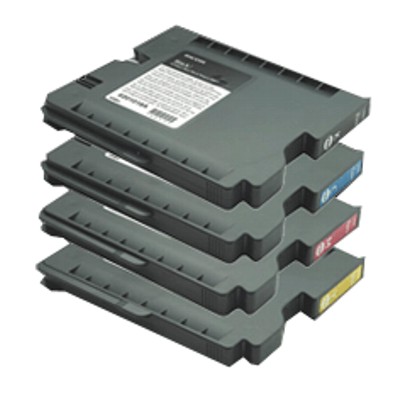
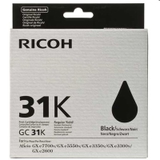
Bring Your Ricoh GX Prints Back to Life with Ricoh GC-31 Ink Dear Customer, when your documents start looking pale, streaky, or simply “not like they used to,” it’s usually not the printer—it’s the consumables. In this category we focus on the reliable, business-ready Ricoh GC-31 series: original OEM ink cartridges and the dedicated waste ink tank that keep your Ricoh Aficio GX machine working smoothly day after day. If you need consistent color, sharp text, and trouble-free printing, choosing the right ink cartridges Ricoh GC-31 is the fastest way to restore professional results. What’s Inside the Ricoh GC-31 Series (OEM Consumables) This subpage includes Original OEM inkjet consumables designed specifically for the Ricoh GX ink system. You’ll find the core color set plus the maintenance component that many users forget—until the printer asks for it. - Original OEM Ink Cartridge Ricoh GC-31K (405688) – Black
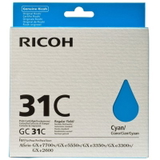
- Original OEM Ink Cartridge Ricoh GC-31C (405689) – Cyan
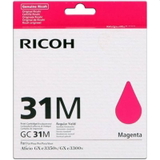
- Original OEM Ink Cartridge Ricoh GC-31M (405690) – Magenta
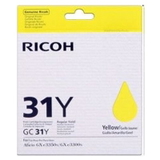
- Original OEM Ink Cartridge Ricoh GC-31Y (405691) – Yellow
- Original OEM Waste Ink Tank Ricoh GC-31 (405700)
These are genuine manufacturer supplies, created to deliver predictable output and stable performance across everyday office printing—whether you’re producing invoices, reports, or color-heavy marketing pages. Compatible Printers: Built for the Ricoh Aficio GX e-Series The Ricoh GC-31 ink cartridges are used in selected Ricoh Aficio GX printers, including popular models like Ricoh Aficio GX e2600, Ricoh Aficio GX e3300 and Ricoh Aficio GX e5550N (as well as other GX e-series devices listed on the page). If you’re searching for “ink for printer Ricoh Aficio GX e2600” or “ink for Ricoh Aficio GX e5550N,” the GC-31 family is exactly the consumable range you should be looking at—matched to your printer’s requirements. Why Original OEM Ricoh GC-31 Ink Is Worth It In busy offices, the cost of downtime can be higher than the cost of supplies. OEM cartridges help you avoid the classic frustrations: unexpected print issues, color inconsistency, and repeated cleaning cycles that waste time and ink. With genuine Ricoh GC-31 ink, you’re investing in predictable printing—page after page. - Reliable quality: crisp text and stable color reproduction for documents that represent your business well.
- Smooth printer operation: consumables designed to work with the printer’s ink delivery and monitoring system.
- Less troubleshooting: fewer “why is this streaking?” moments and fewer interruptions during busy weeks.
Common User Problems—and How the GC-31 Range Solves Them Users of Ricoh GX printers often report a few recurring issues that are easy to prevent with the right consumables and habits: - Faded black text or washed-out graphics: typically solved by replacing the correct color (most often Ricoh GC-31K black) before it fully runs out.
- Color casts or uneven tones: can appear when one color is low—replacing the matching cartridge (C/M/Y) restores balance.
- “Maintenance required” / waste ink alerts: your printer uses a waste ink system; when it’s full, printing may stop until you replace the Ricoh GC-31 waste ink tank (405700).
- Streaks after long idle periods: if the printer isn’t used regularly, gentle maintenance cycles help—but having fresh, correct OEM ink reduces the risk of persistent artifacts.
In short: the Ricoh GC-31 series is not just about color—it’s about keeping your workflow uninterrupted. How to Choose the Right Ricoh GC-31 Cartridge (Practical Buying Tips) We encourage you to choose by both color and product code to avoid mistakes. Each cartridge is clearly identified, so matching is simple and safe. - Printing mostly text? Prioritize Ricoh GC-31K (405688) black—keep a spare for uninterrupted work.
- Printing charts, offers, presentations? Make sure GC-31C, GC-31M, and GC-31Y are stocked together for consistent color.
- Your printer shows a waste ink warning? Add the Ricoh GC-31 waste ink tank (405700) to your order—this part is essential, and replacing it at the right time prevents downtime.
If you’re unsure, check your current cartridge label or printer manual and match the symbol (GC-31) and code (e.g., 405689 for cyan). That’s the quickest path to the correct ink for printer Ricoh GX setup. Original OEM vs Compatible: What to Know Before You Buy This specific category focuses on Original OEM consumables—ideal if you want factory-standard performance and maximum predictability. At the same time, many customers also consider compatible options to reduce running costs. The key is choosing a trusted source: the compatible cartridges available in the DrTusz.pl offer are designed to be as good as the originals in everyday use—so you can select OEM or compatible depending on your priorities (budget vs. manufacturer-original supply), without sacrificing print satisfaction when you choose proven products. Ready for Clean, Confident Printing Again? Choose the right Ricoh GC-31 ink cartridge or the GC-31 waste ink tank, restore the sharpness and color your Ricoh Aficio GX printer is capable of, and keep your office moving at full speed. Add your Ricoh GC-31 consumables to the cart today and print with the calm certainty that everything will work exactly as it should. |