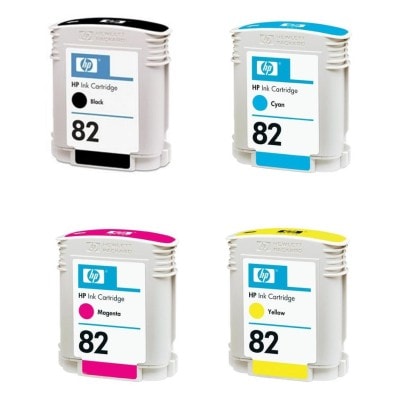
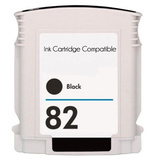
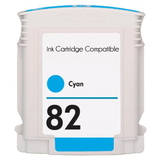
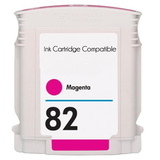
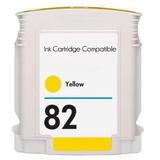
Bring Your Large‑Format Prints Back to Life with HP 82 ink cartridge Dear Customer, when a large‑format printer is the heart of your studio, office, or print room, every delay costs time and confidence. The HP 82 ink cartridge series was created for reliable, vivid technical and graphic printing—where crisp lines, smooth fills, and stable color matter every single day. In this category we offer both Original OEM HP 82 ink cartridge options and carefully selected compatible HP 82 ink cartridge alternatives, plus practical maintenance support, so you can print without stress and keep your machine in top condition. Compatible with: HP DesignJet 820 MFP (and related DesignJet models using the HP 82 system). What You’ll Find Here: Colors, Classes, and Maintenance Essentials This subpage focuses on Cartridges Inkjet for the HP 82 series—built for clean, professional output. You can choose from: - Compatible HP 82 ink cartridge options: Black (CH565A), Cyan (C4911A), Magenta (C4912A), Yellow (C4913A)
- Original OEM HP 82 ink cartridge options: Black (CH565A), Cyan (CH566A / C4911A), Magenta (CH567A / C4912A), Yellow (CH568A / C4913A)
- Refill components and support: including fluids for cleaning such as a specialistic 250 ml head‑cleaning fluid (universal)
Whether you need a single ink for printer HP DesignJet 820 MFP to finish an urgent job or a full color set to keep production moving, we make it easy to match the right cartridge code and color. Why the HP 82 ink System Is Trusted for Technical and Graphic Work Large‑format printing demands consistency. With the HP 82 family, you’re aiming for output that looks “finished” the moment it leaves the printer: sharp CAD lines, readable annotations, stable color areas, and repeatable results from one print to the next. Choosing the right HP 82 ink cartridge helps you: - Maintain strong contrast with Black CH565A—ideal for text, line drawings, and technical documents
- Keep color prints balanced using Cyan C4911A, Magenta C4912A, and Yellow C4913A
- Reduce downtime by having the correct cartridge ready when the printer asks for it
- Protect your printhead performance through proper maintenance and cleaning routines
In short: the right ink for HP 82 is not just a consumable—it’s the difference between a smooth workflow and reprints that waste time and materials. Original OEM vs Compatible: How to Choose the Best Option for You We encourage you to choose based on how you print, how often you print, and what matters most—brand specification, budget, or maximum flexibility. - Original OEM HP 82 ink cartridge is the go‑to choice when you want manufacturer‑supplied consumables, especially for environments with strict internal requirements or standardized purchasing.
- Compatible HP 82 ink cartridge is the smart choice when you want excellent print quality and dependable performance while keeping running costs under control. Our compatible cartridges from the DrTusz.pl offer are designed to be as good as the originals in everyday work—so you can print confidently without paying more than you need to.
Practical tip: always match the cartridge by code, not only by color name. If your printer calls for HP 82 CH565A, choose that exact symbol; if it needs HP 82 C4911A, select that code for Cyan. This is the quickest way to ensure the ink cartridge for HP DesignJet you add to your cart will fit and work correctly. Common Problems Users Face—and How to Fix Them Fast Even the best printers can show signs of trouble when ink runs low or when maintenance is overdue. The most common issues with large‑format devices using the HP 82 system include: - Faded colors or uneven fills—often caused by low ink, air in the system, or nozzles that need cleaning
- Missing lines / banding in technical drawings—usually linked to printhead nozzle clogging or dried ink after long breaks
- Color shifts—frequently solved by replacing the weak color cartridge and running basic calibration/cleaning
That’s why we also provide a specialistic fluid for cleaning heads (250 ml, universal). Proper cleaning helps restore smooth ink flow and can extend the period of stable printing—especially if your printer works in dusty environments or prints intermittently. If you print rarely, consider scheduling a short test print weekly to keep the ink system fresh. How to Build a Reliable Set for Your Printer If you depend on continuous printing, we recommend keeping at least one spare color that you use most often. Many users of devices like the HP DesignJet series prefer to stock: - Black HP 82 (CH565A) for daily technical output
- Cyan HP 82 (C4911A), Magenta HP 82 (C4912A), Yellow HP 82 (C4913A) for posters, presentations, and color plans
- Cleaning fluid as an immediate remedy when print quality drops and deadlines are close
This approach reduces emergency shopping and helps ensure your ink for printer HP DesignJet 820 MFP is always ready when a project arrives at the last minute. Order with Confidence—Get the Right HP 82 ink cartridge Today We’ve prepared this category to make your choice simple: clear cartridge codes, full color selection, Original OEM and high‑quality compatible options, plus maintenance support for long‑format reliability. Choose the HP 82 ink you need, add it to your cart, and get back to printing sharp lines and vivid colors without interruptions. CTA: Stock up now—pick your HP 82 ink cartridge (OEM or compatible) and keep your HP DesignJet printing smoothly from the first sheet to the last. |