Haven't found what you were looking for? Click here! ▼
Describe below exactly what you are looking for and we will see how we can help. You will receive a reply to your e-mail address by 16:10 at the latest
Ink cartridges HP 730 - compatible and original OEM
The HP 730 ink cartridges series is designed for consistent, high-quality output on HP large-format printers used for CAD, GIS, and technical documents. This category brings together both Original OEM supplies and practical refill and maintenance components, helping you match print performance, running costs, and service needs without guesswork.
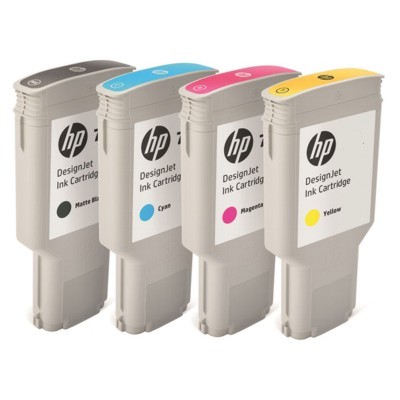
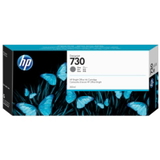
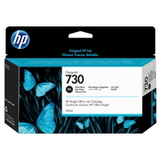
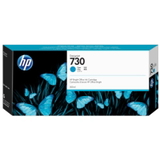
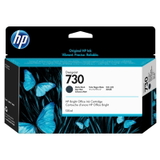
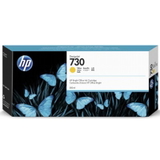
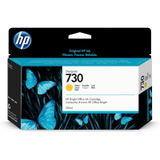
Within the Original OEM range you’ll find key colors and sizes for everyday production, including HP 730 Matte Black (P2V71A) for crisp linework, HP 730 Photo Black (P2V73A) for deeper dark tones, and color options like Cyan (P2V68A), Magenta (P2V69A), and Yellow (P2V70A). For higher-volume workflows, selected inks are also available in 130 ml versions such as Cyan (P2V62A) and Matte Black (P2V65A), which can reduce cartridge change frequency and keep production moving more smoothly.
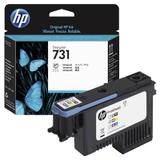
To support reliable operation over time, the category also includes essential service items like the HP 731 Printhead (P2V27A) and a specialistic printhead cleaning fluid (250 ml, universal) for maintenance and troubleshooting. Use the filters to quickly choose between OEM supplies, ink cartridges, printheads, or cleaning fluids—then select the exact part number that matches your printer and workflow.
Precision that shows on every line: HP 730 ink cartridge for demanding large-format printing
Dear Customer, when your projects must look flawless at A1/A0 size, there’s no room for “almost right” color or faint lines. The HP 730 ink cartridge series was created for HP DesignJet printers used in architecture, engineering, GIS and professional graphic production—where crisp details, smooth fills and repeatable color matter every single day. In our category you’ll find both Original OEM HP 730 ink cartridges and practical maintenance products that help you keep your plotter in peak condition, so your printer delivers the quality you expect—print after print.
What’s inside the HP 730 series: colors, capacities and professional components
This category focuses on inkjet consumables designed for large-format workflows. We offer the complete set of essential HP 730 colors, so you can match your printing profile and replace only what you need:
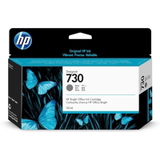
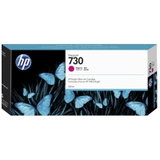
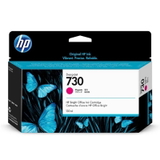
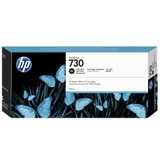
Original OEM Ink Cartridge HP 730: Matte Black, Photo Black, Cyan, Magenta, Yellow, Gray
Selected versions also available as HP 730 ink cartridge 130ml (higher capacity for busy offices)
Original OEM Printhead HP 731 (P2V27A) – a key component for consistent lines and clean fills
Specialistic Fluid for Cleaning Heads (250 ml, universal) – helpful when print quality drops due to dried ink or clogged nozzles
Whether you’re printing technical drawings with sharp linework or presentation posters with smooth gradients, using the right ink for HP DesignJet devices is the fastest way to keep productivity high and reprints low.
Compatible printers: built for HP DesignJet performance
The HP 730 ink cartridge family is widely used in HP DesignJet plotters—popular choices include models from the HP DesignJet T1700 line (e.g., T1700, T1700dr, T1700ps) as well as larger production devices such as HP DesignJet T2600. If your office prints CAD plans, construction documentation, maps or tender sets, these printers—and this ink—are often the backbone of daily operations.
Original OEM vs compatible: how to choose the right option (and save wisely)
In this category we highlight Original OEM HP 730 ink cartridges, because many teams value factory-standard repeatability, predictable color and maximum compatibility for critical projects. Original OEM is a safe choice when:
you need consistent results across multiple printers and teams,
you print customer-facing visuals where color accuracy is essential,
you want manufacturer-approved components for strict internal procedures.
At the same time, we know that running a plotter can be expensive. That’s why many customers also look for compatible solutions. And here’s the important part: compatible cartridges from DrTusz.pl are as good as the originals—a smart way to cut cost per page without giving up the professional look your projects require. If you print high volumes (daily plans, revisions, iterations), a high-quality compatible ink for HP DesignJet T1700 can be the difference between staying on budget and constant overspending.
Common user issues—and how the right HP 730 supplies fix them
Large-format printing brings specific challenges. If you’ve ever experienced banding, missing lines or dull blacks, you know how quickly a “small” issue turns into wasted media and time. The HP 730 ecosystem helps address typical problems such as:
Faint lines or gaps – often linked to nozzle issues; replacing or servicing the HP 731 printhead can restore precision.
Banding on solid areas – can appear when ink flow is uneven; fresh HP 730 ink cartridge and proper maintenance usually solve it.
Clogged nozzles after downtime – if the plotter sits unused, ink can dry; using a cleaning fluid for printheads and performing cleaning cycles helps recover quality.
Unexpected downtime mid-job – choosing the HP 730 ink cartridge 130ml versions reduces the frequency of replacements in busy environments.
Our advice: if print quality suddenly declines, don’t immediately blame the printer. In many cases, the correct ink for HP DesignJet, a healthy printhead, and proper cleaning restore professional output quickly—without service calls.
How to pick the exact HP 730 product for your workflow
We encourage you to choose based on what you print most often:
Technical CAD and text-heavy plans: focus on a reliable HP 730 Matte Black and stable grayscale performance (Gray, Photo Black).
Posters and presentations: Photo Black plus Cyan/Magenta/Yellow support strong contrast and vivid color.
High volume offices: consider HP 730 130ml cartridges to reduce interruptions and keep teams moving.
Troubleshooting quality: if cleaning cycles don’t help, look at the HP 731 printhead and use specialistic cleaning fluid when appropriate.
If you’re unsure which item you need, we can help you match the cartridge, printhead, or maintenance product to your exact HP DesignJet model and your typical print jobs.
Why buy HP 730 ink cartridges from us?
We build this category to make your choice simple: clear product naming, the most-used HP 730 colors, and essential service items in one place. You get a professional range of HP 730 ink cartridge options for consistent results, plus the practical maintenance tools that keep your plotter printing cleanly. It’s all about reliability—so you can focus on delivering projects on time, with lines that look sharp and color that looks confident.
Ready for crisp plots and reliable color? Choose your HP 730 today
Order your HP 730 ink cartridge, add the right printhead or cleaning solution if needed, and keep your HP DesignJet performing at its best. We encourage you to pick your colors, select the 130ml capacity for high-volume work, and print with the certainty that every sheet will look like it should—professional, clean, and impressive.