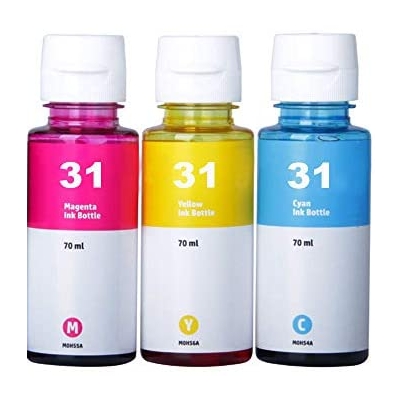
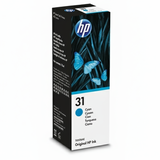
Bring Color Back to Everyday Printing with HP 31 ink cartridge Dear Customer, if you use an HP Smart Tank printer, you already know how convenient high-volume printing can be—until colors start fading, pages show streaks, or a “low ink” warning interrupts your workflow at the worst possible moment. In this category we gathered everything you need to restore crisp, vibrant prints with the HP 31 ink cartridge series—both Original OEM options and our reliable compatible HP 31 ink cartridge alternatives. Whether you print school materials, office documents, or colorful photos for your family, the right ink for HP Smart Tank helps keep every page clean, saturated, and professional-looking. What’s Inside the HP 31 Series: Cyan, Magenta, Yellow The HP 31 ink line is designed for consistent color output and smooth operation in HP Smart Tank devices. This category includes three key colors, available as Original OEM and Compatible: - Cyan – Compatible Ink Cartridge 31 for HP (HP31) (Cyan) and Original OEM Ink Cartridge HP 31 (1VU26AE) (Cyan)
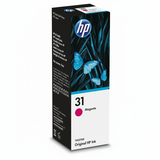
- Magenta – Compatible Ink Cartridge 31 for HP (HP31) (Magenta) and Original OEM Ink Cartridge HP 31 (1VU27AE) (Magenta)
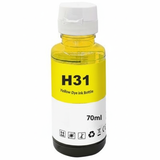
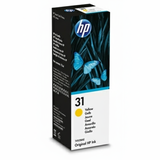
- Yellow – Compatible Ink Cartridge 31 for HP (HP31) (Yellow) and Original OEM Ink Cartridge HP 31 (1VU28AE) (Yellow)
Choosing the right color is simple: match what your printer reports as low. And if you want balanced, vivid color reproduction (especially for graphics and photos), replacing colors before they run completely empty can help maintain stable print quality. Compatible Printers: Built for HP Smart Tank Convenience HP 31 ink cartridges are used in popular HP Smart Tank printers known for efficient, everyday printing. Customers shopping for ink for printer HP Smart Tank Wireless 455 or ink for HP SmartTank Plus 571 will typically find the HP 31 ink series exactly matches their needs. This ink family also appears in other Smart Tank models such as the HP Smart Tank 5105 or HP Smart Tank 7006 (availability depends on the exact printer version). If you’re unsure, we encourage you to check your printer manual or the ink label currently used in your device—matching the series number “31” is the safest route. Important note: this category is about ink cartridges (not “toner for printer,” which is used in laser printers). If you’re searching online, phrases like “ink for HP 31” or “HP 31 ink cartridge” will lead you to the right consumable type. Original OEM vs Compatible: How to Choose the Best HP 31 ink We offer two classes, so you can choose what fits your priorities: - Original OEM HP 31 ink cartridge (1VU26AE / 1VU27AE / 1VU28AE) – ideal if you prefer manufacturer-branded consumables and want to keep everything strictly OEM.
- Compatible HP 31 ink cartridge – a smart choice when you want excellent print quality and dependable performance while keeping printing costs under control. Our compatible options from the DrTusz.pl offer are designed to be as good as the originals in everyday use—sharp text, lively color, and smooth printing.
In practice, the best choice depends on how you print. If you’re producing important client materials and want to stick to the printer manufacturer’s supply chain, choose Original OEM. If you print a lot—homework, invoices, colorful handouts, labels—and want a cost-effective solution without sacrificing results, a compatible HP 31 ink cartridge is often the most satisfying purchase. Common Print Problems HP 31 Ink Solves (and How to Avoid Them) When ink runs low or a color channel is unstable, your printer can start “telling a story” on the page: pale areas, missing lines, or strange color shifts. Fresh HP 31 ink helps prevent issues such as: - Streaks and banding in solid colors (often caused by low ink or inconsistent flow)
- Faded graphics when one color is running out (a weak magenta or cyan can change the whole image)
- Uneven color balance in photos and charts
- Interrupted printing when you discover an empty cartridge mid-task
Our advice: keep at least one frequently used color on hand—especially if you print regularly. This way, your “urgent print job” doesn’t turn into a last-minute store run. Why Buy HP 31 ink cartridges from Us? We focus on making cartridge shopping simple and safe: clear product naming, both Original OEM and Compatible choices, and a selection tailored specifically to the HP 31 ink cartridge series. Instead of guessing, you pick your color (cyan, magenta, yellow), choose your class (OEM or compatible), and get back to printing with confidence. Your documents should look clean and your colors should look alive—like fresh paint, not washed-out watercolor. Summary & CTA: Choose Your HP 31 ink cartridge and Print with Confidence The HP 31 ink series (Cyan, Magenta, Yellow) is a reliable way to keep HP Smart Tank printers performing at their best—whether you choose Original OEM HP 31 ink cartridge (1VU26AE, 1VU27AE, 1VU28AE) or our high-quality compatible HP 31 ink cartridge alternatives. We encourage you to select the right color today and enjoy smooth printing, vivid graphics, and stress-free everyday work. Ready to refresh your colors? Choose your HP 31 ink cartridge now—pick cyan, magenta, or yellow, select Original OEM or Compatible, and get your printer back to delivering the results you expect. |