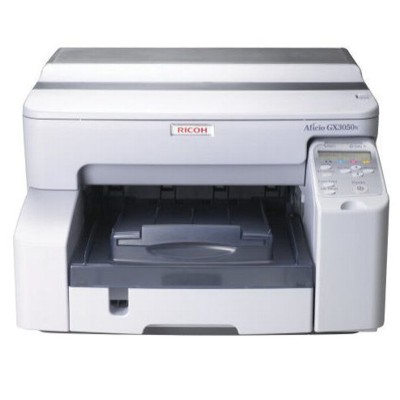
Ricoh Aficio GX 3050N – fast business printing that deserves the right ink Dear Customer, the Ricoh Aficio GX 3050N (also searched as Ricoh GX 3050N, GX 3050N or GX3050N) is a robust office inkjet designed for efficient everyday work: sharp text, vivid graphics, and reliable network printing for teams. To keep this printer performing at its best, you need ink that delivers consistent quality from the first page to the last. In this category you will find ink cartridges for Ricoh Aficio GX 3050N—carefully selected to match the requirements of this model and to help you print without downtime. Ink for Ricoh Aficio GX 3050N – what you gain with the right cartridge The ink for Ricoh Aficio GX 3050N is built for office speed and precision. Good ink is not only about color—it is about predictable results and smooth workflow. With properly matched cartridges you can count on: - Crisp black text for invoices, reports and contracts
- Clean, saturated color for charts, presentations and marketing materials
- Reliable ink flow that helps prevent streaks and uneven prints
- Consistent page output, useful when you print in batches
- Stable performance in office conditions, including frequent start/stop printing
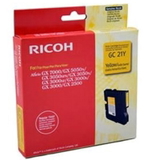
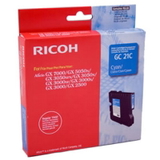
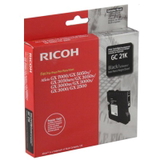
If you print a mix of text and color, we recommend keeping a spare set on hand—especially for networked devices like the Ricoh Aficio GX 3050N, where several users can drain a cartridge faster than expected. Our selection: Original OEM ink cartridges for Ricoh GC-21 We focus on a clear and proven range, so you can find the correct product quickly. In this category we offer Original OEM ink cartridges dedicated to the GX series, including the full CMYK set. Popular choices include: - Original OEM Ink Cartridge Ricoh GC-21K (405532) (Black) – for sharp, professional text and deep blacks
- Original OEM Ink Cartridge Ricoh GC-21C (405533) (Cyan) – for clean blues and balanced color graphics
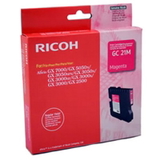
- Original OEM Ink Cartridge Ricoh GC-21M (405534) (Magenta) – for vibrant reds and accurate skin tones
- Original OEM Ink Cartridge Ricoh GC-21Y (405535) (Yellow) – for bright highlights and warm color tones
When you choose an Original OEM cartridge, you get ink engineered by the printer manufacturer for the exact printhead and working conditions of the Ricoh Aficio GX 3050N. That means stable quality and predictable performance—especially important in business printing. How to choose the correct cartridge (and avoid common GX 3050N issues) To make sure you order the right ink cartridge for Ricoh Aficio GX 3050N, match the cartridge code, not only the printer name. For this model, look for the Ricoh GC-21 series and the color you need (K/C/M/Y). Before checkout, it’s worth confirming: - Model naming: GX 3050N can appear as GX 3050 N or GX3050 N—it’s the same device, but the cartridge must be GC-21
- Color planning: offices often run out of black first—consider stocking GC-21K as a priority
- Print symptoms: faded output may simply mean one color is empty, even if black looks “fine”
Typical user problems we help solve for this printer include: “the printer warns about low ink sooner than expected”, “colors look pale”, or “documents have missing color elements”. In many cases, the fix is simple—installing a fresh, correct ink for GX 3050N, running the printer’s cleaning/alignment routine, and making sure each color is present and properly seated. Original vs compatible ink – what to know before you buy In general, you can choose between Original OEM and compatible cartridges. Original OEM ink is the manufacturer’s solution, created to deliver factory-level consistency. Compatible cartridges are an alternative designed to provide comparable print quality at a different price point. And an important note from us: compatible cartridges from the DrTusz.pl offer are as good as the originals—tested for everyday reliability and excellent print results. If you are comparing options, we encourage you to choose based on your printing style (mostly text vs lots of color, occasional vs frequent printing) and how important maximum OEM repeatability is for your documents. Order ink for Ricoh Aficio GX 3050N with confidence We encourage you to browse the available ink cartridges for Ricoh Aficio GX 3050N and pick the exact Ricoh GC-21 color you need. If you are unsure which cartridge fits your device, we are here to help—contact us with your printer name (Ricoh Aficio GX 3050N / Ricoh GX 3050N / GX3050N) and we will point you to the right product. Choose your cartridge today, place your order, and get back to smooth, reliable printing without interruptions. |