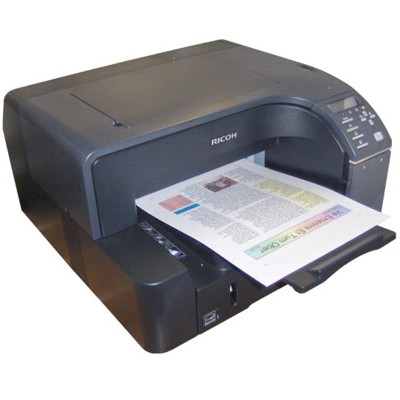
Ricoh Aficio GX 2500 – a fast office printer that deserves reliable ink Ricoh Aficio GX 2500 (also searched as Ricoh GX 2500, GX 2500 or GX2500) is a popular inkjet printer designed for efficient everyday printing in offices and small businesses. It’s valued for good speed, clear text, and vivid colour output—perfect for invoices, reports, letters, and marketing materials. To keep this performance consistent, choosing the right ink for Ricoh Aficio GX 2500 is essential. Ink for Ricoh GX 2500 – what you gain with the right cartridge In this category we offer dedicated ink cartridges for the Ricoh Aficio GX 2500, designed to deliver stable results from the first page to the last. Correctly matched ink for printer Ricoh Aficio GX 2500 helps you maintain sharp black text, smooth colour transitions, and predictable page yield—important both for day-to-day documents and customer-facing prints. These cartridges are ideal for: - office documents (contracts, forms, spreadsheets), where crisp text matters,
- colour graphics (charts, presentations) requiring consistent colour,
- frequent printing, where reliability and repeatable quality save time.
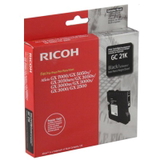
Original OEM cartridges for Ricoh Aficio GX 2500 – our best-selling set If you want manufacturer-spec performance and maximum compatibility, choose an Original OEM cartridge. In this category you’ll find a complete CMYK set, so you can quickly restore full colour printing or replace the cartridge you need: - Original OEM Ink Cartridge Ricoh GC-21K (405532) (Black) – for sharp text and strong contrast
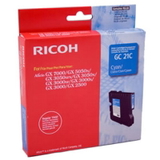
- Original OEM Ink Cartridge Ricoh GC-21C (405533) (Cyan) – for cool tones and clean blues
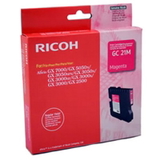
- Original OEM Ink Cartridge Ricoh GC-21M (405534) (Magenta) – for vivid reds and balanced skin tones
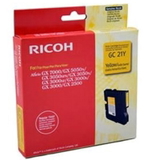
- Original OEM Ink Cartridge Ricoh GC-21Y (405535) (Yellow) – for bright highlights and natural colour warmth
Thanks to this range, you can easily match the cartridge to your needs—whether you print mostly black documents or frequently use colour. How to choose the right ink cartridge for GX 2500 When selecting ink for Ricoh GX 2500, focus on three simple points: - Model compatibility – this page is dedicated specifically to Ricoh Aficio GX 2500 / GX 2500 / GX2500, so you’re in the right place.
- Colour you need – black for text-heavy printing; cyan/magenta/yellow for colour documents and graphics.
- Printing habits – frequent printing benefits from timely replacement, so you avoid interruptions at critical moments.
Common issues users report with this model are usually straightforward: printer messages about low ink, faded prints, uneven colour, or missing colours in graphics. In most cases, installing a fresh, correctly matched ink cartridge for Ricoh Aficio GX 2500 solves the problem quickly and restores proper colour balance. Original OEM vs compatible – what’s the difference? Original OEM cartridges are produced to Ricoh specifications and are a great choice when you want factory-standard results. At DrTusz.pl we also offer compatible solutions in many printer categories, and our compatible cartridges are as good as the originals—carefully selected for quality, performance, and reliability. If you’re comparing options, think about what matters most to you: OEM for manufacturer-standard consistency, or compatible for an excellent balance of quality and savings (where available). Order your ink for Ricoh Aficio GX 2500 with confidence We make it easy to choose the right ink for printer Ricoh Aficio GX 2500: clear product names, exact cartridge codes, and a complete colour set in one place. Browse the available OEM cartridges, pick the colour you need, and keep your Ricoh GX 2500 ready for work. CTA: Add the right Ricoh GC-21 cartridge to your cart today—if you need help choosing, contact us and we’ll guide you to the best option. We also offer fast delivery options, so you can get back to printing without unnecessary downtime. |