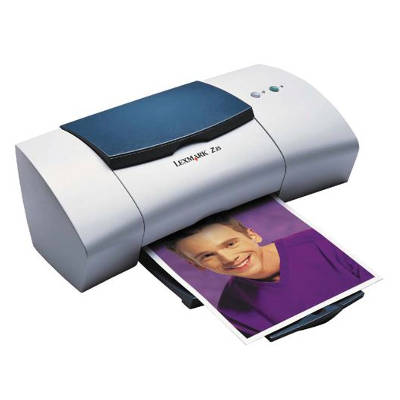
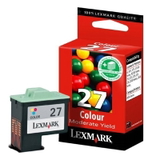
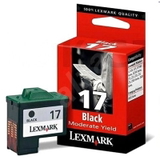
Lexmark Z35 – a proven home inkjet for everyday printing The Lexmark Z35 from the Lexmark Z Series is a compact inkjet printer designed for simple, reliable home use. It’s great for everyday documents, school assignments, emails, and occasional color prints. To keep it working smoothly and to maintain consistent results, choosing the right ink for Lexmark Z35 is essential—both for print quality and for trouble-free operation. Ink for printer Lexmark Z35: what you can expect from the right cartridge In this category we offer ink cartridges for Lexmark Z35 in two variants: Original OEM and Compatible. Both options are designed to deliver clear text, stable blacks, and vivid color output for everyday use. A well-matched ink for Lexmark Z35 helps prevent typical issues such as streaks, faded prints, or uneven color blocks—especially when the printer is used irregularly. Lexmark Z35 ink cartridges are typically used for: - black text documents (letters, invoices, notes),
- color graphics and simple presentations,
- home and school printing where cost-per-page matters,
- occasional photo prints on appropriate paper.
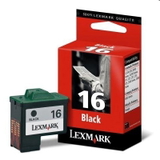
When you select the correct cartridge type (black or color) and keep an eye on printhead cleanliness, your ink for printer Lexmark Z35 will deliver consistent results page after page. Our range: Original OEM and Compatible ink cartridges for Lexmark Z35 We make it easy to find the right cartridge for your printer. In this category you’ll find popular, proven models such as: - Original OEM Ink Cartridge Lexmark 16 (10N0016E) (Black) – crisp black text and dependable performance,
- Original OEM Ink Cartridge Lexmark 17 (80D2954) (Black) – another trusted black option for the Z Series,
- Original OEM Ink Cartridge Lexmark 27 (10N0026E) (Color) – for everyday color printing,
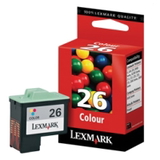
- Original OEM Ink Cartridge Lexmark 26 (10N0026E) (Color) – a popular choice for color documents and graphics,
- Compatible Ink Cartridge 16 for Lexmark (10N0016E) (Black) – a cost-effective alternative for frequent black printing,
- Compatible Ink Cartridge 26 for Lexmark (10N0026E) (Color) – affordable color printing without compromising everyday quality.
Thanks to this selection, you can easily match the cartridge to your printing style—whether you prioritize maximum manufacturer consistency (Original OEM) or want to reduce costs with a high-quality compatible option. How to choose: Original OEM vs Compatible ink for Lexmark Z35 Many customers ask which ink for Lexmark Z35 is the best choice. The answer depends on what you print and how often you print. - Original OEM ink cartridge – ideal if you want factory-standard consistency, predictable color reproduction, and you mostly print occasionally or need maximum peace of mind.
- Compatible ink cartridge – perfect if you print more often and want a better cost-per-page. Our compatible cartridges from DrTusz.pl are designed to be as good as the originals in daily use: clear text, strong black coverage, and reliable color output.
Tip: always verify the cartridge number, not only the printer model name. For the Lexmark Z35, the most common choices are Lexmark 16 (black) and Lexmark 26/27 (color). If you print mostly text, choose a black cartridge first; if you print charts, graphics, or color documents, add the color cartridge as well. Common Lexmark Z35 printing issues—and how the right cartridge helps Like many classic inkjet models, the Lexmark Z35 may occasionally show issues that are often linked to an empty cartridge, clogged nozzles, or infrequent printing. Here’s what we recommend: - Streaks or missing lines – run a cleaning cycle and make sure the cartridge is fresh and properly installed.
- Faded color or weak black – replace the cartridge and check print settings (draft mode can look pale).
- Cartridge not recognized – remove and reinsert the cartridge; ensure you’re using the correct model number for your ink for printer Lexmark Z35.
- Smudging – use appropriate paper and allow prints to dry, especially with color pages.
If you’re unsure which cartridge will solve your specific issue, we’re here to help you choose the right ink for Lexmark Z35 quickly and confidently. Choose your ink for Lexmark Z35 and start printing with confidence We encourage you to browse our selection of ink cartridges for Lexmark Z35—Original OEM and Compatible—and pick the option that best matches your budget and printing needs. We focus on availability, clear product labeling, and fast order handling, so you can get back to printing without unnecessary downtime. CTA: Add your chosen ink for printer Lexmark Z35 to the cart now, or contact us—together we’ll select the best cartridge (black or color) for your Lexmark Z Series printer and your daily printing routine. |