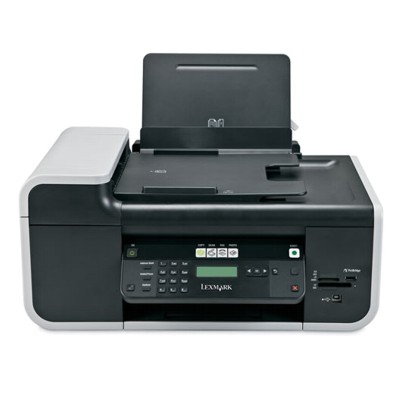
Lexmark X5600 – a reliable all‑in‑one for everyday printing Lexmark X5600 from the Lexmark X Series is a practical inkjet all‑in‑one designed for home and small office use. It’s valued for convenient everyday printing, copying and scanning, especially when you need clear text documents and colourful graphics in one device. To keep this printer working smoothly and to maintain consistent quality, it’s worth choosing the right ink for Lexmark X5600—matched to your printing style and page volume. What you get with the right ink for printer Lexmark X5600 Well‑chosen ink cartridges for Lexmark X5600 deliver stable colour reproduction, crisp black text and fewer interruptions during printing. In this category we focus on Original OEM ink cartridge solutions—ideal if you want manufacturer‑certified quality and predictable results for both documents and colour prints. Typical applications where ink for X5600 makes a real difference include: - daily documents: invoices, forms, schoolwork and contracts,
- colour prints: charts, presentations, simple photos and marketing materials,
- mixed workloads: alternating between black text and colour graphics without quality drops.
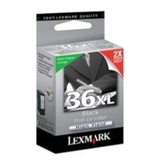
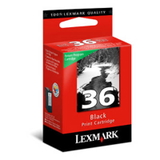
Our selection: popular Lexmark X5600 ink cartridges (Original OEM) We make it easy to pick the cartridge that fits your needs—standard or high‑yield. In our offer you’ll find proven, frequently chosen OEM models for this printer: - Original OEM Ink Cartridge Lexmark 36 (18C2130E) (Black) – a solid choice for everyday black text printing.
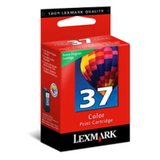
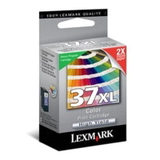
- Original OEM Ink Cartridge Lexmark 37 (18C2140E) (Color) – supports vivid colour output for graphics and colour documents.
- Original OEM Ink Cartridge Lexmark 36 XL (18C2170) (Black) – high‑yield option for people who print more and want fewer replacements.
- Original OEM Ink Cartridge Lexmark 37 XL (18C2180) (Color) – high‑yield colour cartridge for frequent colour printing and better convenience.
Looking for a specific reference? This subpage is commonly searched using phrases like Lexmark X5600, X5600 or Lexmark X Series—and we’ve organized the products so you can quickly find the correct match. How to choose: standard vs XL, black vs color When selecting ink for printer Lexmark X5600, start with two simple questions: how much you print and what you print most often. - Choose standard capacity (Lexmark 36 / 37) if you print occasionally or want a lower upfront cost.
- Choose XL capacity (Lexmark 36 XL / 37 XL) if you print regularly—XL typically means fewer cartridge changes and better comfort over time.
- Black cartridge (Lexmark 36 / 36 XL) is best for text-heavy printing.
- Color cartridge (Lexmark 37 / 37 XL) is essential for colour graphics and images; it also improves the overall look of colour documents.
Original OEM vs compatible ink cartridges – what to know In general, Original OEM ink cartridges for Lexmark X5600 are the manufacturer’s cartridges, designed to work seamlessly with the printer and deliver repeatable quality. Many customers choose OEM when they want maximum predictability and official specifications. If you’re comparing options: compatible cartridges can be an excellent alternative too. In our store we select compatibles carefully—our DrTusz.pl compatible cartridges are as good as the originals in everyday use, offering strong print quality and great value. If you need help deciding which route is best for your workload, we’re happy to advise. Common user issues with Lexmark X5600 ink – and how we help With inkjet printers like the Lexmark X5600, the most common questions we hear are about cartridge recognition, streaks, faded prints or printing after a longer break. Often, the solution is straightforward: choosing the correct cartridge version, replacing an empty cartridge promptly, and printing regularly to keep ink flowing smoothly. If you’re unsure whether you need Lexmark 36 or Lexmark 36 XL (or the colour equivalents), we can confirm compatibility and help you pick the best option for your printing habits. Order ink for Lexmark X5600 with confidence We encourage you to browse the available ink cartridges for Lexmark X5600 and choose the best set for your home or office—standard or XL, black and/or colour. Add your selected ink for X5600 to the cart and enjoy a smooth purchase process, fast dispatch options, and helpful customer support if you need it. CTA: Check the products listed on this page and choose your Lexmark X5600 ink cartridge today—if you have any questions, contact us and we’ll guide you to the right cartridge in minutes. |